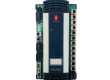
The ABB 70EA01B-ES is a high-precision analog input module designed for integration within ABB’s legacy Distributed Control Systems (DCS), specifically the Procontrol P13 and associated automation platforms. This module serves as the critical interface between field instrumentation—such as temperature sensors, pressure transmitters, and flow meters—and the digital processing environment of the control system. It is engineered to provide high-speed data acquisition with superior noise rejection and long-term signal stability.
1. Product Parameters & Technical Datasheet
The 70EA01B-ES is characterized by its modular “plug-in” design and its ability to process multiple analog signals simultaneously with galvanic isolation.
| Parameter | Specification |
| Model Number | 70EA01B-ES |
| Module Type | Analog Input (AI) |
| Input Channels | Typically 4 or 8 channels (hardware configuration dependent) |
| Input Signal Types | 0…20 mA, 4…20 mA, 0…10 V, or ±10V |
| A/D Conversion Resolution | 12-bit or 16-bit (high-resolution variant) |
| Sampling Rate | < 10 ms per channel (standard mode) |
| Input Impedance | > 100 k\Omega (Voltage), ~250 Ω (Current) |
| Galvanic Isolation | Up to 1500V DC (between field and logic) |
| Power Consumption | ~5W to 8W at 24V DC |
| Temperature Drift | < 0.01% per ∘C |
Hardware Characteristics
- Signal Filtering: Integrated hardware and software filters to eliminate high-frequency noise and 50/60 Hz interference from power lines.
- Diagnostics: Built-in self-test (BIST) routines that monitor for internal hardware failures or out-of-range input signals.
- Hot-Plug Capability: Designed for replacement under power (in supported subracks) to minimize system downtime.
- Front Panel LEDs: Provides immediate visual feedback regarding the status of the module and individual input channels.
2. Country of Origin
The ABB 70EA01B-ES is primarily manufactured in Germany. ABB’s Power Generation and Automation centers in Mannheim have historically been the production hubs for the Procontrol P series, ensuring strict compliance with European quality and safety standards for the energy sector.
3. Application Areas
This module is a staple in high-availability environments where process signal integrity is non-negotiable.
- Fossil Fuel Power Plants: Monitoring steam pressure, turbine bearing temperatures, and flue gas concentrations in coal and gas-fired stations.
- Nuclear Power Stations: Integrated into non-safety-related control loops for secondary plant monitoring and balance-of-plant automation.
- Industrial Boilers: Real-time feedback for feedwater control and combustion air-to-fuel ratio optimization.
- Chemical Processing: Monitoring reactor temperatures and pressures in hazardous environments where galvanic isolation is essential for safety.
- Water & Wastewater: Collecting data from remote flow sensors and tank level transmitters across large-scale treatment facilities.
4. Product Usage Instructions
Installation and Mechanical Setup
- Preparation: Before installation, verify the module’s hardware address settings (jumpers or DIP switches) against the system configuration documentation.
- Mounting: Align the 70EA01B-ES with the guide rails in the P13 subrack. Push firmly until the backplane connectors are fully engaged. Secure the front panel screws to ensure the module remains grounded to the rack frame.
- ESD Warning: Always handle the module using an anti-static wrist strap. Static discharge can cause latent defects in the high-precision A/D converters.
Wiring Guidelines
- Shielding: Use twisted-pair, shielded cables for all analog signal runs. The shield should be grounded at only one end (typically the DCS cabinet side) to prevent ground loops.
- Signal Type Selection: Ensure the input channel is correctly configured for current (mA) or voltage (V). Connecting a current source to a channel configured for voltage can damage the internal shunt resistors.
- Loop Power: If using 2-wire transmitters, ensure the external 24V DC loop power supply is stabilized and properly fused.
Maintenance and Calibration
- Annual Check: It is recommended to verify the calibration of at least one channel annually using a certified signal generator.
- Cleaning: During scheduled shutdowns, use dry compressed air to remove dust from the module’s air vents to prevent overheating.
- Fault Monitoring: If the “FAULT” LED is illuminated, check the system diagnostic log to determine if it is a “Wire Break,” “Short Circuit,” or an internal module failure.
5. Product Related News
Focus on Lifecycle Management
As of 2026, ABB has emphasized the Sustainability and Life Extension of the Procontrol P13 platform. Many facilities worldwide still rely on the 70EA01B-ES for critical operations. ABB news bulletins have highlighted that while newer “Symphony Plus” systems are the flagship offering, the 70EA01B-ES remains in the Classic lifecycle phase, meaning ABB continues to provide factory-certified repair services and guaranteed spare parts availability.
Digitization and Retrofit Trends
In recent industry exhibitions, ABB showcased “Gateway Solutions” that allow the 70EA01B-ES to communicate directly with modern ABB Ability™ digital platforms. This allows plants built 20-30 years ago to utilize AI-driven predictive maintenance without replacing their entire DCS hardware. By extracting high-resolution data from the 70EA01B-ES, operators can now detect minute oscillations in process signals that might indicate early-stage valve or pump wear.
Compliance Updates
ABB has updated the documentation for the 70EA-series to align with modern IEC 62443 cybersecurity frameworks. This involves recommending specific network segmentation for the Procontrol P13 bus to ensure that analog data acquisition modules remain isolated from external network threats.
6. Technical Maintenance and Troubleshooting
Common LED Status Indicators
- Green (Run): Module is powered and communicating with the bus master.
- Yellow (Channel Status): Often indicates a signal is near the limit or a specific channel is in “Test Mode.”
- Red (Fault): Indicates a module-level failure. If the Red LED is flashing, it may indicate a configuration mismatch between the hardware and the software database.
Troubleshooting Checklist
- No Signal Reading: Check the fuse on the terminal block for the specific channel. Verify that the 24V DC loop power is present.
- Inaccurate Readings: Inspect the cable shield connections. Check if high-voltage power cables have been laid too close to the analog signal cables.
- Intermittent Signals: Check for loose connections at the terminal board or oxidation on the module’s backplane connector pins.