- Model: ABB B5EC HENF105077R1
- Brand: ABB (Sweden / Switzerland)
- Series: Industrial Control / Communication Module
- Core Function: Ethernet/IP-based control & communication board for PLC/DCS networks
- Type: Communication / Control Module
- Key Specs: Ethernet/IP interface Up to 32 connections Industrial-grade design
- Supply Status: ⚠️ Discontinued / legacy module (verify before order)
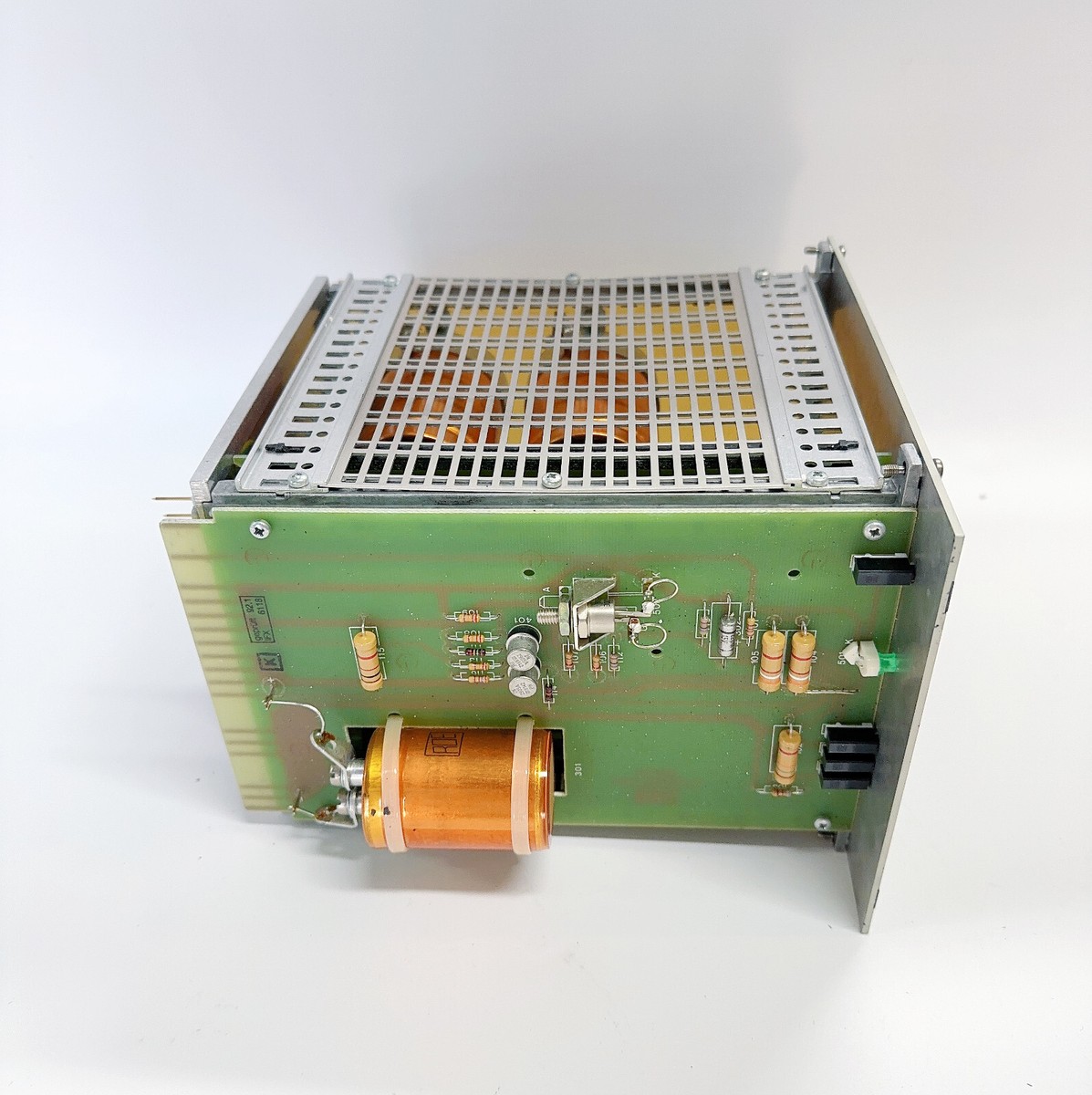
B5EC HENF105077R1
Key Technical Specifications
- Part Number: B5EC HENF105077R1 (ABB)
- Function: Industrial control / communication interface card
- Communication Interface: Ethernet/IP industrial network support
- Protocol Support: Ethernet/IP, ControlNet (common industrial protocols)
- Data Rate: 10/100 Mbit/s typical industrial Ethernet
- Max Connections: Up to 32 TCP/IP connections per adapter
- Input Voltage: ~5.1 V DC for logic circuitry (typical module supply)
- Power Consumption: ~800 mA @ 5.1 V DC
- Operating Temperature: 0 °C to 60 °C industrial ambient
- Diagnostics: Network built-in troubleshooting support (Ethernet link, activity/connection status)
- Mounting: Backplane/PCB module for industrial controllers
- Protection: Industrial electrical isolation and rugged design
Part 4: Installation & Configuration Guide
This module functions as an industrial control communication interface. Proper ESD handling and configuration steps reduce risk of fieldbus disruptions.
Phase 1: Pre-Installation (10 min)
⚠️ Safety First
- Notify operations & plan a maintenance window; bring the process into a controlled state.
- Power down the controller / rack before handling the card.
- Wait ~5 min for internal capacitors to discharge.
Tools & Prep
- Anti-static wrist strap + mat
- Multimeter (verify supply voltages)
- Labels + marker
- Photos of existing wiring and connectors
Documentation Tasks
- Photograph network connections (Ethernet, ControlNet, fieldbus).
- Make note of module revision & installed firmware if visible.
Phase 2: Removal of Old Module (5–8 min)
- Open the controller rack or enclosure.
- Label all connectors (Ethernet, fieldbus) and ribbon/connector cable positions.
- Unplug each network cable one at a time.
- Release module retention clips and slide card straight out.
⚠️ Inspect backplane and connector interfaces for bent pins or buildup; clean compressed air if needed.
Phase 3: Installation of New Module (10 min)
- Connect ESD protection.
- Confirm replacement is B5EC HENF105077R1 and matches original connectors.
- Insert module firmly into the proper backplane slot until clips latch.
- Reconnect all cables by label.
- Check that Ethernet jacks and fieldbus connectors are seated snugly.
Checklist:
- Correct module is installed
- All labeled connectors remated
- No loose cable strands
- Power supply rails verified
Phase 4: Power-On & Validation (10–15 min)
Before energizing:
- Use a multimeter to verify DC supply rails (~5 V logic rail is stable).
- Confirm ground and chassis continuity before powering on.
Power sequence:
- Energize controller rack.
- Observe status LEDs (if present) on the module indicating link/activity.
- Verify Ethernet/IP connection status on engineering workstation or PLC diagnostics.
- Run basic ping tests or communication checks to connected devices.
Functional test:
- Confirm the module accepts and holds connections from automation clients.
- Monitor network traffic and module health logs for at least 20–30 min.
If network communication fails, revisit cabling (shielding/ground), module addressing, or network topology.
Part 5: Customer Cases & Industry Applications
Case 1: Manufacturing Plant Ethernet Backbone Upgrade
Situation:
A mid-size discrete manufacturing line used ABB control cards for automation networking. A B5EC module failed and disrupted Ethernet/IP link to SCADA.
Task:
Fault caused data dropout between PLC and remote HMI nodes. Continued operation risked process hiccups.
Action:
We provided a tested Brand New Surplus B5EC HENF105077R1 card within 48 h. Maintenance swapped the module and remapped connections.
Result:
Full network communication restored within the same shift; SCADA alarms cleared, and production was maintained with minimal downtime.
Case 2: Chemical Process Control Redundancy Planning
Situation:
A chemical processing facility recognized long lead times for legacy ABB network modules.
Task:
Ethernet/IP interface cards were single points of failure.
Action:
We recommended stocking one unit as min buffer stock and two as max to cover redundancy and lead time variability.
Result:
When a B5EC card fault occurred, the spare installed promptly with no impact on batch scheduling.
Case 3: Water Treatment Network Expansion
Situation:
A municipality upgraded control racks to link new remote PLC nodes over Ethernet/IP.
Task:
Timing required components within 14 days; OEM lead times were uncertain.
Action:
We supplied B5EC modules configured for network integration, and assisted with topology mapping.
Result:
Control expansion delivered on time; communications between nodes showed stable performance.
Part 6: Frequently Asked Questions (FAQ)
Q1: Is B5EC HENF105077R1 still in production?
A: This module appears to be legacy/obsolete from ABB’s industrial control lineup. Many sites treat it as a hard-to-source spare; confirm status with your local ABB contact.
Q2: Are your units new or refurbished?
A: We supply Brand New Surplus units only — original ABB hardware, tested and warranted. Not reconditioned or used.
Q3: What network protocols does it support?
A: It supports Ethernet/IP at 10/100 Mbit/s and is commonly integrated with ControlNet and other industrial communication stacks.
Q4: Can this module be hot-swapped?
A: Hot-swap support depends on chassis/backplane design. When in doubt, power down the controller rack before replacing to ensure safety and avoid bus disruptions.
Q5: How should I stock this part?
A: For legacy automation modules with variable lead times:
- Min stock: 1 unit
- Max stock: 2–3 units
Set reorder point at 1 and plan based on historical failure rates and network redundancy needs.