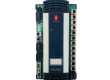
The ABB GOP2 (Graphic Operator Panel 2) series represents a legacy of robust, high-reliability Human-Machine Interfaces (HMIs) designed specifically for industrial automation and power electronics control. These panels were widely integrated into ABB’s drive systems, excitation systems (such as UNITROL), and specialized control cabinets where local visualization and parameter adjustment were critical for operational success.
Product Introduction
The GOP2 panels were engineered to provide an intuitive interface for field operators and maintenance technicians. Unlike simple alphanumeric displays, the GOP2 offered a graphical environment capable of displaying real-time process mimics, bar graphs, and trend curves. This allowed for a much faster assessment of system health compared to reading raw numerical data.
Built with an industrial-grade liquid crystal display (LCD) and a rugged tactile keypad, the GOP2 was designed to operate in environments characterized by high electromagnetic interference (EMI), dust, and vibration. It serves as the primary window into the control logic of the connected ABB controller, allowing users to modify setpoints, acknowledge alarms, and view diagnostic logs without the need for a secondary laptop or engineering station.

Product Parameters (Datasheet)
The technical specifications of the GOP2 series were tailored for integration into high-power electronics environments:
| Parameter | Specification |
| Display Type | Monochrome or STN Color LCD (Model dependent) |
| Resolution | 240 x 128 pixels (Standard) / 320 x 240 (High-tier) |
| Backlight | Long-life CCFL or LED |
| Input Interface | Tactile membrane keys with functional “F” keys |
| Processor | Integrated 16-bit / 32-bit Microcontroller |
| Memory | 512 KB to 2 MB Flash for project storage |
| Communication Ports | RS-232, RS-485, and specialized ABB Arcnet/CAN links |
| Input Voltage | +24 V DC (±20%) |
| Current Consumption | 300 mA to 500 mA |
| Environmental Protection | IP65 (Front panel when mounted) |
| Operating Temperature | 0°C to +50°C |
| Storage Temperature | -20°C to +70°C |
Country of Origin
- Primary Origin: Switzerland / Finland
ABB’s graphic operator panels associated with the UNITROL and high-power drive series were primarily developed in the Turgi/Baden (Switzerland) and Helsinki (Finland) power electronics centers. These facilities ensure that the panels meet global standards for power plant and heavy industrial hardware.
Technical Description & Key Features
The GOP2 series distinguished itself through its hardware-software synergy:
- Rugged Keypad Feedback: Unlike modern consumer-grade touchscreens, the GOP2 utilized a membrane keypad with clear tactile feedback. This was essential for operators wearing industrial gloves or working in low-light conditions.
- Multilingual Support: The firmware supported multiple character sets, allowing global companies to deploy the same hardware across different regions with local language support for alarm descriptions.
- Alarm Management: The GOP2 featured a dedicated alarm buffer. When a fault occurred in the main drive or excitation system, the GOP2 would display the fault code alongside a time-stamped text description, significantly reducing the Mean Time to Repair (MTTR).
- Parameter Security: The panel included multi-level password protection. Basic operators could view data, but only authorized personnel could access the “Engineer” level to modify sensitive control parameters or tuning constants.
Product Usage Instructions
1. Mechanical Mounting
The GOP2 is designed for flush-mounting into a cabinet door.
- Cut out the panel aperture according to the specific GOP2 dimensions.
- Ensure the rubber sealing gasket is in place before inserting the panel.
- Secure the panel using the provided mounting brackets to maintain its IP65 rating against dust and moisture ingress.
2. Electrical Connection
- Power: Connect the 24V DC supply. Ensure the polarity is correct, as reversed polarity can damage the internal backlight inverter.
- Communication: Use a shielded cable for the RS-232/485 connection. The shield should be grounded at the panel end to prevent electrical noise from causing display flickering or communication timeouts.
3. Configuration and Project Loading
The GOP2 panels were typically configured using a dedicated ABB software tool. Users would define the “Pages” or “Screens,” link them to specific Modbus or Arcnet registers in the controller, and then download the project via the serial port.
Product Related News
- Legacy Support and Retrofitting: While the GOP2 is now considered a “Legacy” or “Classic” product in the ABB lifecycle, there remains a massive installed base globally. ABB has recently introduced specific HMI Retrofit Kits designed to replace aging GOP2 units with modern Panel 800 or CP600 displays, providing mechanical adapter plates and software conversion utilities.
- Sustainability and Spare Parts: Due to the critical nature of the GOP2 in power generation (Excitation systems), ABB and authorized partners continue to maintain a “Repair and Return” service for the GOP2 series, emphasizing the sustainability of keeping existing power infrastructure operational without total system overhauls.
- Refurbishment Programs: Several utility companies in North America and Asia have initiated fleet-wide refurbishment programs for GOP2 panels, focusing on replacing aged CCFL backlights with modern LED kits to extend the service life of the panels by another 10 to 15 years.
Common Problems Q&A
Q: The display is blank, but the status LEDs are on. What is wrong? A: This is a common symptom of a failed backlight (CCFL tube) or a faulty backlight inverter. In many cases, the LCD is still functioning but cannot be seen. High temperatures inside the cabinet often accelerate the degradation of the backlight components.
Q: Why does the panel show a “Communication Time-out” error? A: Check the physical serial cable first. If the cable is intact, ensure that the baud rate and node address on the GOP2 match the settings in the controller (e.g., UNITROL 5000). Electromagnetic noise from a nearby drive can also disrupt the signal if the cable shielding is inadequate.
Q: Can I backup the project from one GOP2 and load it into another? A: Yes, provided you have the appropriate ABB transfer software. It is highly recommended to keep a digital backup of the project file, as the GOP2 does not store the original “source” project in a format that can be easily edited once downloaded.
Q: The keypad buttons are non-responsive or “sticky.” Can they be repaired? A: Membrane keypads have a finite number of actuations. If a button fails, the entire front membrane must usually be replaced. Avoid using sharp objects (like screwdrivers) to press buttons, as this will puncture the protective layer.
Recommended Related ABB Models
- ABB PP836 (3BSE042232R1): A modern replacement from the Panel 800 series for legacy HMI applications.
- ABB CP635: A 7-inch color touchscreen panel often used as a modern alternative in ABB drive systems.
- ABB 3BHE022293R0101 (PCD232A): The communication module often found behind the GOP2 in excitation systems.
- ABB UNITROL 1000/6000 Series: The excitation controllers that frequently utilize GOP2 panels for local control.
- ABB CDP 312R: A smaller, specialized control panel used for ACS600 and ACS800 drive series.