Description
- Model: BENTLY NEVADA 1900/55-0Z-01-01-01
- Brand: Bently Nevada (Baker Hughes)
- Series: 1900 Series Machinery Protection
- Core Function: Standalone 4-channel monitor for vibration, position, or temperature.
- Condition: Brand New Surplus (Original, non-refurbished)
- Type: Fan Case and Machinery Monitor
- Key Specs: 4 Vibration Inputs 2 Temperature Inputs 8 Programmable Relays
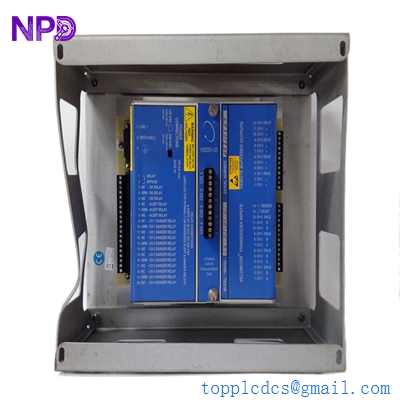
BENTLY 1900/55 190055-0Z-01-01-01
Key Technical Specifications
- Vibration Inputs: 4 channels (Acceleration, Velocity, or Displacement)
- Temperature Inputs: 2 channels (Type J, K, E, or T Thermocouples/RTDs)
- Relay Outputs: 8 fully programmable dry contact relays
- Analog Outputs: 4–20 mA proportional to monitored variables
- Communication: Modbus RTU via RS485/RS232
- Input Voltage: 18 to 36 V DC
- Frequency Response: 0.5 Hz to 20 kHz
- Enclosure Rating: IP65 (When installed in appropriate housing)
- Configurability: Programmable via 1900 Configuration Software
- LCD Display: Integrated screen for local status and value monitoring
- Alert/Danger Setpoints: Fully adjustable with time delays
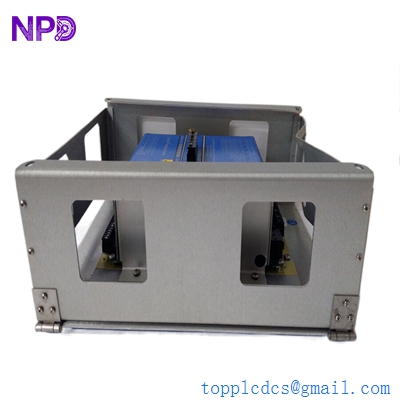
BENTLY 1900/55 190055-0Z-01-01-01
Installation & Configuration Guide
Phase 1: Pre-Installation (15 Minutes)
⚠️ Safety First:
- Verify the 24 V DC power source is stable and clean; transients can damage the sensitive input stages.
- Confirm the machinery is in a stable state; replacing a monitor while the machine is ramping up can lead to false trips if the relays aren’t bypassed.
- Use a grounded wrist strap. The 1900/55 contains surface-mount components susceptible to ESD (Electrostatic Discharge).
Documentation Prep:
- Use your phone to take a clear photo of the existing wiring on the terminal blocks.
- Note the DIP switch positions on the side of the module (if any are present for termination).
- Backup the configuration file (.190) from the old monitor using the 1900 Configuration Software.
Phase 2: Removal (10 Minutes)
- Power Down: Disconnect the 24 V DC supply. Verify with a Fluke 115 that no residual voltage remains.
- Terminal Disconnection: Loosen the screws on the terminal blocks. Don’t just yank the wires; label each pair (Signal, Common, Shield) to avoid phase-reversal on vibration sensors.
- Mechanical Release: If DIN rail mounted, use a flat-head screwdriver to release the bottom clip. If panel-mounted, remove the four corner nuts.
Phase 3: Installation (15 Minutes)
- Physical Mounting: Snap the 1900/55-0Z-01-01-01 onto the rail. Ensure it is not directly adjacent to high-heat sources like large power supplies.
- Wiring: Reconnect the sensors. In my experience, the shield wire is the most common failure point—ensure the shield is landed at the monitor end only to avoid ground loops.
- Comm-Link: Connect the RS485 cable if you are integrating this into a PLC/DCS via Modbus RTU.
Phase 4: Configuration & Testing (20 Minutes)
- Power On: Watch the LCD. It should run a self-test and show “OK.”
- Software Upload: Connect your laptop via the serial port. Upload your saved configuration.
- Note: If the firmware version of the new surplus module is significantly different from your old one, the software might prompt for a firmware update. Proceed with caution.
- Loop Check: Use a signal generator (like a Bently Nevada TK-3) to simulate a vibration signal. Confirm the LCD reads the value correctly and the 4–20 mA output matches your DCS display.
- Relay Test: Temporarily change a setpoint to trigger a relay. Use a multimeter to confirm the dry contact closes. Remember to change the setpoint back!
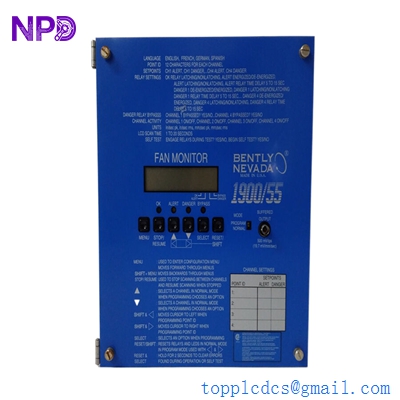
BENTLY 1900/55 190055-0Z-01-01-01
Customer Cases & Industry Applications
Case 1: Emergency Fan Monitor Replacement in a Cement Plant
Situation: A large induced-draft (ID) fan at a cement plant in Vietnam was being monitored by a 1900/55. The monitor’s display went blank during a monsoon, likely due to a humidity-induced short.
The Task: Without the monitor, the plant could not legally run the fan due to safety regulations regarding vibration protection. Every hour of downtime cost the plant approximately $12,000.
Action: The customer reached out on a Tuesday evening. We had a 1900/55-0Z-01-01-01 tested and ready. We utilized our “Green Channel” export process to get the part onto a DHL flight within 5 hours.
Result: The part arrived Friday morning. The plant was back at full capacity by noon. The maintenance manager noted: “The OEM wanted 8 weeks; you got it here in 3 days. That’s the difference between a minor hiccup and a monthly loss.”
Case 2: Proactive Buffer Stock for a Cooling Tower Project
Situation: A system integrator was refurbishing 12 cooling tower cells for a data center. They chose the 1900 series for its standalone capability but were worried about future lead time variability.
Action: Instead of ordering “just enough,” I recommended a buffer stock of 2 additional units. Since these are “New Surplus,” we offered a vendor consolidation discount that made the unit price 25% lower than the OEM’s single-unit price.
Result: During commissioning, a technician accidentally miswired a 220 V AC line into the 24 V DC input of one monitor, frying it instantly. Because they had the buffer stock on-site, the project stayed on schedule. No one had to explain a 2-month delay to the client.
Frequently Asked Questions (FAQ)
Q: Is this 1900/55-0Z-01-01-01 the same as the standard 1900/65? A: No. While they look similar, the 1900/55 is specifically geared toward general machinery and fan case monitoring. It has different default firmware and channel configurations. Always check your “Dash numbers” (the -01-01-01 part) to ensure the power and relay options match your existing install.
Q: Does it come with the configuration software? A: We provide the module only. However, the 1900 Configuration Software is usually available from Bently Nevada’s portal. If you can’t find it, let me know; I can usually point you to the right download link for the specific version you need.
Q: We use Modbus RTU. Do I need to buy a separate gateway? A: No, the 1900/55 has a built-in RS485/RS232 port that supports Modbus RTU natively. You just need to set the Slave ID, Baud Rate, and Parity in the software.
Q: Can I use this for SIL-2 applications? A: The 1900 series is built to high standards, but you must check the specific SIL certification in the Bently Nevada datasheet. Usually, for SIL-2, you need specific wiring and redundant relay configurations.
Q: Your price is lower than the factory. Is this a used unit? A: Absolutely not. This is New Surplus. It was likely part of a large project’s overstock or a strategic inventory buy-back. It has never been installed in a machine. You get the benefit of a lower price and immediate availability, which the factory can’t always match.
Q: What if the module fails during the first 6 months? A: We provide a full 12-month warranty. If the unit fails due to a hardware defect, we ship a replacement immediately if in stock, or provide a full refund. We handle the RMA (Return Merchandise Authorization) process ourselves to save you the headache of dealing with the factory.