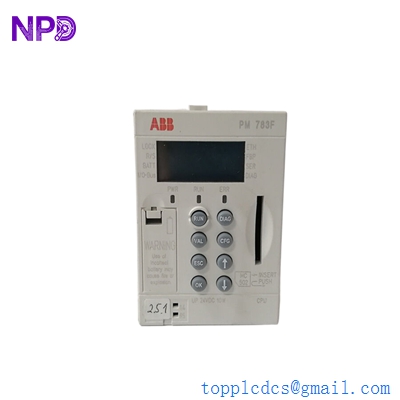

Description
- Model: 1TGE120021R0010
- Brand: ABB (Finland/Switzerland)
- Series: Substation Automation / COM600 series (Grid Automation)
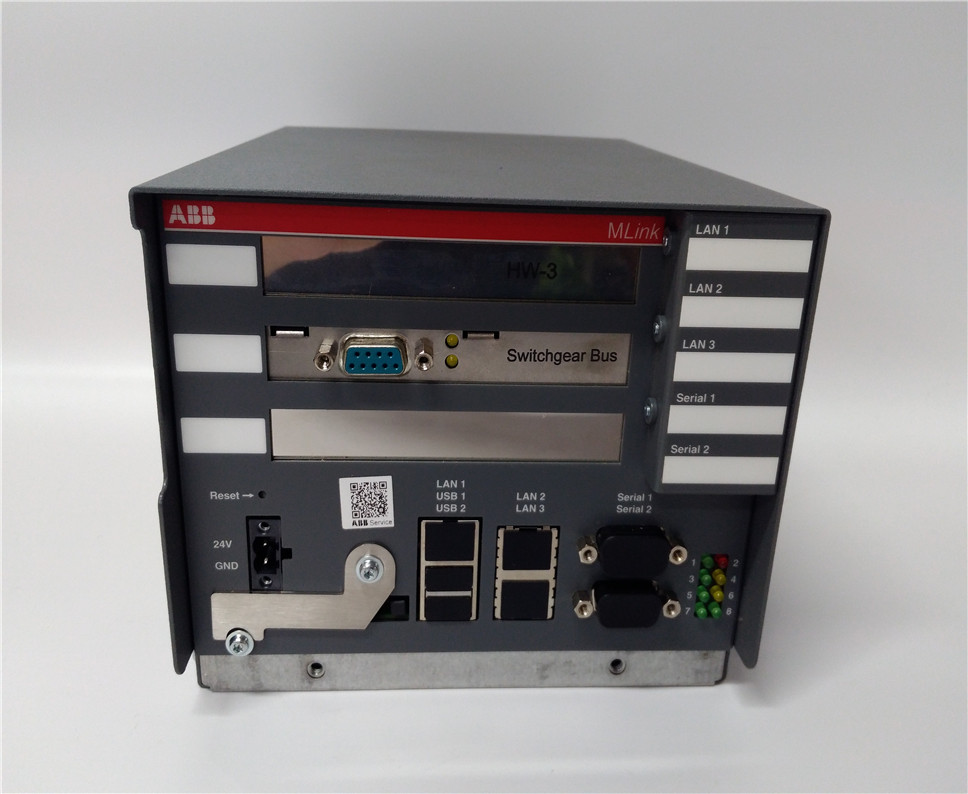
- Core Function: Acts as a centralized communication gateway and data concentrator, bridging substation IEDs (Intelligent Electronic Devices) to higher-level SCADA or DCS systems.
- Product Type: Communication Gateway / Proxy Server
- Key Specs: Supports IEC 61850, Modbus, and DNP3 protocols; high-speed Ethernet integration.
- Communication Protocols:
- Northbound: IEC 60870-5-101/104, DNP3, OPC, Modbus TCP.
- Southbound: IEC 61850, Modbus RTU/TCP, DNP3, LON.
- Hardware Interface: Multiple RJ45 Ethernet ports and RS-232/485 serial ports.
- OS Environment: Embedded Windows or Linux-based (Depending on firmware revision).
- Storage: Integrated Industrial CompactFlash or SSD for data logging and HMI storage.
- Diagnostics: Integrated web-based management interface for real-time monitoring.
- Power Supply: 24 V DC or wide-range AC/DC (Check specific hardware build).
- Mounting: Standard DIN-rail or rack-mount configurations.
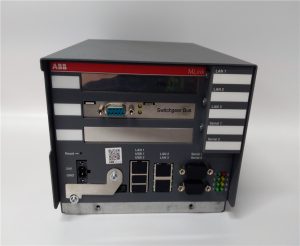
1TGE120021R0010
Installation & Configuration Guide
Phase 1: Pre-Installation (Estimated time: 20 minutes) ⚠️ Safety First:
- This gateway manages Substation Data. Ensure you have a network map and all IED (Relay) IP addresses before beginning.
- Project Files: Ensure you have the
.sabor.configfiles from the ABB SAB600 (Substation Automation Builder) tool. - Check the version. The 1TGE120021R0010 must match the software version of the relays it is intended to poll.
Phase 2: Mounting & Wiring (Estimated time: 15 minutes)
- DIN-Rail Mount: Clip the gateway onto the DIN rail. Ensure there is at least 50mm of clearance for airflow.
- Grounding: Connect the PE (Protective Earth) terminal to the cabinet ground bar. This is vital for protecting the communication ports from transient surges.
- Power: Connect the power supply. Use a dedicated circuit to prevent interference from high-power switching equipment.
Phase 3: Network Connection (Estimated time: 15 minutes)
- Station Bus: Connect the primary Ethernet port to the substation LAN (IEC 61850 bus).
- SCADA Link: Connect the secondary port to the control room network or radio link.
- Serial Links: If using Modbus RTU, ensure the RS-485 termination resistors are correctly placed at the end of the daisy chain.
Phase 4: Commissioning (Estimated time: 60 minutes)
- Power up the unit.
- Web Interface: Connect a laptop and access the default IP (refer to the manual).
- Configuration Upload: Use the SAB600 tool to download the communication logic and mapping table.
- IED Poll Check: Verify that the gateway is successfully “Heartbeating” with all connected protection relays.
Customer Cases & Industry Applications
Case 1: Solar Farm Grid Integration A large-scale solar facility in Australia used the 1TGE120021R0010 to aggregate data from 50 different string inverters and meters. When the original gateway failed due to a localized surge, the site lost its telemetry to the utility grid operator. We delivered a New Surplus unit in 72 hours. The site engineer restored the configuration via the SAB600 backup, bringing the site back into regulatory compliance immediately.
Case 2: Industrial Substation Modernization A steel mill was upgrading its internal power distribution. They used the ABB Communication Gateway to bridge legacy Modbus RTU meters into a modern IEC 61850 SCADA system. By using our New Surplus 1TGE120021R0010, they achieved seamless data transparency across the plant without the long lead times of current-generation hardware orders.
Frequently Asked Questions (FAQ)
Q: Does this module include the HMI (Human Machine Interface) software? A: To be honest, it depends on the licensed software pre-installed. Many COM600 series gateways include a web-based HMI, but you will need the specific project files from your plant to see the graphics.
Q: Can I use the 1TGE120021R0010 for protocol conversion? A: Yes. Its primary role is to act as a “Protocol Translator”—for example, converting Modbus RTU data into IEC 61850 for a modern control room.
Q: Why is my “Run” LED flashing amber? A: A flashing amber LED usually indicates the hardware is fine, but the application is not yet running or configured. This is common with New Surplus units that have not yet had a site-specific project loaded.
Q: Is “New Surplus” safe for grid-critical infrastructure? A: Absolutely. These are original ABB components. Unlike used or refurbished units, our New Surplus stock has zero runtime, meaning the internal flash memory and power components are in pristine condition. We provide a 1-year warranty for your security.
Q: What is the default IP address? A: Most ABB COM600 series units default to 192.168.2.10 or 10.1.1.10, but this can vary by firmware. Always check the test report included in the box.
I’m always open to corrections if I get something wrong; the best way to handle that is to just tell me what I missed or what I need to know! You can also always turn off the use of this personal context in your settings.