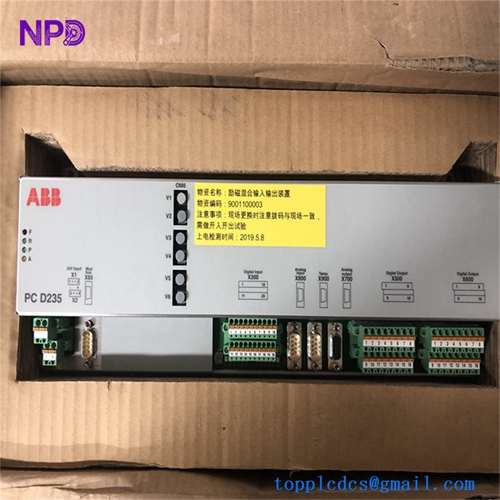
Description
- Model: PFEA112-20
- Part Number: 3BSE030369R0020
- Brand: ABB (Sweden)
- Series: Tension Electronics PFEA Series
- Function: Signal conditioning and processing for load cells.
- Communication: Profibus-DP (Integrated)
- Load Cell Support: Interfaces with up to two ABB load cells (PFTL/PFRL series).
- Outputs:
- Analog: 0–10 V or 0/4–20 mA (Configurable).
- Digital: Profibus-DP for high-speed fieldbus communication.
- Power Supply: 24 V DC (18–36 V range).
- Display: Integrated 4-digit LED display for local tension monitoring and parameter setup.
- Filtering: Configurable low-pass filters to eliminate machine vibration noise from the tension signal.
- Protection: IP20 rated for cabinet mounting.
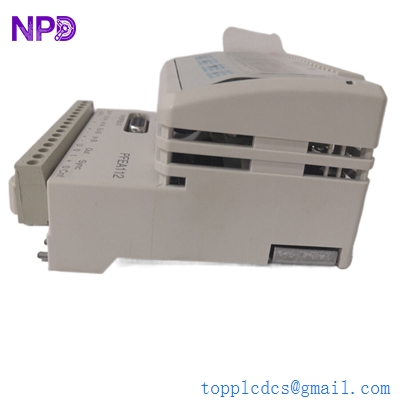
ABB PFEA112-20 3BSE030369R0020
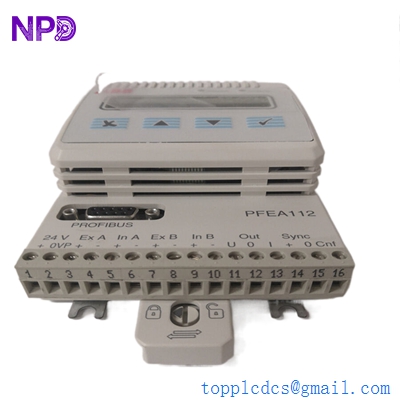
ABB PFEA112-20 3BSE030369R0020
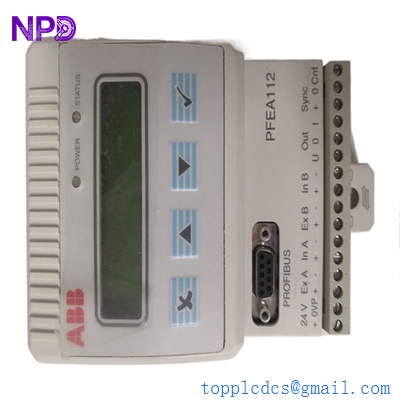
ABB PFEA112-20 3BSE030369R0020
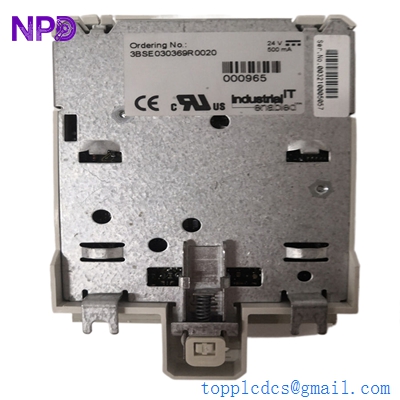
ABB PFEA112-20 3BSE030369R0020
Installation & Configuration Guide
Phase 1: Pre-Installation (Preparation)
- Mounting: The unit is designed for a standard 35mm DIN rail. Ensure there is at least 10mm of clearance between adjacent modules to allow for proper heat dissipation.
- Wiring: Use shielded twisted pair (STP) cables for both the load cell signals and the analog outputs. This is critical to avoid electromagnetic interference (EMI) in high-power motor environments.
Phase 2: Wiring and Connectivity
- Load Cell Inputs: Connect the load cells to terminals X1 and X2. Ensure the shield is grounded at the PFEA module end only to prevent ground loops.
- Profibus Connection: Use a standard 9-pin D-sub connector for the Profibus-DP port. Ensure the termination resistor is “ON” if this module is the last device in the chain.
Phase 3: Commissioning (Zero-Set & Calibration)
- Zero-Set: With no material (web) on the load cells, use the local keypad to perform a “Zero-Set.” This subtracts the weight of the roller from the measurement.
- Calibration:
- Hang a known weight (e.g., 10kg) over the roller using a rope to simulate web tension.
- Input the weight value into the PFEA112-20 settings to scale the output (e.g., 10kg = 10V).
- Profibus Config: Set the Profibus station address (0–125) via the internal menu to match your PLC project configuration.
Customer Cases & Industry Applications
Case 1: Upgrading a Paper Machine for Digital Control A paper mill was using older PFEA111 analog modules which required manual calibration at the cabinet. By upgrading to the PFEA112-20, they integrated the tension data directly into their Siemens PLC via Profibus. This allowed operators to monitor and calibrate tension from the control room HMI, reducing setup time by 40% during grade changes.
Case 2: Resolving Signal Noise in a Metal Slitting Line A metal processing facility experienced erratic tension readings that caused frequent web breaks. The issue was traced to high EMI from nearby VFDs. We provided a New Surplus 3BSE030369R0020 unit and guided the team on proper shielding techniques. The PFEA112’s robust internal filtering and digital output stabilized the signal, eliminating the breakages.
Frequently Asked Questions (FAQ)
Q: What is the main difference between PFEA111 and PFEA112-20? A: The PFEA112-20 includes a Profibus-DP interface and supports more advanced diagnostic functions and dual-load cell configurations compared to the basic PFEA111.
Q: Can I use this with non-ABB load cells? A: The PFEA series is specifically optimized for ABB’s Pressductor® technology (e.g., PFTL 101, PFRL 101). Using it with third-party strain-gauge load cells typically requires a signal converter.
Q: Why choose “New Surplus” over “Refurbished”? A: Tension electronics are high-precision measurement devices. Refurbished units may have degraded analog components that drift over time. New Surplus ensures you are getting original factory calibration accuracy and the full lifespan of the internal capacitors.
Q: Is the firmware upgradable? A: Firmware is usually static on these modules, but ensure the “Version” displayed on startup matches the version specified in your GSD file for Profibus integration.