
Description
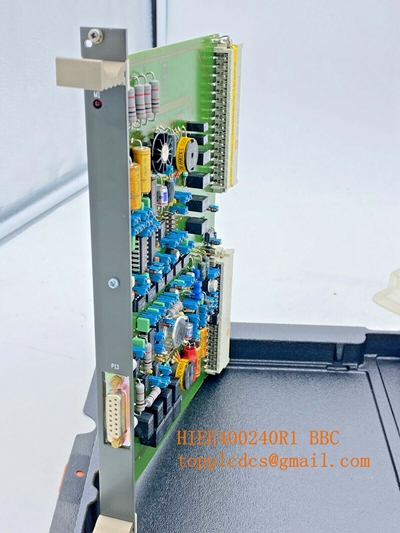
The ABB 5e20ADD02 (incorporating part number 1KGT024300R0001 for the R0001 RS485 variant) is a dedicated I/O adapter and bus extension module designed for the ABB RTU520 and RTU540 remote terminal unit product lines. It connects more than 16 RTU520 I/O modules to an I/O bus, converting the internal wired-OR bus (WRB I/O bus) to a serial peripheral bus (SPB I/O bus) with an electrical RS485 interface for decentralized or remote rack applications.
| Parameter | Specification |
| Brand | ABB |
| Model | 520ADD02 (Rubric R0001) |
| Part Number | 1KGT024300R0001 |
| Series | ABB RTU500 Series (RTU520 / RTU540 Substation Automation) |
| Product Name | I/O Adapter / Bus Extension Module |
| Supported Interfaces | Input: WRB I/O Bus (via ribbon cable)
Output: SPB I/O Bus via Electrical RS485 (Pluggable screw terminals) |
| Place of Origin | Sweden / Switzerland / Global Manufacturing |
| Product Status | Active / Substation Automation Support |
| Power Consumption | ~70 mA (supplied via 5 V DC WRB bus rails) |
| Dimensions | Standard compact modular rail-mount housing (approx. 35 mm × 98 mm × 117 mm) |
| Weight | Approx. 0.11 kg |

First-Run Inspection Checklist
- ☑ Physical Integrity Check
Inspect the outer plastic housing, front-panel LED indicators, rear terminal blocks, and internal bus connector ports for any transport damage, housing cracks, or broken locking pins.
- ☑ DIN-Rail & Slot Positioning
Ensure the module is correctly mounted onto a standard 35 mm DIN rail (RTS35-15) and acts as the designated final adapter unit within the virtual I/O assembly sequence.
- ☑ Wiring & Configuration Match
Verify that the RS485 shielded cable wiring, bus termination settings, and
RTUtil500software project configurations match the physical network layout prior to system energization.
Routine Maintenance & Servicing
- 🛠 Environmental Monitoring
Confirm that control cabinet climate controls keep operating temperatures within the specified range (-25°C to +70°C) and prevent moisture or heavy dust accumulation.
- 🔌 Terminal & Shielding Inspection
Periodically check plug-in RS485 screw terminals to verify mechanical tightness, correct shield grounding, and freedom from vibration-induced looseness.
Troubleshooting & Common Issues
- ⚠️ SPB Bus Communication Faults
If data exchange fails across extended remote racks, check RS485 polarity, verify cable shielding and grounding, and confirm correct bus termination resistor implementation.
- ⚠️ Bus Activity LED Diagnosis
Observe the front-panel green signaling LEDs (
TxandRx) to isolate whether data packets are successfully transmitting or receiving across the local I/O bus interface.
Safety Precautions
- 🔐 Electrostatic Discharge (ESD) Protection
Always handle the module using standard electrostatic safeguards, including a grounded wrist strap, to protect sensitive internal microcircuitry.
- ⚠️ Power Isolation
Isolate system auxiliary power supplies before modifying field wiring connections, plugging/unplugging ribbon cables, or mounting/dismounting the adapter on live rails.
Frequently Asked Questions (Q&A)
- ❓ Q1: What is the main difference between the R0001 and R0002 versions of the 520ADD02?
A: The R0001 variant (
1KGT024300R0001) provides an electrical RS485 output for the SPB bus, whereas the R0002 variant includes both RS485 and an integrated glass fiber-optic interface (840 nm multimode) for long-distance noise-immune links. - ❓ Q2: Why is an I/O adapter required in an RTU520 configuration?
A: It is required when expanding a setup beyond 16 local I/O modules or when bridging/extending the internal WRB bus across decentralized racks separated by physical distances over standard RS485 links.