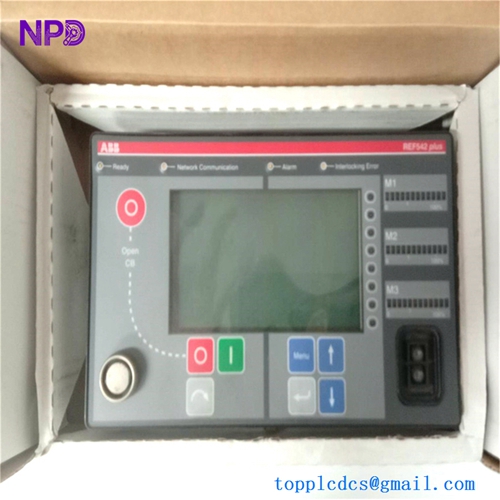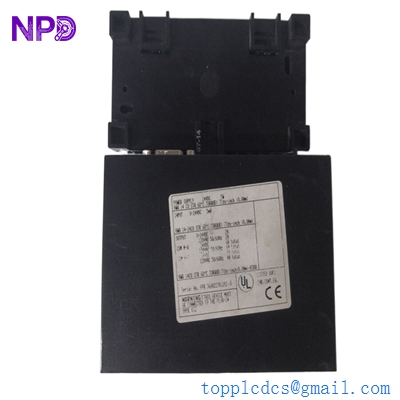

Description
- Model: ABB 07KR31 (Part Number: FPR36000227R1202-S)
- Brand: ABB (Germany/Switzerland)
- Series: Procontrol P13 (Legacy Automation Series)
- Core Function: Central Processing Unit (CPU) and control processor for P13 rack systems
- Product Type: Central Controller / Logic Processor
- Key Specs: Integrated local I/O, high-speed logic execution, P13 bus communication
- Processor: Optimized for real-time Boolean and analog signal processing
- Interfaces:
- Local I/O (Digital/Analog)
- Programming interface (Serial)
- Procontrol P13 Bus interface (Backplane)
- Operating Voltage: 24 V DC (Internal via rack or dedicated terminals)
- Memory: Integrated RAM and EPROM/Flash for application storage
- Status Indicators: Front panel LEDs for Run, Error, and I/O status
- Programming: Procontrol P13 engineering tools (e.g., Progress or equivalent)
- Form Factor: Standard P13 plug-in module with metal faceplate
- Cooling: Natural convection; requires standard rack airflow
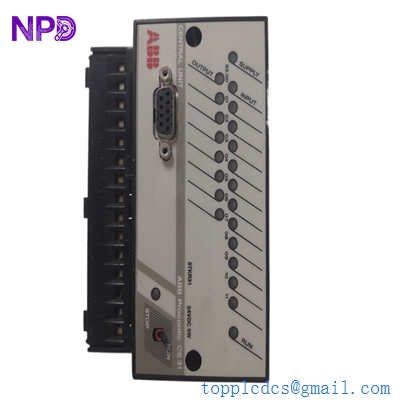
ABB 07KR31 FPR36000227R1202-S
Installation & Configuration Guide
Phase 1: Pre-Installation (Estimated time: 20 minutes) ⚠️ Safety First:
- This is the Brain of your P13 system. Replacing it requires a total rack shutdown.
- Firmware & Project: Ensure you have a current backup of the application program. The 07KR31 typically requires an EPROM or a software download to function.
- Verify the “-S” suffix. In ABB Procontrol nomenclature, suffixes often denote specific safety ratings or hardware revisions.
Phase 2: Removal (Estimated time: 10 minutes)
- Label Cables: If your 07KR31 uses the front-facing I/O or programming ports, label the cables clearly.
- Ejection: Loosen the top and bottom retaining screws. Use the extraction levers (if present) or pull the handles steadily.
- Inspect the Backplane: Look for “bent pins” on the P13 rack. Since this is a central controller, a single bent pin on the data bus can cause system-wide “bus timeout” errors.
Phase 3: Installation (Estimated time: 15 minutes)
- Check Jumpers/DIP Switches: ABB 07KR processors often have internal jumpers for bus addressing and memory configuration. You must match these to your original board.
- Slide and Seat: Align the module with the card guides. Push firmly until the backplane connectors seat.
- Secure: Tighten the faceplate screws to ensure the module is grounded to the rack frame.
Phase 4: Commissioning & Download (Estimated time: 45 minutes)
- Apply rack power.
- LED Check: The “Power” LED should be on. The “Error” LED may be on until the application program is loaded.
- Program Download: Connect your engineering laptop. Download the site-specific logic and parameters.
- Run Mode: Switch the controller to “Run.” Verify that the green “Run” LED is steady and that the system communication with other I/O modules is established.
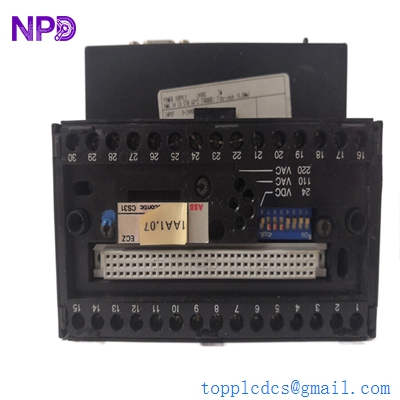
ABB 07KR31 FPR36000227R1202-S
Customer Cases & Industry Applications
Case 1: Gas Turbine Control Stability A power plant in Southern Europe used Procontrol P13 (07KR31) to manage the auxiliary systems of a large gas turbine. The original controller began suffering from intermittent memory errors due to aging capacitors. We supplied a New Surplus 07KR31 (FPR36000227R1202-S). By transferring the EPROM and performing a quick functional test, the plant restored 100% reliability to their turbine control without a multi-million dollar full-system upgrade.
Case 2: Industrial Boiler Logic Recovery A paper mill’s steam boiler relied on an 07KR31 for sequence control. When the module failed during a power surge, the mill lost production for 12 hours. Because the P13 series is obsolete, the local ABB office could not provide an immediate replacement. We delivered a New Surplus unit via international express. The mill’s maintenance team had the boiler back online in under 72 hours, saving thousands in lost production time.
Frequently Asked Questions (FAQ)
Q: Can I replace an 07KR31 with an 07KR91 or 07KT series? A: To be honest, they are generally not compatible without major engineering changes. The 07KR31 is specific to the Procontrol P13 architecture. While later units like the 07KT are more advanced, they use different backplane protocols and engineering software.
Q: Does the “New Surplus” unit come with the application program pre-loaded? A: No. Like almost all industrial CPUs, it arrives with factory-default firmware only. You will need to load your specific site project using your existing ABB engineering tools or move your existing memory module (if applicable).
Q: Why is my “Error” LED on after installation? A: This usually means the processor is healthy but doesn’t have a valid program or its address on the P13 bus is conflicting with another device. Double-check your jumper settings on the PCB.
Q: Is “New Surplus” reliable for a legacy system that is 20+ years old? A: Actually, it’s often the most reliable option. These units have never been subjected to the heat and electrical noise of an active plant environment. We also perform a power-on self-test to ensure the internal circuitry is functional before shipping.
Q: Can I get technical support for the programming? A: We provide the hardware and technical datasheets. For deep logic programming or “Progress” software troubleshooting, we recommend having a Procontrol specialist on-site, as these legacy systems can be complex.
I’m always open to corrections if I get something wrong; the best way to handle that is to just tell me what I missed or what I need to know! You can also always turn off the use of this personal context in your settings.