
Description
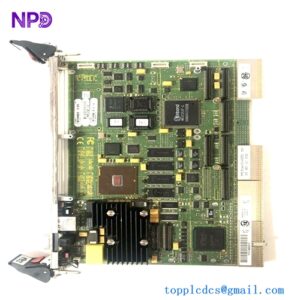
The ABB PC D230 A (Part Number: 3BHE022291R0101), designated as the PEC80-CCM, is an advanced communication and control board module engineered primarily for ABB’s high-performance industrial systems, notably the UNITROL 6000 excitation power system and related distributed control architectures. This processor and communication module handles critical data processing, real-time control loops, and multi-protocol network exchanges to ensure high reliability in power generation and heavy industrial applications.

📊 Product Technical Datasheet
- Brand: ABB
- Model / Part Number: PC D230 A / 3BHE022291R0101
- Module Description: PEC80-CCM (Communication and Control Module)
- Series Compatibility: ABB UNITROL® Excitation Systems (such as UNITROL 6000 X-power)
- Condition Status: Factory New / Refurbished Available
- Physical Dimensions: 373 mm (Height) x 73.5 mm (Width) x 142 mm (Depth)
- Product Net Weight: 1.53 kg
- Country of Origin: Switzerland / Germany / Sweden
- Mounting Type: Rack / Chassis integration within control cubicles
🔍 Initial Operation Checklist
- Verify physical integrity: Inspect the module housing, front panel indicators, backplane connector pins, and communication ports for any transit or handling damage before installation.
- Check system compatibility: Confirm that the module revision matches the specific hardware rack requirements and software version of your UNITROL system architecture.
- Inspect slot connections: Ensure that the board is aligned correctly and securely seated into its designated backplane slot to prevent intermittent communication or bus errors.
- Verify configuration settings: Power on the control rack and utilize ABB configuration software to verify that the communication node addresses and control parameters match your plant layout.
- Perform communication loop check: Test upstream and downstream network links (such as Ethernet or local bus communication) to guarantee stable data exchange prior to system excitation or commissioning.
🔧 Routine Maintenance and Care
- Environmental monitoring: Regularly check the control cabinet climate control systems to ensure internal ambient operating temperatures remain within acceptable industrial thresholds.
- Connector and rack security: Periodically inspect backplane slots, fixing screws, and interface cables to ensure that continuous plant vibration has not loosened any connections.
- Firmware and software backups: Archive current control configuration files, parameter sets, and firmware logs using authorized ABB engineering tools whenever system updates occur.
- Diagnostic status checks: Monitor front-board LED status indicators routinely for heartbeat, error flags, or communication fault warnings.
- Surface cleaning: Clean the module front faceplate using a soft, dry or slightly damp lint-free cloth. Avoid harsh industrial solvents or abrasive cleaners.
⚠️ Troubleshooting and Common Issues
- Communication Link Dropouts: If the module loses connection with supervisory controllers or local nodes, check network cable integrity, verify IP or bus address settings, and inspect port configurations.
- Boot or Initialization Failures: If the board fails to initialize on startup, verify backplane power supply rail voltages and ensure the module is fully seated in its slot.
- Internal Fault Warnings: Review diagnostic logs via the system engineering software to isolate specific hardware or software watchdog errors.
- Bus Interferences: Ensure proper cable shielding and grounding are maintained across all connected communication lines to prevent electromagnetic interference (EMI) in heavy switchgear environments.
🛡️ Safety Precautions
- Electrostatic Discharge Protection: Always wear an appropriate ESD grounding wrist strap when handling the internal circuit board or processing module to prevent microelectronic damage.
- Qualified Personnel Only: Installation, rack insertion, configuration, and hardware servicing must be executed exclusively by certified electrical and automation technicians.
- Power Isolation: Completely isolate all rack power supplies, auxiliary feeds, and associated high-voltage excitation circuits before inserting or extracting the module from the chassis.
- Operational Safety: Never perform maintenance or swap communication control boards while the synchronous generator or industrial process is operating under live load conditions.
❓ Frequently Asked Questions (Q&A)
- Q1: What is the primary role of the PC D230 module in ABB systems?
A1: The PC D230 (PEC80-CCM) functions as a core communication and control processor module, typically deployed within ABB excitation systems like the UNITROL 6000 to manage regulation loops and network data traffic.
- Q2: What software tools are used to interface with or configure this module?
A2: ABB’s proprietary engineering and commissioning software suites designed for the UNITROL and industrial control ecosystem are used for setup, diagnostics, and parameter management.
- Q3: What should be done if the module registers a persistent internal fault?
A3: Note any active diagnostic LED codes, verify that rack power supply voltages are stable, and consult ABB technical support for hardware replacement or diagnostic evaluation.
- Q4: Is this module hot-swappable?
A4: Generally, control and communication modules in high-power excitation racks require system de-energization and adherence to strict safety protocols before removal to prevent unexpected process disruptions.