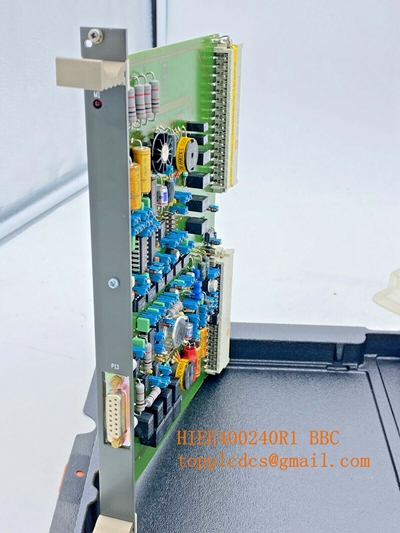
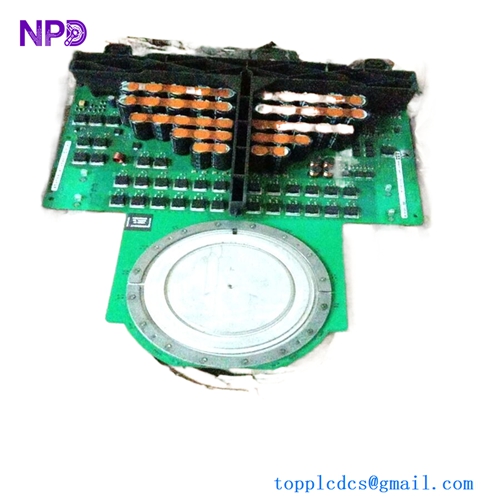
Description
- Model: 500MTM02
- Ordering Code: 1MRB150020R0712
- Brand: ABB (Power Grids / Hitachi Energy)
- Series: RTU500 Series
- Core Function: Communication interface module designed for protocol conversion and data transmission within the RTU500 rack.
- Product Type: MODBUS / Serial Communication Module (New Surplus)
- Key Specs: Supports RS-232/RS-485 | Protocol translation | Integrated diagnostic processing.
- Interfaces:
- 2x Serial Ports (Configurable for RS-232 or RS-485)
- Protocols:
- MODBUS RTU (Master/Slave)
- IEC 60870-5-101
- RP570/571
- Integrated translation for legacy protocols to IEC 61850 or 60870-5-104
- Power Supply: Internal 5V DC via the RTU500 backplane
- Diagnostics: Front-panel LEDs for “Tx/Rx” activity per port and “Module Status”
- Isolation: Galvanic isolation between serial ports and internal logic (up to 2.5 kV)
- Form Factor: Standard RTU500 series sub-rack module
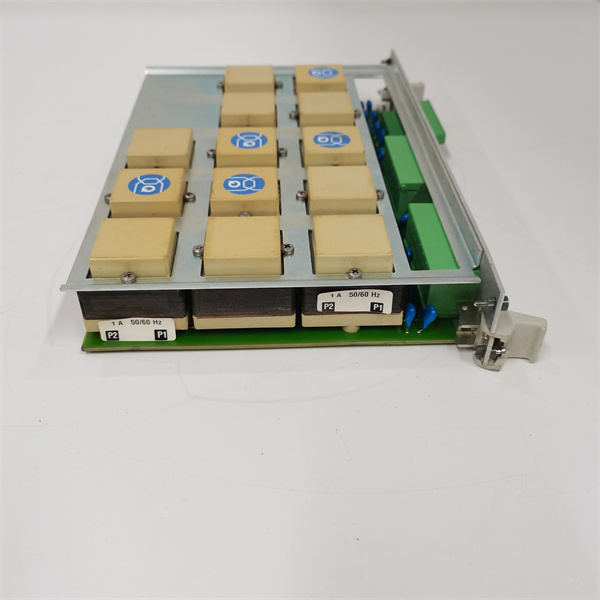
500MTM02 1MRB150020R0712
Installation & Configuration Guide
Phase 1: Preparation (Pre-Installation)
⚠️ Safety First:
- System Backup: Before replacing a communication module in an active substation, ensure the RTU configuration is backed up via RTUtil500.
- Jumper Settings: Check the internal jumpers on the 500MTM02 to ensure they match the RS-232/RS-485 requirements of your field devices.
- ESD Protocol: Use a grounded anti-static wrist strap. Serial transceivers are sensitive to static spikes during handling.
Phase 2: Removal of Faulty Module
- Identification: Locate the module with failed “Tx/Rx” activity or “ERR” LED status.
- Cabling: Label and disconnect the DB9 or terminal block serial cables.
- Extraction: Loosen the top and bottom retaining screws. Pull the 500MTM02 straight out of the rack using the front handles.
Phase 3: New Module Installation
- Slot Verification: Ensure the backplane connectors are free of dust or debris.
- Insertion: Slide the module into the designated slot. Push firmly until it seats into the backplane.
- Fastening: Tighten the screws to ensure the module is grounded to the sub-rack frame.
Phase 4: Commissioning & Testing
- Initialization: The module performs a self-test upon power-up. The “ST” (Status) LED should turn solid green.
- RTUtil500 Update: Connect your laptop and verify the module is recognized in the “Hardware Tree.”
- Traffic Monitoring: Check the “Tx/Rx” LEDs. Rapid flickering indicates successful data polling from field devices (e.g., protection relays or meters).
Customer Cases & Industry Applications
Case 1: Substation Automation Modernization
Situation: A utility provider in Northern Europe was upgrading a legacy substation. They needed to pull data from 30-year-old protection relays into a modern IEC 61850 SCADA system.
Task: The legacy relays only supported MODBUS RTU over serial lines. The central RTU500 needed more serial capacity to handle the polling load.
Action: We provided two 500MTM02 (1MRB150020R0712) modules. These acted as the protocol bridge, converting the legacy serial data into the RTU’s internal format for upstream transmission.
Result: The utility avoided replacing perfectly functional protection relays, saving over $100,000 in hardware and labor. The 500MTM02 provided a stable, isolated link that passed all cybersecurity and reliability tests.
Case 2: Emergency Replacement in a Renewable Energy Hub
Situation: A wind farm’s main controller lost communication with several turbines due to a lightning strike that fried the serial ports on a 500MTM02 module.
Task: The wind farm was losing production data required for grid compliance. They needed a replacement module that was “New” to ensure the high isolation levels required for lightning-prone areas.
Action: We dispatched a New Surplus 500MTM02 from our Xiamen stock. It arrived on-site via expedited international shipping.
Result: The module was replaced, and communication was restored. The maintenance team noted that the New Surplus unit’s ports showed significantly better signal-to-noise ratios than the aging refurbished units they had previously tried.
Frequently Asked Questions (FAQ)
Q: Can I use Port 1 for RS-232 and Port 2 for RS-485 simultaneously? A: Yes, the 500MTM02 allows independent configuration for each of its two ports, provided the hardware jumpers and software settings in RTUtil500 are aligned.
Q: Is the 1MRB150020R0712 compatible with the RTU200 series? A: No, this is specifically designed for the RTU500 rack architecture. While some protocols are shared, the physical form factor and backplane are different.
Q: Why choose “New Surplus” for communication modules? A: Communication transceivers (like those for RS-485) have a limited lifespan when exposed to industrial noise and surges. Used modules often have “weak” ports. New Surplus units provide original factory performance and the highest level of galvanic isolation.
Q: What is the maximum distance for RS-485 on this module? A: Following standard RS-485 protocols, the module supports distances up to 1200 meters (4000 feet) at lower baud rates, provided high-quality shielded twisted-pair cabling is used.