Description
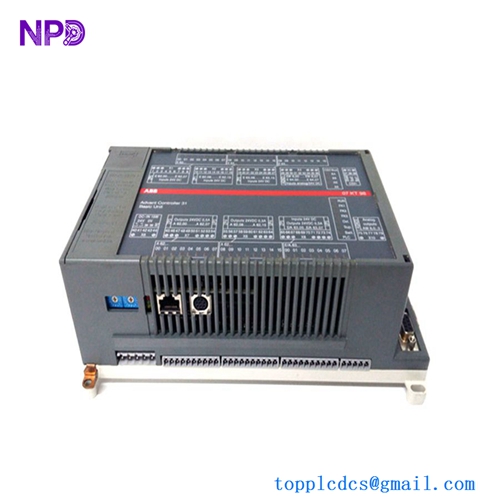
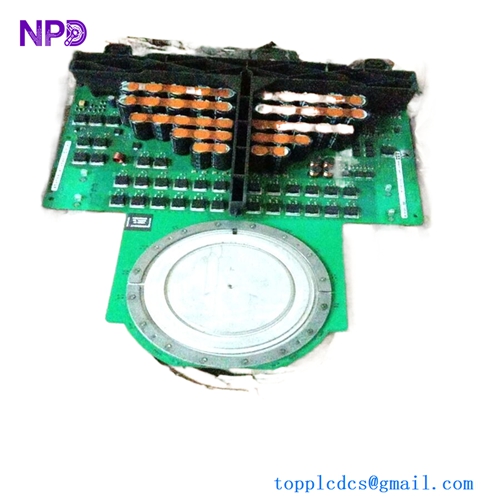
- Model: ABB SCYC55830 (Part Number: 58063282A)
- Brand: ABB (Switzerland/Sweden)
- Series: Specialty Control & Interface Series
- Core Function: High-speed communication interface and signal processing module.
- Product Type: Communication/Interface Module
- Key Specs: Multi-channel capability | Proprietary ABB High-speed Link | 24 V DC
- Operating Voltage: 24 V DC (Nominal)
- Power Consumption: Approx. 5.5 W
- Communication Port: Fiber Optic/Proprietary High-speed interface
- Mounting Type: Subrack/Chassis mounted
- Operating Temperature: 0 to +55 °C
- Storage Temperature: -40 to +70 °C
- Humidity: 5% to 95% (Non-condensing)
- Part Revision: 58063282A (Current Revision)
- Dimensions: Standard ABB module footprint
- Weight: 0.45 kg

58063282A.jpg
Installation & Configuration Guide
Phase 1: Pre-Installation (Est. Time: 15 minutes)
⚠️ Safety Protocol:
- Secure a hot-work permit if necessary for the area.
- Verify the redundant controller (if applicable) has taken full control of the process.
- Use a calibrated Fluke 115 Multimeter to verify the input power rail is stable at 24 V.
- Always wear a grounded Anti-Static Wrist Strap; these CMOS components are sensitive to ESD.
Phase 2: Removal of the Faulty Module (Est. Time: 10 minutes)
- Label Everything: Use a fine-tip marker to label any fiber or copper cables. Don’t rely on memory—trust me, in a dark cabinet, all cables look the same.
- Fiber Handling: If fiber optics are used, use dust caps immediately upon removal. A single speck of dust can cause “link-loss” errors later.
- Extraction: Loosen the top and bottom retaining screws. Use the module’s pull-handles (if present) to exert even pressure. Pull straight out to avoid bending the backplane pins.
Phase 3: Installation of the New SCYC55830 (Est. Time: 15 minutes)
- Physical Audit: Compare the 58063282A marking on the side of the new module with the old one. Match the hardware revision levels.
- Jumper/DIP Settings: Check the PCB for any manual jumpers. In my experience, even “New Surplus” parts might have been configured for a specific test bench. Match them exactly to your old module’s settings.
- Seating: Slide the module into the guides. Once you feel resistance, give it a firm, steady push until it clicks into the backplane.
- Torque: Tighten the retaining screws until snug. Do not over-torque; you just want to prevent vibration-induced loosening.
Phase 4: Power-Up and Commissioning (Est. Time: 20 minutes)
- Initial Power: Switch on the rack power. Watch the LEDs. A healthy SCYC55830 should complete its POST (Power-On Self-Test) within seconds.
- LED Logic:
- Green (Run): Normal operation.
- Red (Fault): Internal failure or backplane mismatch.
- Software Sync: Open your ABB engineering workstation. Perform a “Node Scan” to ensure the module is talking to the master controller. If the firmware version is different, you may need to perform a “Firmware Update” to match the rest of the rack.
Customer Cases & Industry Applications
Case 1: Emergency Recovery for a Pulp & Paper Mill
Situation: A large paper mill in Southeast Asia suffered a localized power surge. The SCYC55830 interface module in the wet-end control rack failed, cutting off communication between the PLC and the drive system.
Task: The mill was losing $12,000 per hour in downtime. Local ABB support quoted a 10-week lead time for a new unit as the part was transitioning to limited-support status.
Action: The maintenance lead contacted us on a Tuesday. We pulled a 58063282A from our climate-controlled stock, performed a 24-hour load test on our ABB test rig, and dispatched it via DHL Express that same evening.
Result: The part arrived Thursday morning. The mill’s engineer installed it by lunch, and the line was back in full production by 2:00 PM. Total downtime avoided: ~1,600 hours.
Case 2: Preventive Maintenance for a Global Utility Provider
Situation: A power plant in Europe was conducting a 10-year lifecycle audit. They realized their control system relied heavily on SCYC 55830 modules, which were becoming increasingly difficult to source through standard channels.
Task: To avoid “Panic Buying” at inflated prices later, the procurement team needed to secure 5 units of “New Surplus” quality to act as buffer stock.
Action: We provided a detailed inventory report, including high-resolution photos of the original seals and the serial numbers for their records. We offered a 24-month extended warranty to match their maintenance cycle.
Result: The plant secured their critical spares at 30% below the “Emergency Order” market rate. They now have a “Last-time-buy” strategy in place without the pressure of an active system failure.
Frequently Asked Questions (FAQ)
Q: Is the SCYC55830 (58063282A) a current or obsolete part? A: It is in the “Classic” or “Limited” phase of its lifecycle. While ABB still supports many of these systems, getting one “off the shelf” from the factory usually involves long lead times and high “legacy” pricing. Our stock is “New Surplus,” meaning it’s never been used but is available immediately.
Q: What is the difference between SCYC55830 and other SCYC variants? A: Technical precision is key here. The 58063282A designation identifies specific hardware revisions and onboard component tolerances. In my experience, mixing different part numbers in the same redundant pair can lead to synchronization errors. Always match the 58063282A exactly if you are replacing a failed unit.
Q: Do you test these before shipping? A: Absolutely. We don’t just “box and ship.” We use a dedicated ABB test rack to perform a “Live Test.” This includes a 24-hour burn-in to ensure no infant mortality of the capacitors. We can provide the test report or a video of the status LEDs upon request.
Q: Can I return the module if it doesn’t solve my problem? A: We offer a 7-day inspection period. However, be aware: if the module is installed and the “Static Seal” is broken, a restocking fee may apply. To be honest, most “it didn’t work” issues are actually due to backplane faults or incorrect DIP switch settings. We’re happy to help you troubleshoot before you ship it back.
Strategic Inventory: Other ABB Models in Stock
- ABB PM866K01 | Redundant Controller Kit
- ABB DI810 | 24 V Digital Input Module
- ABB DO810 | 24 V Digital Output Module
- ABB AI810 | Analog Input Module
- ABB CI854A | Profibus Communication Interface
- ABB TB811 | Compact Flash Module
- ABB SD822 | Power Supply Unit (24 V / 10 A)