
Description
The ABB 6136/100 C-102-500 (also known as CPC/U 3.1) is an advanced control panel and room automation device designed for KNX smart building systems. It serves as an intuitive central user interface for managing lighting, heating, air conditioning, blinds, and various other building automation functions from a single sleek wall-mounted display.

- Brand: ABB / Busch-Jaeger
- Model: 6136/100 C-102-500 (CPC/U 3.1)
- Series: ABB Busch-ControlTouch / KNX Panel Range
- Product Name: Control Panel Display / Room Controller Unit
- Part Number: 2CDG006136R0185
- Country of Origin: Germany / Global Manufacturing Centers
- Manufacturing Status: Active Industrial / Commercial Building Automation Line
- Enclosure Protection: IP20 rating for indoor wall-mounted installation
- Dimensions: Standard flush-mounted electrical box installation format
- Weight: Approx. 0.3 kg
- Power Rating: Powered via KNX bus line (24 V DC auxiliary voltage / line power)
🚀 First-Run Inspection Checklist
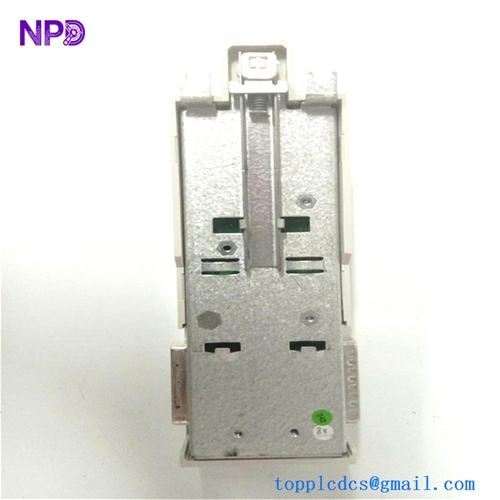
📦 Packaging Verification: Inspect the outer product box and protective wrapping to ensure zero transport or impact damage. 🏷️ Label Confirmation: Verify that part number 2CDG006136R0185 matches your building management bill of materials. 🔍 Visual Examination: Inspect the glass touch screen surface, housing frame, and rear KNX bus terminal connectors for any flaws or debris. 🔌 Bus Connection Check: Ensure the KNX bus line wires are properly stripped and securely inserted into the red/black connector block before mounting.
🛠️ Routine Maintenance
🧹 Screen Cleaning: Gently wipe the touch display surface using a soft, lint-free microfiber cloth with a mild screen cleaner. 🔌 Terminal Inspection: Periodically check the rear wall-mounting bracket and bus terminal blocks to ensure secure electrical contact. 🌡️ Environment Monitoring: Ensure the indoor room temperature and humidity remain within standard commercial building operational limits. 🔄 Software Updates: Regularly check for ETS project configuration updates and firmware enhancements via the KNX programming interface.
🔍 Troubleshooting & Common Issues
❓ Display Fails to Turn On: Measure voltage across the KNX bus terminals to confirm the line is powered and properly active. 🌐 KNX Communication Loss: Verify bus cable polarity, line coupler status, and ensure the physical address is correctly programmed via ETS. ⚠️ Unresponsive Touch Screen: Perform a device reset or power cycle by removing and reconnecting the KNX bus connector block.
⚠️ Safety Precautions
⚡ Bus Power Isolation: Always disconnect the KNX bus line power before installing, wiring, or servicing the wall-mounted panel. 🧰 Qualified Technicians: Installation, electrical wiring, and ETS parameter configuration must be performed exclusively by certified KNX professionals. 🛡️ Electrostatic Discharge: Handle the electronic display unit carefully, avoiding direct contact with internal circuit board pins.
💡 Frequently Asked Questions (Q&A)
- Q: What is the primary purpose of the ABB CPC/U 3.1 control panel?
- A: It acts as a multi-functional smart room controller within KNX installations, allowing users to control lighting, climate, and blinds locally.
- Q: How is this control panel programmed?
- A: It is configured and commissioned using the standard ETS (Engineering Tool Software) platform via the KNX network.