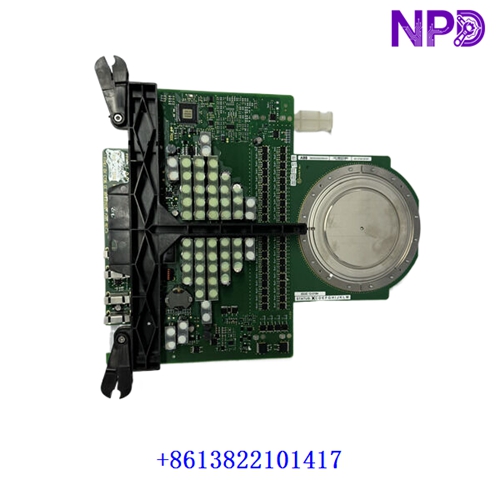

Description
The ABB ACU-01B (Part Number: 3HNA024871-001 / 3HNA024871-00102) is a specialized control module designed for ABB industrial robot systems. Frequently referred to as an Air Control Unit or Axis/Spray Accessory Controller, it is engineered to manage precise pneumatic functions, airflow regulation, or auxiliary servo/motion interfaces heavily utilized in automated painting, coating, and specialized finishing applications.
- Brand: ABB (Robotics Division)
- Model: ACU-01B
- Part / Order Number: 3HNA024871-001 / 3HNA024871-00102
- Series: ABB Robot Controller Peripheral / Spray Accessory Line
- Product Name: Air Control Unit / Control Module
- Origin Country: Sweden / Global Manufacturing Standards
- Lifecycle Status: Active Industrial Robot Spare Part Line
- Dimensions: Approx. 210 mm × 160 mm × 140 mm
- Weight: Approx. 3.66 kg
- Operating Temperature Range: -10°C to +55°C
🔍 Initial Operation Checklist
- Visual and structural inspection: Inspect the module housing, pneumatic ports, and electrical connector pins thoroughly for any shipping damage or environmental contamination.
- Confirm part identifiers: Ensure that the exact model code (ACU-01B) and part string (3HNA024871-00102) match your robot controller’s electrical drawing requirements.
- Check cabinet mounting: Securely mount the unit inside the designated section of the ABB robot controller cabinet, ensuring proper clearance for airflow.
- Validate pneumatic/electrical interfaces: Verify that all control cables, power lines, and air/fluid control tubing are correctly routed and tightly sealed prior to system startup.
🛠️ Routine Maintenance & Care
- Pneumatic filter checks: Regularly inspect incoming air supply filters and traps to prevent moisture, oil, or particulate buildup from entering internal valves.
- Terminal and connector inspection: Annually check all multi-pin electrical connectors and terminal blocks for secure seating despite high-speed robot motion vibrations.
- Environmental monitoring: Ensure cabinet cooling fans function correctly to maintain internal enclosure temperatures within safe operating parameters.
- Diagnostic logging: Periodically review robot controller event logs for any peripheral communication or air-pressure regulation fault warnings.
⚠️ Troubleshooting & Common Issues
- Pressure regulation errors: Check incoming air supply pressure, internal valve responses, and pneumatic tubing if atomization or pattern control pressures drift.
- Communication or handshake faults: Verify internal bus and power cables linking the ACU-01B module to the main robot controller if control dropouts occur.
- Initialization or startup failures: Ensure the unit receives stable 24V DC power input and is securely connected to the controller backplane if it fails to initialize.
🛡️ Safety Precautions
- Qualified personnel only: Installation, pneumatic plumbing, and electrical wiring must be executed strictly by certified ABB robot technicians.
- Pneumatic and electrical isolation: Always bleed compressed air lines and lock out main electrical power to the robot controller cabinet before servicing or replacing internal modules.
- Electrostatic discharge (ESD) safety: Use a properly grounded ESD wrist strap when handling exposed electronic circuit boards or connection pins.
❓ Frequently Asked Questions (Q&A)
Q1: What is the primary function of the ABB ACU-01B module?
A1: It acts as a dedicated control unit (frequently deployed in painting and surface-treatment robots) to provide fast, accurate management of pneumatic airflows, atomization pressures, or auxiliary spray accessories.
Q2: Which robot series are typically compatible with this control unit?
A2: It is designed for integration into specific generations of ABB industrial robot controller cabinets managing heavy-duty or application-specific arms (such as painting and process configurations).
Q3: Is the module identifier 3HNA024871-001 interchangeable with 3HNA024871-00102?
A3: Suffix variations generally represent minor manufacturing revisions or specific regional tracking codes; however, you should always cross-reference your robot’s parts list to verify exact hardware/software compatibility.