
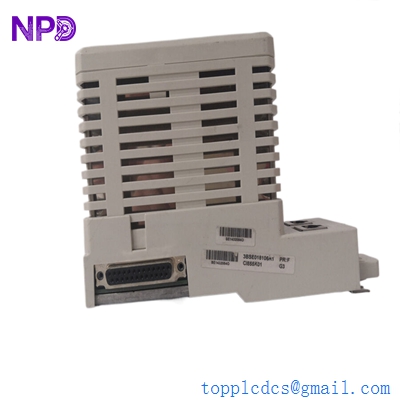

Description
- Model: CI855K01
- Ordering Code: 3BSE018106R1
- Brand: ABB (Sweden)
- Series: AC 800M / Advant OCS
- Core Function: MasterBus 300 (MB300) communication interface for AC 800M controllers
- Product Type: Communication Interface Kit (Includes CI855 module and baseplate)
- Key Specs: High-speed MB300 connectivity | Peer-to-peer data exchange | CEX-Bus powered
-
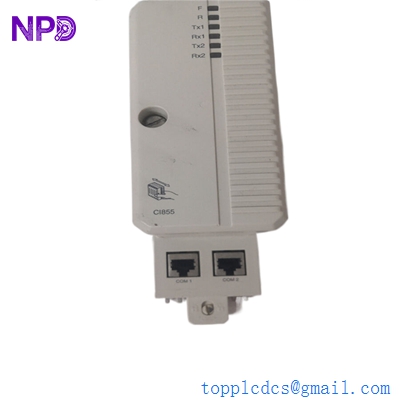
ABB CI855K01 3BSE018106R1
-
Key Technical Specifications
- Module ID: CI855 (Hardware base)
- Part Number: 3BSE018106R1 (Complete Kit)
- Protocol: MasterBus 300 (MB300)
- Data Rate: 10 Mbit/s
- Connectivity: Connects AC 800M controllers to Advant Controller 400 (AC 400) or Advant Station 500
- Bus Type: CEX-Bus (Communication Expansion Bus)
- Redundancy: Supports redundant CI855 configurations for high-availability links
- Current Consumption: 160 mA (Typical from 24 V DC)
- Max Units: Up to 12 CEX-Bus modules per AC 800M controller (depending on CPU load)
- Operating Temp: +5 °C to +55 °C (+41 °F to +131 °F)
Installation & Configuration Guide
Phase 1: Preparation (Pre-Installation)
⚠️ Safety First:
- The CI855K01 is used for peer-to-peer data exchange between different controller generations. Loss of this link can cause “Data Link Failure” across your entire DCS.
- Backup: Ensure you have the latest
.afwor.cbpproject files for the AC 800M. - Address Settings: Check the station address of the existing MB300 node. The CI855 must be assigned a unique node ID within the MB300 network.
Phase 2: Removal of Faulty Module
- Unlocking: Use a small screwdriver to release the plastic locking tabs on the CEX-Bus baseplate.
- Disconnecting: Gently pull the CI855 module forward. If the baseplate (TP853/TP855) is also being replaced, ensure the CEX-Bus termination is maintained on the remaining modules.
- Cabling: Label the MB300 coaxial or twisted-pair cables clearly.
Phase 3: New Module Installation
- Baseplate Mounting: Snap the CEX-Bus baseplate onto the DIN rail and slide it into the existing bus sequence.
- Module Insertion: Align the CI855 with the baseplate and push firmly until the locking tabs click.
- Termination: Ensure the CEX-Bus terminator (typically at the end of the row) is securely installed.
Phase 4: Commissioning & Testing
- Boot Check: Power up the AC 800M. The “Power” LED on the CI855 should be green.
- Software Validation: In Control Builder M, go to the Hardware Tree. The CI855 status should be “Reported” and “Healthy.”
- MB300 Diagnostics: Use the MB300 diagnostic counters to check for “Error Frames” or “Collision Rates.” High error rates usually indicate a termination issue or cable damage.
Customer Cases & Industry Applications
Case 1: Integrating Legacy Advant Controllers into 800xA
Situation: A chemical plant in Germany was upgrading its HMI to ABB 800xA but needed to keep their existing Advant Controller 450 units for the actual process logic. They required a high-speed link to pass data between the old AC 450 and the new AC 800M controllers.
Task: Standard Ethernet was too slow for the required real-time interlocking data. The only viable solution was the MB300 protocol.
Action: We supplied two CI855K01 kits. These allowed the AC 800M to communicate natively on the MB300 network as if it were an Advant station.
Result: The data exchange was seamless with sub-100ms latency. The plant successfully migrated their HMI without the risk and expense of rewriting thousands of lines of legacy AC 450 code.
Case 2: Replacing a Failed Interface in a Power Plant
Situation: A power plant lost its primary data link between the turbine controller (AC 400) and the plant-wide DCS (AC 800M). The CI855 module had failed due to an internal power supply fault.
Task: The plant was running “blind” in the central control room for several critical parameters. They needed a replacement module that was not just “refurbished” but in New Surplus condition to ensure longevity in a high-vibration environment.
Action: We provided a New Surplus 3BSE018106R1 kit from our warehouse and shipped it via international priority.
Result: The module was replaced during a short maintenance window. The MB300 link synchronized immediately. The lead engineer noted: “The availability of this specific MB300 interface prevented an extended period of manual operation.”
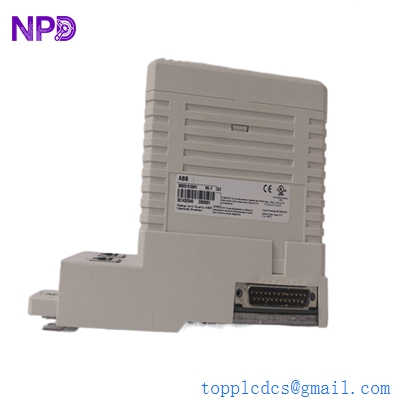
ABB CI855K01 3BSE018106R1
Frequently Asked Questions (FAQ)
Q: Does the CI855K01 include the baseplate? A: Yes. The K01 suffix in the part number 3BSE018106R1 indicates a kit that includes both the CI855 communication module and the required baseplate.
Q: Can I hot-swap the CI855? A: Technically, the CEX-Bus supports hot-swapping, but it is not recommended for the CI855 if it is the only MB300 link. Removing it will cause an immediate “Access Denied” or “Comm Error” on all MB300 datasets.
Q: Is the CI855 compatible with all AC 800M CPUs? A: It is compatible with PM861, PM864, PM866, and the newer PM891. However, ensure your System 800xA version has the MB300 library loaded.
Q: Why choose “New Surplus” for MB300 modules? A: MB300 is a legacy protocol, and many parts on the secondary market are 20 years old and pulled from decommissioned sites. Our New Surplus CI855K01 units have zero running hours, ensuring the internal capacitors and transceivers are at 100% health.
Q: How do I set the MB300 Station Address? A: The address is typically set in the Control Builder M hardware configuration and downloaded to the CPU, which then configures the CI855 module upon startup.



