Description
Product Overview
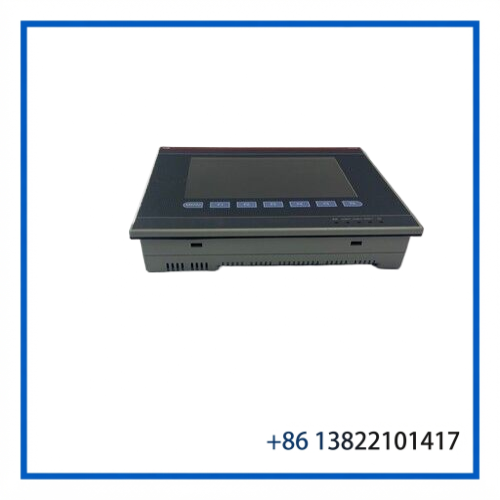
The ABB CP435T-ETH, product ID 1SBP260197R1001, is a 7-inch TFT touchscreen control panel from the ABB CP400 family. It combines a 64K-color TFT display with Ethernet communication and serial interfaces for use as an operator interface in industrial automation systems. ABB identifies the unit as a CP435 T-ETH Control Panel with a 7-inch TFT touch screen and Ethernet connectivity.
The panel is intended for machine and process applications where operators need to view operating information, alarms, trends and other HMI screens while communicating with a PLC or other control equipment. Its CP400Soft programming environment and multiple communication interfaces make it suitable for existing CP400 installations.
Key Features
- ABB CP400 series operator panel
- 7-inch TFT color touchscreen
- 64K-color display
- 800 × 480 pixel display resolution
- Ethernet communication interface
- RS232/RS485 and RS232/RS422/RS485 serial interfaces
- 24 VDC power supply
- 512 KB user-data memory and 8 MB program memory
- Integrated real-time clock
- Alarm, recipe, trend, macro and ladder-related HMI functions
- Password protection with multiple user levels
- Designed for panel-mounted industrial applications
Technical Datasheet
| Parameter | Specification |
|---|---|
| Brand | ABB |
| Model | CP435T-ETH |
| Product ID | 1SBP260197R1001 |
| Product Type | Control Panel / Touch Panel |
| Series | CP400 |
| Display | 7″ TFT LCD |
| Color Depth | 64K colors |
| Resolution | 800 × 480 pixels |
| Touch Screen | Analog touchscreen |
| Ethernet | Yes |
| Serial Interface 1 | RS232 / RS485 |
| Serial Interface 2 | RS232 / RS422 / RS485 |
| Power Supply | 24 VDC |
| Supply Range | 20.4–27.6 VDC |
| Power Consumption | 20 VA |
| User Data Memory | 512 KB RAM |
| User Program Memory | 8 MB |
| Operating Temperature | 0 to +50°C |
| Storage Temperature | -10 to +60°C |
| Net Weight | Approx. 0.86 kg |
| Programming Software | CP400Soft |
| EAN | 3471522601971 |
The supply range, memory, interfaces, temperature range and other specifications above are based on ABB product information and CP435 documentation.
Communication & System Integration
The CP435T-ETH provides Ethernet as its network interface and also includes serial communication interfaces. ABB documentation lists support for communication depending on the selected driver, with Modbus RTU and AC500/Modbus-related options among the listed fieldbus/interface types.
For an existing installation, the communication driver and HMI project should be checked before replacement. Having the same hardware part number does not by itself guarantee that the loaded application, driver configuration or PLC communication settings will match.
Typical Applications
The CP435T-ETH can be used as an operator interface for:
- PLC-controlled production machinery
- Industrial automation equipment
- Process monitoring systems
- Machine control panels
- Packaging and material-handling equipment
- Pump and motor control systems
- Existing ABB CP400 HMI installations
- Replacement of aging or failed CP435T-ETH panels
Its 7-inch touchscreen provides a practical operator display while Ethernet and serial communication allow integration with the associated control system.
Installation & Configuration
Before installing a replacement panel, verify the exact model and product ID:
CP435T-ETH / 1SBP260197R1001
Recommended replacement procedure:
- Record the existing HMI model, product ID and revision information.
- Back up the existing HMI application if the original panel is still accessible.
- Record PLC communication parameters and network settings.
- Isolate the 24 VDC supply before removing the panel.
- Check the panel cutout and mounting arrangement.
- Connect the power and communication wiring according to the system documentation.
- Load or restore the appropriate HMI project using the supported CP400 software.
- Check Ethernet or serial communication with the PLC.
- Verify touchscreen operation, alarms, trends and operator controls.
- Run the machine or process through a controlled functional test.
The ABB installation documentation provides dedicated information for mounting, grounding, connectors and panel dimensions.
Maintenance & Inspection
For a used or surplus CP435T-ETH, inspection should concentrate on the touchscreen, display and communication interfaces.
Check the following before installation:
- TFT display for dead pixels, discoloration or uneven backlight
- Touchscreen response across the complete active area
- Ethernet connector and communication indicators
- Serial connectors and pins
- 24 VDC power connector
- Mounting points and enclosure condition
- Front-panel seal
- Rear DIP-switch settings
- Product ID and revision label
- Signs of moisture, corrosion or overheating
After power-up, confirm that the display initializes correctly and that the HMI application communicates with the connected controller.
ABB’s manual also identifies grounding, installation dimensions and environmental requirements as important installation considerations.
Replacement Notes
When sourcing a replacement, match both the model and ABB product ID rather than relying only on the CP435 family name.
The correct identification is:
ABB CP435T-ETH — 1SBP260197R1001
ABB’s own CP400 catalog lists CP435T-ETH with order code 1SBP 260 197 R1001, distinguishing it from the CP435T model and other CP400 panels.
For an existing machine, also compare the HMI project, communication driver, connector arrangement and firmware/software requirements before commissioning.
Recommended eBay SEO Title
ABB CP435T-ETH 1SBP260197R1001 7″ TFT Touch Panel HMI Ethernet Control Panel