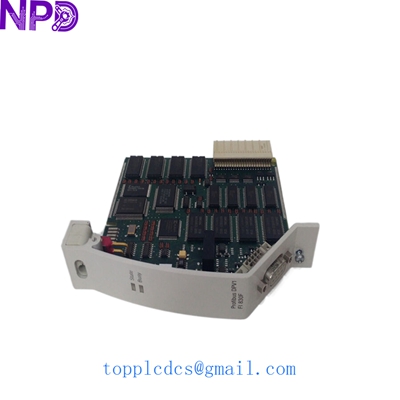

Description
- Model: FI830F (3BDH000032R1)
- Brand: ABB
- Series: Freelance AC 800F / Freelance 2000
- Core Function: PROFIBUS DP Master communication interface
- Product Type: Communication Module
- Key Specs: 12 Mbit/s transmission rate | D-Sub 9-pin connector | Plug-in architecture
- Interface Type: PROFIBUS DP (Decentralized Periphery)
- Protocol: Master Class 1 or 2
- Baud Rate: 9.6 kbit/s to 12 Mbit/s (Auto-detection)
- Hardware Interface: RS-485 (Isolated)
- Connection: 9-pin D-Sub female connector
- Max Slaves: Up to 125 slaves per segment (with repeaters)
- Power Supply: Internal via AC 800F backplane
- Operating Temp: 0 to +60 °C
- Status Indicators: RUN (Green), ERR (Red), Activity (Yellow)
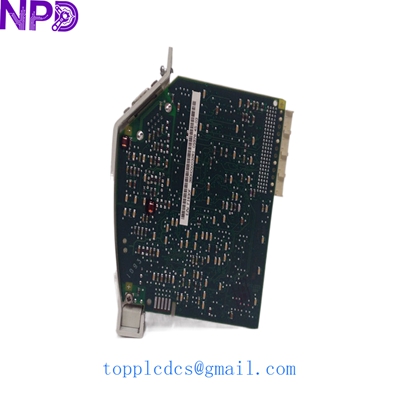
ABB FI830F 3BDH000032R1
Application Scenarios & Pain Points
The FI830F is the primary “gateway” for the ABB Freelance system to communicate with field devices like motor starters, frequency converters (VFDs), and remote I/O stations. In my experience, these modules are exceptionally reliable, but they are often the first to suffer during a lightning strike or a ground loop surge because the PROFIBUS cable acts like a giant antenna for EMI. When the FI830F fails, your entire field network goes “offline,” leaving the operator with a screen full of red “X” marks. Having a spare 3BDH000032R1 on the shelf is the only way to avoid a complete plant stoppage when a communication chip fries during a storm.
Typical Application Scenarios:
- Water & Wastewater: Connecting remote pumping stations via PROFIBUS DP to a central AC 800F controller.
- Food & Beverage: Interfacing with high-speed packaging machines and VFD-controlled conveyor belts.
- Chemical Processing: Integrating intelligent field devices (valves/transmitters) into the Freelance DCS environment.
- Cement & Mining: Managing heavy-duty motor control centers (MCCs) where long-distance digital communication is required.
Case Study: The “Storm Watch” Recovery
Background: A municipal wastewater plant using an ABB Freelance AC 800F system lost communication with all four of its secondary clarifiers following a heavy electrical storm.
Problem: The diagnostics showed a “Module Fault” on the FI830F. The RS-485 driver chip on the board had been taken out by a surge coming through the PROFIBUS trunk line. The plant was forced into manual operation, which required operators to physically visit each clarifier every hour.
Solution: We pulled an FI830F from our newplcdcs inventory. Since this module is hot-pluggable (under specific conditions), the replacement was ready to go as soon as it arrived.
Result: Once the new module was installed and the PROFIBUS connector was reattached, the network initialized instantly. The “Master” re-established contact with all slaves, and the plant was back in automatic control within 30 minutes of the module’s arrival.
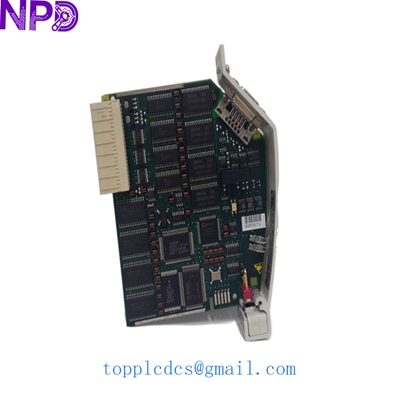
ABB FI830F 3BDH000032R1
Troubleshooting Quick Reference
| Symptom | Possible Cause | Relevant to this Module? | Quick Check | Action |
| RUN LED OFF | Module not initialized | ✅ High | Check controller status in CBF | Download configuration |
| ERR LED Solid Red | Internal Hardware Fault | ✅ High | Remove and reseat module | If Red stays on, replace FI830F |
| Yellow Activity Dim | Heavy Bus Collisions | ⚠️ Medium | Check for missing terminations | Install proper 220Ω terminators |
| Slaves Not Found | Baud Rate Mismatch | ⚠️ Medium | Verify slave settings in project | Ensure all match the Master rate |
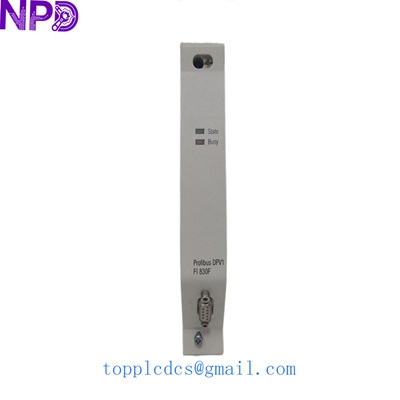
ABB FI830F 3BDH000032R1
Technical “Pro-Tips” (Avoiding Common Pitfalls)
If you are replacing an FI830F, pay attention to the physical layer. PROFIBUS is a robust protocol, but it’s only as good as the wiring.
- Termination Check: When you unplug the D-Sub connector from the old module to put it into the new one, check the termination switch on the back of the plug. If the FI830F is at the end of the line, that switch must be “ON.” If it’s in the middle, it must be “OFF.” I’ve seen technicians flip these by accident during a swap, causing the whole bus to crash.
- Addressing: The FI830F is usually Master Address 1. Ensure that none of your slaves have been accidentally set to Address 1, or you will have a “Bus Contention” error that will lock up the module.
- The “Click” Test: When sliding the module into the AC 800F base, listen for the physical click. If the module isn’t fully seated, the backplane pins won’t make contact, and the “RUN” light will never come on.
❗ Warning: PROFIBUS networks are highly sensitive to “stub lines.” If you are adding a new device while replacing the module, do not use long branch cables. Keep your “T-connections” as short as possible to prevent signal reflections that can confuse the FI830F.
Other ABB Stock Items You Might Need:
- ABB PM802F 3BDH000002R1
- ABB SA811F 3BDH000013R1
- ABB EI813F 3BDH000022R1
- ABB DI810 3BSE008508R1
- ABB AI810 3BSE008516R1
- ABB DO810 3BSE008510R1
- ABB CI854A 3BSE030221R1
- ABB TB805 3BSE008534R1