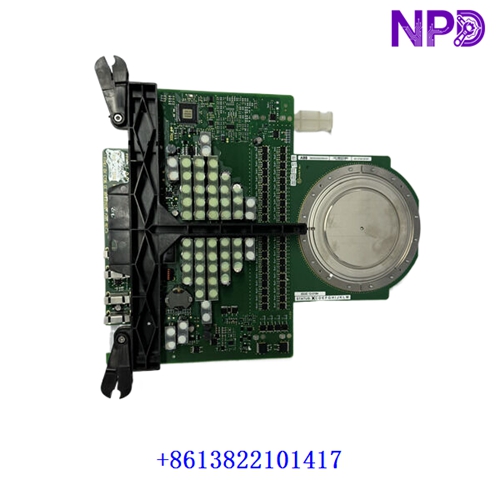

Description
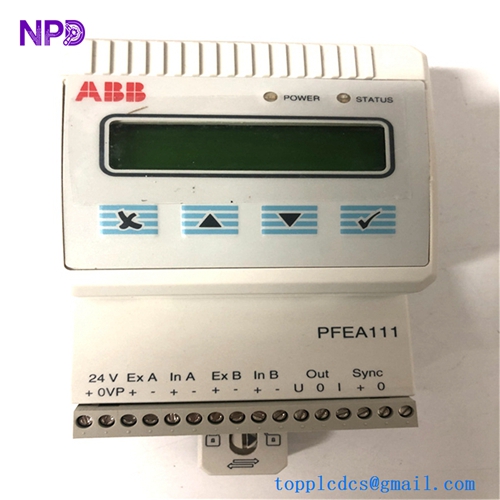
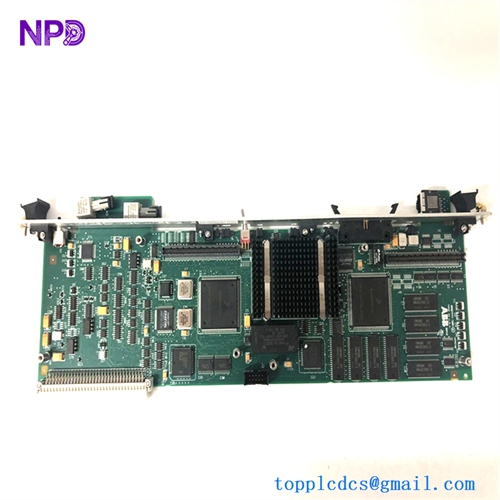
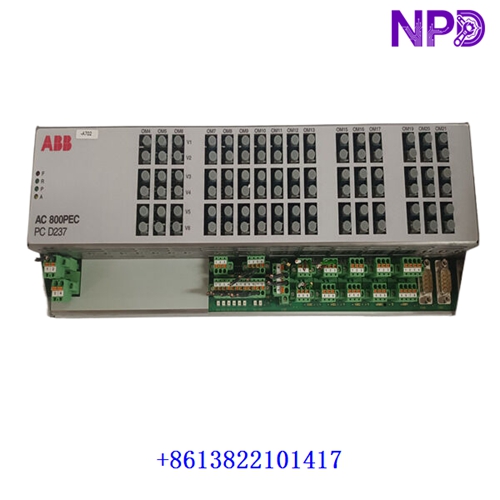
This technical datasheet provides comprehensive specifications, installation procedures, routine maintenance guidelines, troubleshooting steps, safety precautions, and frequently asked questions for the ABB HENF209556R0002 INFOCOM AG HENF436862P2 module. Engineered for industrial automation environments, this high-performance component ensures robust data communication and seamless system integration.

⚙ Product Technical Parameters
- 1. Brand: ABB
- 2. Model: HENF209556R0002 / HENF436862P2
- 3. Series: INFOCOM AG Industrial Automation Series
- 4. Product Name: Communication Interface Module
- 5. Country of Origin: Switzerland / Germany
- 6. Physical State: Solid-state electronic hardware
- 7. Dimensions: 160 mm × 100 mm × 25 mm (Standard Eurocard format)
- 8. Weight: 0.45 kg
- 9. Origin Location: European Union Manufacturing Hub
- 10. Power Consumption: 12W (Max operational draw at 24V DC)
📋 Initial Operation Checklist
Before powering on the system for the first time, verify all physical and electrical configurations to prevent equipment damage or communication faults:
- Inspect the module housing and connector pins for any signs of transit damage or environmental contamination.
- Confirm that the input power supply matches the nominal voltage rating of 24V DC with appropriate grounding.
- Verify that all backplane connections and interface cables are securely seated and locked.
- Ensure ambient operating temperature falls within the specified range of -10°C to +55°C.
- Check diagnostic indicator LED definitions in the system manual to prepare for status interpretation during startup.
🛠 Routine Maintenance and Upkeep
Regular maintenance ensures optimal operational longevity and sustained communication reliability across automated control networks:
- Perform bi-annual visual inspections to detect dust accumulation or corrosion on terminal blocks and contacts.
- Clean module exterior surfaces using a dry, anti-static microfiber cloth; avoid liquid solvents or aerosol cleaners.
- Monitor firmware versions periodically and schedule planned updates during scheduled facility maintenance windows.
- Verify terminal screw torque values annually to prevent intermittent contact resistance due to industrial vibration.
🔧 Troubleshooting and Common Issues
Systematic problem isolation minimizes downtime when operational anomalies arise in the field:
- Power LED Unlit: Check external circuit breakers, verify 24V DC power supply output voltage, and inspect input fuse continuity.
- Communication Link Failure: Inspect network cabling, check termination resistor status, and confirm baud rate configuration settings.
- Intermittent Data Packet Loss: Check for electromagnetic interference (EMI) sources near cabling routes and ensure proper shielding and cabinet grounding.
- Module Overheating: Ensure adequate enclosure ventilation clearance and verify that surrounding cabinet fans are fully operational.
🛡 Safety Precautions
Strict adherence to safety guidelines protects personnel from electrical hazards and prevents permanent hardware damage:
- Always disconnect main power supplies before installing, removing, or servicing the module.
- Observe standard electrostatic discharge (ESD) wrist strap protocols when handling electronic printed circuit boards.
- Do not operate the device in explosive or hazardous atmospheres unless certified for specific zone deployment.
- Ensure all field wiring complies with local electrical safety codes and manufacturer recommendations.
❓ Frequently Asked Questions (Q&A)
- Q1: Can this module be hot-swapped during active system operation?
- A1: Hot-swapping is not recommended unless explicitly supported by the specific backplane rack architecture and rack power management configuration. Always power down the rack slot before insertion or removal.
- Q2: What should I do if the status LED blinks red continuously?
- A2: A flashing red status light typically indicates a hardware self-test fault or configuration mismatch. Cycle power to the unit; if the error persists, check diagnostic error registers via the control software or consult technical support.
- Q3: Is custom firmware programming required prior to deployment?
- A3: The module comes pre-configured with standard INFOCOM AG communication protocols. However, network-specific node addresses and parameters must be configured via the primary controller software environment.