
Description
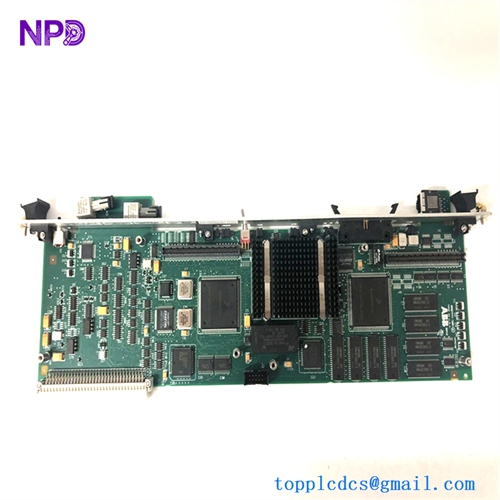
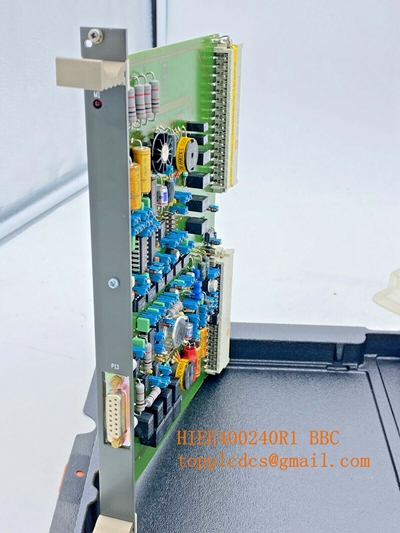
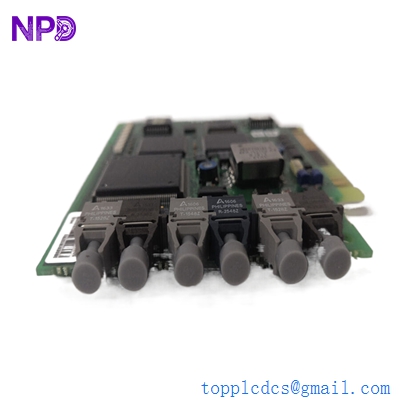
- Model: KUC321AE (HIEE300698R1)
- Brand: ABB (Switzerland)
- Series: UNITROL 6000 / Power Electronics Series
- Core Function: Specialized power supply module for excitation control systems (New Surplus)
- Product Type: Power Supply Unit (PSU)
- Key Specs: High-reliability DC output | Modular Rack-mount design | Industrial Grade
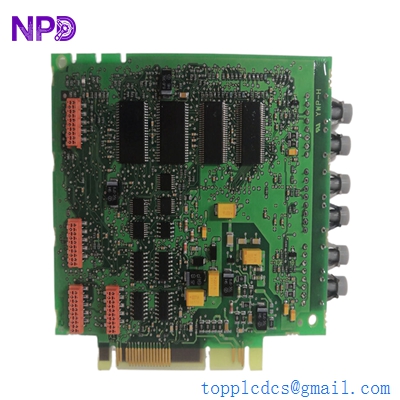
ABB CI858-1 3BSE018137R1
Key Technical Specifications
- Input Voltage: Multi-range AC/DC input (specific to UNITROL rack configuration)
- Output Voltage: Regulated DC outputs for internal control electronics
- Efficiency: >85% at full load
- Mounting Type: Slide-in module for ABB SUB (Subrack) systems
- Cooling: Natural convection/forced air (system dependent)
- Isolation: High dielectric strength for power plant environments
- Diagnostics: Front-panel LED status indicators (OK/Fault)
- Protection: Over-voltage, short-circuit, and over-temperature protection
- Compatibility: Primarily used in UNITROL 6000 and AC 800PEC control lineups
Installation & Configuration Guide
Phase 1: Pre-Installation
Estimated time: 15 minutes
⚠️ Safety Warning:
- This module is used in Excitation Systems which handle high-current/high-voltage DC. Ensure the main breaker for the excitation transformer is locked out and tagged out (LOTO).
- Discharge all DC link capacitors before touching the subrack.
- Verify the part number HIEE300698R1 matches your system’s documentation exactly.
Preparation:
- Insulated torque wrench and standard Phillips screwdriver.
- ESD-safe gloves and mat.
- Check for physical damage or capacitor bulging on the new unit.
Phase 2: Removal
Estimated time: 5 minutes
- Power Off: Confirm all auxiliary power to the subrack is disconnected.
- Loosen Captive Screws: Use a screwdriver to loosen the top and bottom captive screws on the KUC321AE front plate.
- Extraction: Use the integrated handle to pull the module straight out of the rack.
- Note: If the module is stuck, do not wiggle it excessively; ensure the captive screws are fully retracted.
- Inspection: Inspect the backplane connector for any signs of arcing or carbon buildup.
Phase 3: Installation
Estimated time: 10 minutes
- Alignment: Align the PCB edges with the guide rails in the subrack.
- Insertion: Slide the module back until the rear connectors mate with the backplane. Firmly push the handle to ensure it is seated.
- Securing: Tighten the captive screws (approx. 0.8 N·m). This ensures the module remains grounded and connected during vibration.
- Wiring (if applicable): Some versions have front-facing auxiliary terminal blocks. Re-attach them according to your previous labeling.
Phase 4: Power-On & Testing
Estimated time: 15 minutes
- Initial Power-Up: Apply auxiliary power.
- Visual Check:
- Green LED: Should be solid, indicating healthy output voltage.
- Red LED: If illuminated, indicates an internal fault or overload.
- Voltage Verification: If the system allows, measure the output rails at the designated test points on the backplane (only for qualified personnel).
- System Integration: Verify that the UNITROL controller no longer reports “PSU Failure” or “Under-voltage” alarms on the HMI.
Customer Cases & Industry Applications
Case 1: Power Plant Excitation System Emergency
Situation: A 600MW thermal power plant in South America reported a sudden trip in their UNITROL 6000 excitation system. The diagnostic log pointed to a failure in the KUC321AE power supply module.
Task: The plant was losing hundreds of thousands of dollars per day in generation revenue. Local ABB support quoted a 10-week lead time for a new unit.
Action: We dispatched a New Surplus HIEE300698R1 module via priority air freight. The part arrived at the site in 72 hours.
Result: The module was installed within an hour of arrival. The generator was re-synchronized to the grid the same evening. The plant manager subsequently ordered a second unit to keep as an “insurance policy” in their on-site buffer stock.
Frequently Asked Questions (FAQ)
Q1: Is KUC321AE compatible with older UNITROL 5000 systems? A: No. The KUC321AE (HIEE300698R1) is specifically designed for the UNITROL 6000 and certain AC 800PEC subracks. Using it in older generations may result in mechanical misalignment or electrical damage due to different backplane pinouts.
Q2: My module has a different “R” suffix (e.g., R0001). Can I still use this one? A: ABB often uses the HIEE number as the base. R1 typically denotes a specific revision level. In my experience, R-revisions are usually backward compatible, but you should verify if your system requires specific firmware on the associated controller to recognize the PSU’s diagnostic signals.
Q3: Why is my PSU LED red even though the input voltage is correct? A: This usually indicates a short circuit on the load side (i.e., another module in the rack is faulty) or the KUC321AE internal protection has tripped. Try pulling other non-essential modules to see if the LED turns green; if it stays red when isolated, the PSU itself is likely failed.
Q4: Do these power supplies require periodic calibration? A: No, they are “fit and forget” components. However, I recommend a visual inspection every 2 years for dust accumulation and fan health (if the rack is fan-cooled) to prevent overheating.
Q5: Can I repair my old KUC321AE? A: While possible, it is not recommended for critical excitation systems. Component aging in switching power supplies can lead to unpredictable MTBF (Mean Time Between Failures). Replacing it with a New Surplus unit is a more ROI-driven strategy to ensure plant availability.