
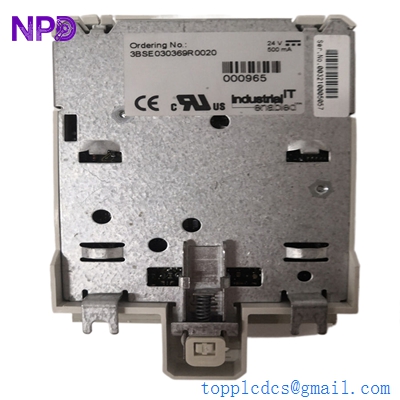

Description
- Model: ABB PFEA112-20 (3BSE030369R0020)
- Brand: ABB (Sweden)
- Series: Tension Electronics PFEA Series
- Core Function: High-end tension electronics for strip/web processing with Profibus-DP.
- Product Type: Tension Controller / Signal Amplifier
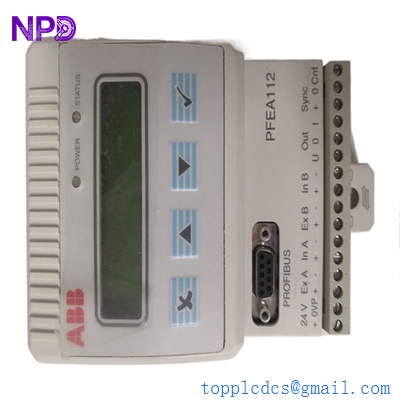
ABB PFEA112-20 3BSE030369R0020
Key Technical Specifications
- Input Voltage: 24 V DC (18–36 V DC range)
- Number of Channels: 2 load cell inputs
- Communication Protocol: Profibus-DP (up to 12 Mbit/s)
- Analog Outputs: 2 x 0–10 V or 0/4–20 mA (Configurable)
- Analog Inputs: 1 x 0–10 V (for gain/zero set)
- Display: 2 x 16 character backlit LCD
- Protection Class: IP65 (Dust and water-tight for field mounting)
- Load Cell Compatibility: All ABB Pressductor® load cells (PFCL, PFTL, PFRL, etc.)
- Digital Inputs/Outputs: 4 x DI (Reset, Zero, etc.), 4 x DO (Alarm, Level)
- Operating Temperature: 0°C to +55°C
Application Scenarios & Pain Points
In industries like papermaking, steel rolling, or plastic film converting, web tension is the most critical variable for product quality. If tension is too high, the web snaps; too low, and you get wrinkles or “telescoping” on the winders. The PFEA112-20 acts as the high-precision interface that translates the micro-voltage signals from Pressductor® load cells into actionable data for your PLC.
Typical Application Scenarios:
- Paper & Board Mills Used on the wet end and dryer sections to maintain constant tension despite varying roll diameters and speeds.
- Steel & Aluminum Cold Rolling Managing high-tension strip processing where the environment is oily and humid (utilizing the IP65 rating).
- Flexible Packaging & Converting Precise control for thin films where even 10 Newtons of error can ruin a production run.
Case Study: The Profibus Mystery at a Foil Plant
Background: A metal packaging plant used the PFEA112-20 on a slitting line. Everything ran smoothly until a maintenance shutdown involved rerouting local power cables. Afterward, the Profibus communication dropped intermittently, causing the line to trip and foil to tear.
The Problem: The onsite team suspected a faulty Profibus port on the module. The local ABB agent quoted a 14-week lead time for a replacement. To be honest, in my experience, hardware failure is rarely the first cause after a cable reroute.
The Solution: We supplied a New Surplus 3BSE030369R0020 within 48 hours. Before installation, I advised the engineer to check the termination. It turns out that during the reroute, the 220Ω end-of-line resistor was damaged.
The Result: Although the client kept our module as a critical spare, the immediate issue was solved by fixing the bus topology. The plant manager noted that having the spare on the shelf was “cheap insurance” compared to the cost of a single day’s downtime.
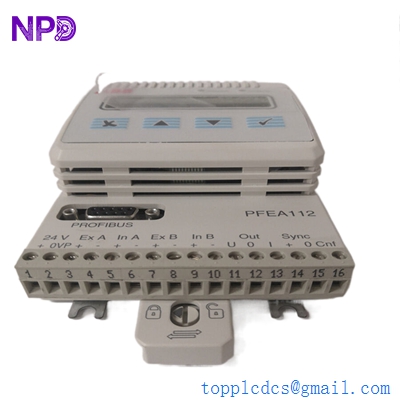
ABB PFEA112-20 3BSE030369R0020
Compatible Replacement Models
| Original Model | Replacement | Compatibility Level | Key Difference | Cost Impact |
| PFEA112-20 | PFEA112-60 | ✅ Drop-in | Version 60 supports more load cell types | +10% |
| PFEA112-20 | PFEA111-20 | ⚠️ Hardware Incompatible | No Profibus-DP port | -30% |
| PFEA112-20 | PFEA113 | ⚠️ Software Compatible | Modern version with EtherNet/IP | +40% |
Engineer’s Note: Do not try to swap a PFEA112 with a PFEA111 just because they look identical. The PFEA111 lacks the 9-pin D-sub connector for Profibus. If your control architecture relies on fieldbus data, the 111 will leave your PLC “blind.”
Troubleshooting Quick Reference
| Symptom | Possible Cause | Relevance | Quick Check | Action |
| “Load Cell Err” on display | Cable Break | ✅ High | Measure resistance between A-B and C-D | Check load cell shielded cable |
| Profibus BF LED Flashing | Node Address Conflict | ✅ High | Verify Node Address in the menu | Match address with PLC config |
| Jump in Tension Reading | EMI/Ground Loop | ⚠️ Medium | Check if shield is grounded at one end | Relocate signal cables away from AC |
| Display Blank | Power Polarity | ⚠️ Medium | Measure voltage between L+ and M | Correct 24V DC wiring |
❗ Technical Trap: The “Zero Set” Procedure
Many engineers replace the module and wonder why the readings are off by 5–10%. Remember: you must perform a “Zero Set” after installation. Ensure the roller is completely empty (no web), then execute the Zero Set in the menu. Without this, even a brand-new module will have a residual offset.



