
Description
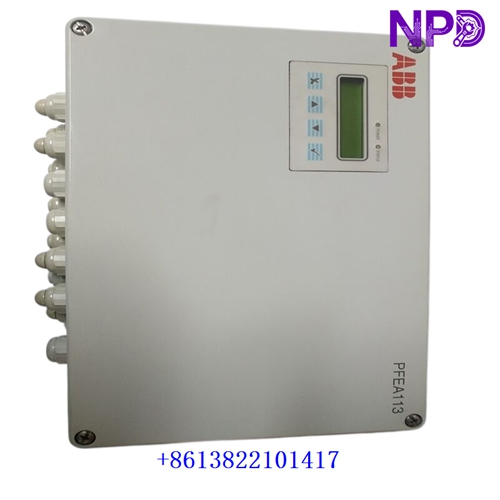
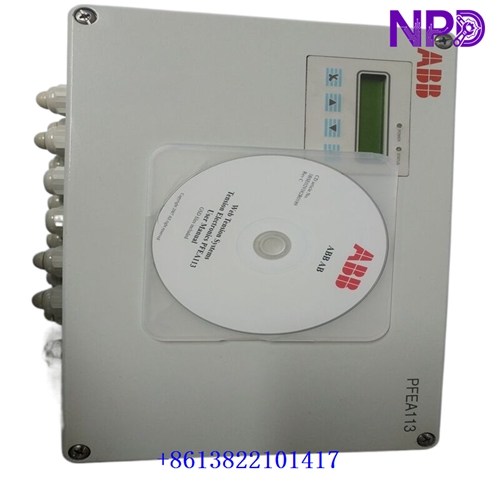
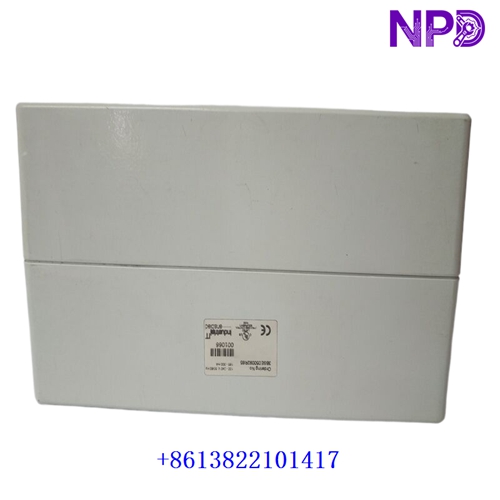
The following parameters outline the core technical specifications and physical characteristics of the ABB PFEA113-65 web tension monitoring and control unit, designed for continuous web-handling processes such as paper, printing, and converting machines.
- 1. Brand: ABB
- 2. Model: PFEA113-65 (Part Numbers: 3BSE050092R65)
- 3. Series: MillLine Tension Electronics Platform
- 4. Product Name: Tension Controller / Tension Electronics Unit (2-Channel version with PROFIBUS-DP)
- 5. Place of Origin: Sweden
- 6. Physical Status: Factory New / Industrial Spare Part
- 7. Dimensions: Standard compact panel or DIN-rail mountable enclosure format (234 mm×135 mm×65 mm)
- 8. Weight: 1.20 kg
- 9. Original Region: European Industrial Manufacturing Hub
- 10. Power Rating: Operates on standard industrial control supply voltage (24V DC, power consumption approx. 15W)
Initial Operation Checklist
- 🔹 Inspect the exterior packaging and anti-static shielding for any transit-induced damage or physical defects prior to unboxing.
- 🔹 Verify that part numbers
PFEA113-65and3BSE050092R65match system engineering specifications and requisition lists exactly. - 🔹 Ensure system cabinet power supplies are completely disconnected and locked out/tagged out before handling internal wiring or terminal connections.
- 🔹 Check signal terminal blocks, communication ports, and grounding lugs for cleanliness, secure seating, and absence of oxidation.
- 🔹 Confirm proper grounding continuity between the controller chassis and the main industrial control cabinet ground bus to prevent signal noise.
Daily Maintenance & Servicing
- 🔸 Monitor operating ambient temperatures continuously, ensuring environment conditions remain within standard limits (0∘C≤T≤+55∘C).
- 🔸 Inspect front-panel status LED indicators regularly for normal operating heartbeat, error warnings, and fieldbus communication health.
- 🔸 Keep cabinet ventilation filters clean and airflow pathways unblocked to maintain optimal thermal management.
- 🔸 Perform periodic visual checks on load cell signal wiring and power cable connections to ensure tight mechanical seating under continuous machine vibration.
Troubleshooting & Common Issues
- 🔻 Symptom: Unit fails to power on or status indicators remain unlit.
Action: Check input 24V DC supply rails using a calibrated multimeter across input terminals and verify upstream protection fuse continuity.
- 🔻 Symptom: Unstable tension readings, drifting values, or noisy analog output signals.
Action: Inspect load cell cable shield grounding, check for electromagnetic interference (EMI) sources nearby, and re-zero/calibrate the channels via the configuration menu.
- 🔻 Symptom: Fieldbus (PROFIBUS-DP) communication failure with the host PLC or DCS.
Action: Verify bus address settings, check termination resistors on the network line, and inspect communication cable integrity.
Safety Precautions
- ⚠️ Only certified automation and electrical technicians familiar with industrial drive and tension control systems should perform installation, configuration, or wiring tasks.
- ⚠️ Observe strict electrostatic discharge (ESD) prevention protocols when handling exposed circuit boards or internal components.
- ⚠️ Never connect or disconnect live signal or power wiring under full electrical load to prevent terminal damage or data corruption.
Frequently Asked Questions (Q&A)
- Q1: What is the primary function of the ABB PFEA113-65 unit?
A1: It serves as a dual-channel tension controller designed to process signals from web tension load cells, providing precise web tension measurement and control outputs for industrial processing lines.
- Q2: What communication interfaces are integrated into this specific model (-65 suffix)?
A2: The PFEA113-65 variant includes built-in PROFIBUS-DP communication alongside standard analog inputs/outputs and digital I/O for seamless PLC integration.
- Q3: What immediate action should be taken if tension calibration drifts?
A3: Check mechanical linkages and load cell mountings for physical damage or debris buildup, verify electrical grounding integrity, and execute a routine zero/span calibration procedure via the user interface.