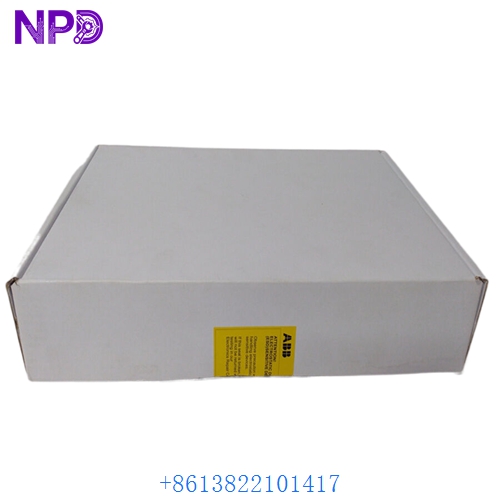

Description
Product Technical Parameters
| Feature | Specification |
|---|---|
| Brand | ABB |
| Model | PI774SIO |
| System | Procontrol P13 / P14 |
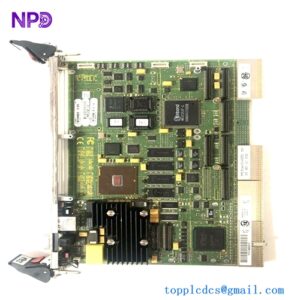
| Part Type | Digital Input/Output Module (SIO) |
| Communication | Local Bus Interface |
| Input Channels | Multi-channel digital inputs |
| Output Channels | Multi-channel digital outputs |
| Logic Voltage | 24 VDC / 5 VDC Internal |
| Signal Processing | Microprocessor-based control |
Product Datasheet
| Attribute | Details |
|---|---|
| Dimensions | 23.4 cm x 16.0 cm x 2.5 cm |
| Weight | 0.52 kg (approx. 1.15 lbs) |
| Country of Origin | Germany / Switzerland |
| Operating Temperature | 0 to 55°C (32 to 131°F) |
| Storage Temperature | -25 to +70°C |
| Humidity | 10% to 95% non-condensing |
| Mounting | Eurocard format for rack integration |
Application Fields
The PI774SIO is a critical I/O interface board within ABB’s legacy control platforms. It is primarily used in:
- Power Plant Control Systems (Procontrol P13)
- Large-scale Industrial Steam Turbine monitoring
- Hydroelectric Power Station automation
- Distributed Control Systems (DCS) for grid management
- High-reliability industrial signal marshaling

Product Instructions
- Installation: Ensure the rack power is turned off. Carefully slide the PI774SIO into the designated slot of the Procontrol subrack. Ensure the edge connectors are properly aligned with the backplane before applying pressure.
- Configuration: Set the module address using the onboard DIP switches or jumpers as specified in the system documentation. This ensures the central processing unit can correctly identify the SIO board.
- Wiring: Connect the field signals to the front-facing connectors or the corresponding terminal blocks. Use shielded cables for digital inputs to minimize noise interference in high-voltage environments.
- Status Check: After powering the system, verify that the “RUN” LED is illuminated. If a “FAULT” or “ERR” LED appears, check the bus communication cables and the power supply voltage levels.
Product Q&A
Q: What is the primary function of the PI774SIO “SIO” board? A: SIO stands for Signal Input/Output. The board serves as the interface between the digital field devices (like switches or relays) and the Procontrol bus system, converting field signals into logic data.
Q: Can this board be replaced while the system is running? A: In most Procontrol P13 configurations, hot-swapping is not recommended unless the specific subrack is designed for high-availability maintenance. Always consult the plant safety manual before removing a module.
Q: How do I troubleshoot a failure on a specific channel? A: Use the system diagnostic software to monitor the channel state. If the software shows no signal but the field device is active, check the onboard fuses or the optocoupler components on the PCB.
Q: Is the PI774SIO compatible with Procontrol P14? A: The PI774SIO is primarily a P13 component, but it can be used in certain P14 environments via transition modules or compatible bus architectures. Verify the specific hardware revision for cross-system use.
Similar Models Recommendation
- ABB PI771SIO
- ABB PI775SIO
- ABB PI731B
- ABB PI710
- ABB SK712A