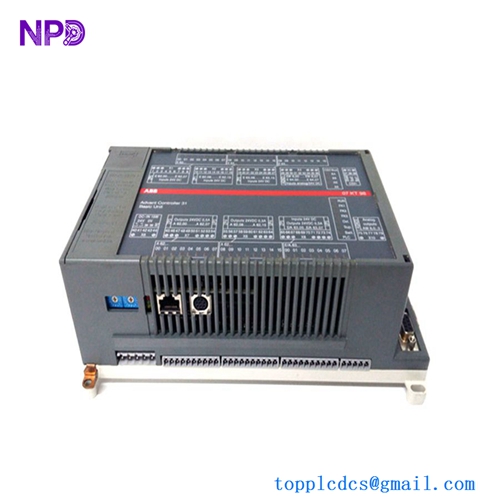
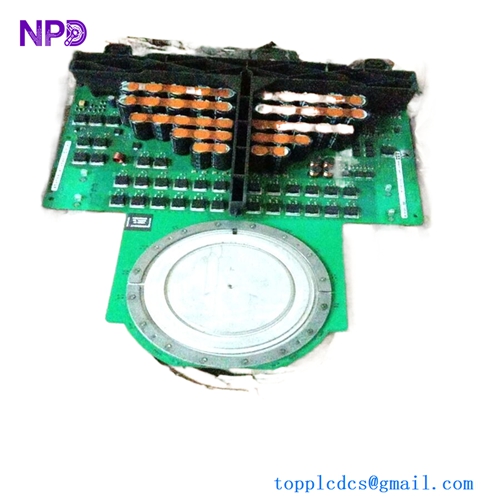
Description
- Model: PM825 (Part Number: 3BSE010796R1)
- Brand: ABB (Sweden)
- Series: Advant OCS / Advant Controller 400 (AC 410, AC 450)
- Core Function: Central Processing Unit (CPU) responsible for executing control logic, arithmetic calculations, and system-wide communication coordination.
- Product Type: Central Controller Module
- Key Specs: 16 MB Memory (RAM), high-speed logic execution, 24V DC logic power.
- Part Number: 3BSE010796R1
- Memory Capacity: 16 MB (Used for application programs, data tables, and system buffers)
- Processor Architecture: Optimized for real-time industrial control and floating-point math.
- Interfaces:
- Communication via AF 100 (Advant Fieldbus) or MasterBus 300 (depending on subrack configuration).
- Local I/O bus interface for S600 or S100 I/O modules.
- Redundancy: Supports dual-CPU redundant configurations for high-availability “mission critical” loops.
- Diagnostics: Integrated self-test routines for memory parity and hardware health.
- Status Indicators: Front-panel LEDs for “Run,” “Stop,” and “Fault” status.
- Software: Configured via Advant Station 500 or AMPL (ABB Master Programming Language).
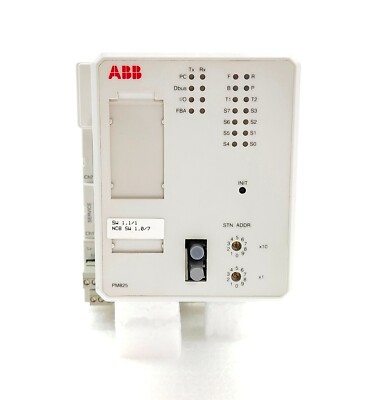
PM825 3BSE010796R1
Installation & Configuration Guide
Phase 1: Pre-Installation (Estimated time: 20 minutes) ⚠️ Safety First:
- The PM825 is the Master Controller. Replacing it requires a total shutdown of the associated subrack.
- Project Backup: Ensure you have a current export of the control logic from the Advant Station.
- Battery Check: If your system requires data retention during power loss, ensure a fresh battery module (e.g., SB821) is installed in the rack.
Phase 2: Removal (Estimated time: 5 minutes)
- Identify Module: Locate the PM825 in the processor section of the AC 400 subrack.
- Release Fasteners: Loosen the top and bottom screws on the module faceplate.
- Extraction: Use the integrated pull-handles to withdraw the module. Pull straight and steady to avoid damaging the high-density backplane pins.
Phase 3: Installation (Estimated time: 15 minutes)
- DIP Switch Sync: Check the side of the PCB for hardware address switches. You must match these exactly to the module you are replacing.
- Seating: Align the PM825 with the card guides and push firmly until it is fully seated in the backplane.
- Locking: Tighten the faceplate screws. This is essential for proper grounding and vibration resistance.
Phase 4: Commissioning & Download (Estimated time: 45 minutes)
- Apply 24V power to the rack.
- LED Diagnostics: The “Power” LED should be green. The “Fault” LED may flash until the application program is successfully loaded.
- Connect Engineering Tool: Connect the Advant Station via the programming port or bus.
- Download Logic: Upload the site-specific project. Once complete, switch the controller to “Run” mode and verify that the I/O bus communication is active.
Customer Cases & Industry Applications
Case 1: Power Plant Boiler Control Recovery A thermal power plant in Eastern Europe used AC 450 controllers for their boiler sequence logic. One of the PM825 modules failed due to a localized heat issue in the cabinet. We delivered a New Surplus PM825 within 72 hours. The plant’s maintenance team replaced the module and restored the boiler control logic, preventing a multi-day shutdown during a peak demand period.
Case 2: Steel Mill Rolling Line Maintenance A steel mill utilized the Advant OCS system to manage high-speed motor drives. They purchased our New Surplus PM825 (3BSE010796R1) as a strategic spare to replace an aging unit that was reporting intermittent memory parity errors. By replacing the unit proactively, they avoided an unplanned trip of the rolling mill.
Frequently Asked Questions (FAQ)
Q: Can I replace a PM822 with a PM825? A: To be honest, it depends on your software version and memory requirements. The PM825 has more memory (16MB), but you must verify that your subrack backplane and software revision support the higher-capacity module.
Q: Does the PM825 include the application software? A: No. Like all industrial CPUs, it arrives with factory-default firmware only. You will need to load your site-specific logic using your existing Advant Station tools.
Q: Why is the “Fault” LED on after I installed the module? A: This is usually because the module is “empty” and waiting for a program download, or there is a mismatch in the hardware address (DIP switches). Check the system log in the Advant Station for the specific error code.
Q: Is “New Surplus” reliable for a legacy system? A: Absolutely. These are original ABB parts that have never been used. Unlike refurbished units, our New Surplus stock hasn’t been subjected to years of thermal stress, making the internal components significantly more reliable for long-term service.
Q: Do I need a specific memory card for the PM825? A: The 16MB of RAM is integrated on the board. However, depending on your configuration, you may use external memory modules for backup; check your specific AC 400 system design.
I’m always open to corrections if I get something wrong; the best way to handle that is to just tell me what I missed or what I need to know! You can also always turn off the use of this personal context in your settings.