
Description
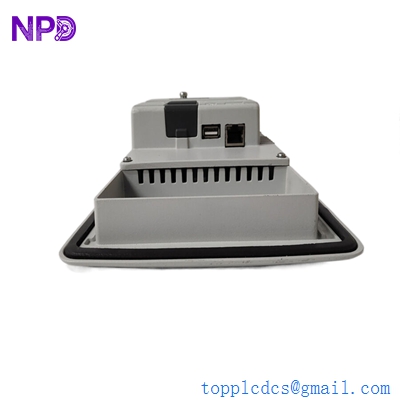
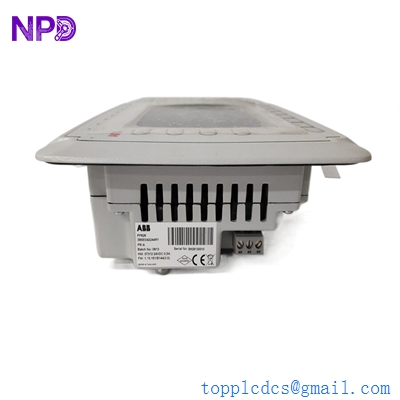
- Model: ABB PP826 3BSE042244R1
- Brand: ABB (IndustrialIT)
- Series: Panel 800 Operator Panels
- Core Function: Provides operator interface for industrial control systems
- Type: Human-Machine Interface (HMI) / Function Key Panel
- Key Specs: 5.7″ display 320×240 resolution 24 V DC power
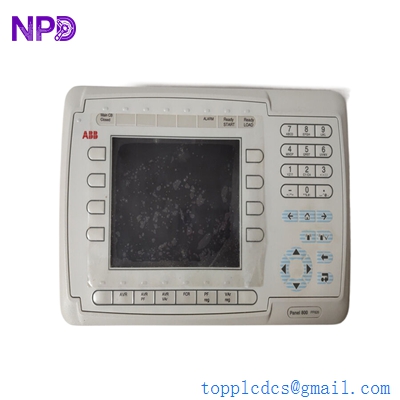
ABB PP826 3BSE042244R1
Key Technical Specifications
- Display: 5.7″ STN-LCD with 320×240 graphics
- Power Supply: 24 V DC ±10 %
- Power Consumption: ≤ 15 W typical
- Operating Temperature: −20 °C to +60 °C
- Storage Temperature: −40 °C to +70 °C
- Communication: Ethernet, RS-232/RS-485 (via configuration)
- User Interface: Touchscreen with membrane/function keys
- Front Protection: IP65 (front)
- Rear Protection: IP20 (rear)
- Memory: On-board RAM/Flash for project storage
- Mounting: Panel or rack mount cutout
Application Scenarios & Pain Points
In my experience with legacy DCS and PLC installations, operator panels like the PP826 often sit at the frontline between control logic and human operation. When a panel fails, operators lose visibility into real-time process variables, alarms, and control options — and the control room becomes one step removed from the actual industrial process.
This PP826 3BSE042244R1 was designed as a compact operator interface for ABB’s Panel 800 series. It combines a graphical display with function keys and communication ports, allowing operators to monitor and adjust PLC variables directly without needing an external PC.
Typical Applications
- Process Control Manufacturing
Operator panel to visualize and interact with PLC data on production lines and assembly stations. - Energy & Power Stations
Front-end interface for DCS/PLC systems in turbine auxiliary control or substation monitoring. - Water & Wastewater Automation
Local control panel for pump stations, valve sequencing, and alarm management. - Chemical & Petrochemical Sites
Display key process parameters and adjust setpoints in batch or continuous processes.
Case Example: HMI Failure on a Chemical Line
Background:
At a mid-size chemical plant, the local operator panel on an AC 800M rack lost touchscreen responsiveness during a shift change. Local operators couldn’t acknowledge alarms or adjust batch parameters without returning to the central console.
Problem:
The original Panel 800-series panel was obsolete, and lead time for official ABB replacement hardware was several weeks.
Solution:
A PP826 3BSE042244R1 was sourced from surplus stock and verified against the existing Panel Builder project. After ensuring communication parameters matched (RS-485/Modbus), the panel was installed and project data reloaded.
Result:
• Local operator control restored that day
• No extended downtime for batch operations
• The plant added two PP826 modules to strategic spares for future contingencies
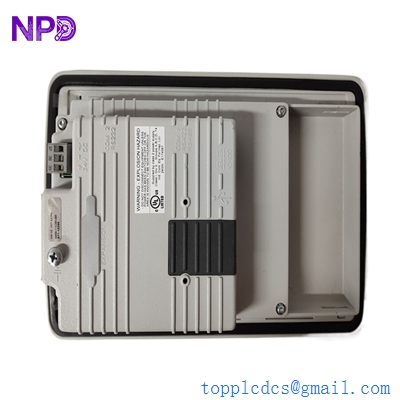
ABB PP826 3BSE042244R1
Compatible Replacement Models
⚠️ Software/Hardware Compatible (Requires Project Conversion)
• ABB CP6410 – Modern compact operator panel; higher resolution and expanded protocol support
- Compatibility: Requires re-design of HMI project using newer Panel Builder or System 800xA tools
- Work Effort: Project conversion and calibration testing on site
⚠️ ABB PP836 (3BSE042245R1) – Larger 6.5″ operator panel
- Compatibility: Similar Panel 800 range; resolution and interface differ
- Work Effort: HMI project adjustment and possibly cutout resizing
❌ Non-Compatible (Hardware Redesign Needed)
• Modern CP600/CP600 VisuNet variants – Different architecture, connectors, and project format
Note: PP826 has no exact “plug-and-play” direct drop-in replacement in ABB’s current catalog; upgrades require project conversion.
Troubleshooting Quick Reference
| Symptom | Likely Cause | PP826 Relevance | Quick Check | Recommendation |
|---|---|---|---|---|
| Display blank | Power supply issue | ❌ Low | Measure 24 V DC rail | Check power module / fuses |
| Touch unresponsive | Touch hardware/overlay failure | ✅ High | Try soft reset | Consider panel replacement |
| Frozen graphics | Project error | ⚠️ Medium | Reboot & re-download project | Validate HMI project |
| Communication timeout | Protocol mismatch | ⚠️ Medium | Verify port settings in Panel Builder | Align BAUD/IDs |
| Erratic outputs | Backlight or LED fault | ⚠️ Medium | Inspect LED indicators | Replace panel if confirmed |
Experience shows that most “blank panel” issues are either lost power or corrupted project data, not the panel electronics itself. Always start by validating power and communication parameters before assuming module failure.