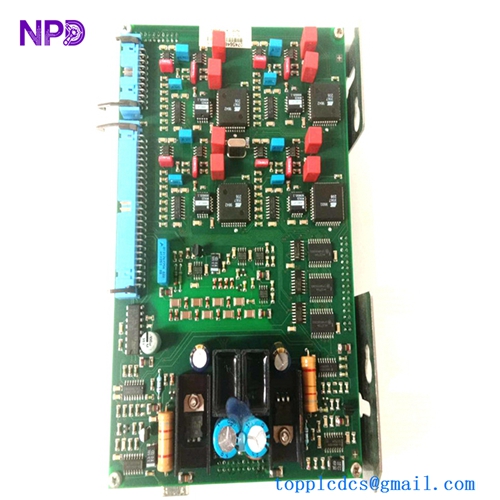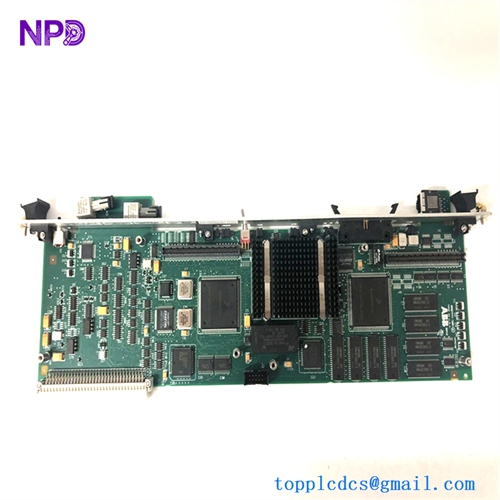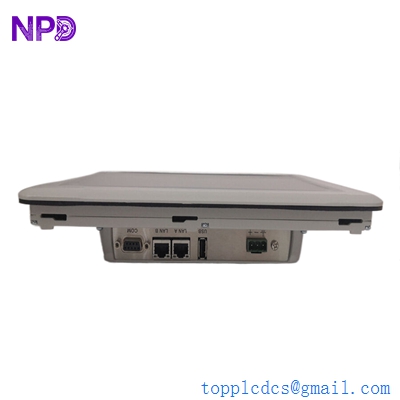

Description
- Model: ABB PP881 (Part Number: 3BSE092976R1)
- Brand: ABB (Sweden)
- Series: Panel 800 Version 6 / Performance Series
- Core Function: High-performance Human Machine Interface (HMI) for industrial control systems
- Display: 7-inch TFT-LCD widescreen, 800 x 480 pixels
- Processor: High-speed ARM Cortex-A9 (single or dual core depending on revision)
- Memory: 512 MB Flash, 1 GB RAM
- Touch Type: Resistive / Capacitive (Standard industrial grade)
- Communication Ports:
- 2 x Ethernet (10/100 Base-T)
- 2 x Serial (RS-232, RS-422/485)
- 1 x USB 2.0
- Operating System: Windows Embedded Compact 7
- Software: Panel Builder 800 (PB800)
- Ingress Protection: IP65 (Front) / IP20 (Rear)
- Operating Temp: -10 °C to +60 °C
- Power Supply: 24 V DC (18 to 32 V DC)
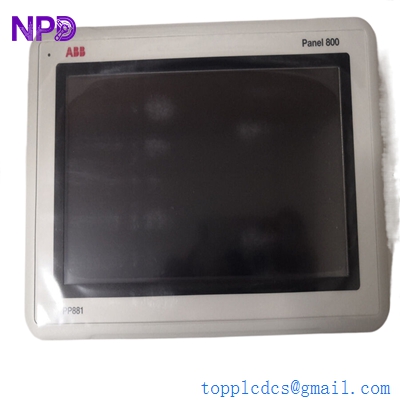
ABB PP881
Installation & Configuration Guide
Phase 1: Pre-Installation (Estimated time: 15 minutes) ⚠️ Safety First:
- Ensure the cutout in your cabinet door matches the PP881 dimensions (typically 186mm x 135mm).
- Project Backup: Before replacing an old panel, ensure you have the
.pbpor compiled project file from Panel Builder 800. - Check the power polarity. Reversed 24V DC can damage the internal fuse of the HMI.
Phase 2: Mounting (Estimated time: 10 minutes)
- Gasket Check: Ensure the sealing gasket is correctly seated on the back of the panel to maintain the IP65 rating.
- Clips: Insert the panel into the cutout and use the provided mounting clips. Do not over-tighten, as this can warp the front bezel and affect touch sensitivity.
Phase 3: Wiring & Connectivity (Estimated time: 15 minutes)
- Grounding: Connect the functional earth (FE) terminal to the cabinet ground to minimize EMI (Electromagnetic Interference).
- Communication: Plug in the Ethernet or Serial cables. If connecting to an AC 800M controller, ensure you are using the correct IP subnet.
Phase 4: Commissioning (Estimated time: 30 minutes)
- Power up the panel. The ABB splash screen should appear.
- IP Setup: Enter the “System Menu” (often by holding a finger on the screen during boot) to set the IP address.
- Project Download: Use Panel Builder 800 to download the application via Ethernet.
- Touch Calibration: If the touch response feels “off,” run the calibration utility in the Windows CE control panel.

Customer Cases & Industry Applications
Case 1: Food & Beverage Packaging Line A bottling plant in Mexico used the PP881 to monitor their labeling machines. When the original screen was damaged by high-pressure cleaning, the line went down. We delivered a New Surplus PP881 in 3 days. Because it is a “Performance” series panel, it handled the complex graphics of their OEE (Overall Equipment Effectiveness) dashboard without lag, getting the plant back to full production immediately.
Case 2: Water Treatment Plant Upgrade A municipal utility upgraded their aging HMI units to the PP881. By utilizing the dual Ethernet ports, they were able to isolate their control network (PLC communication) from their office network (data logging/SCADA), significantly improving the cybersecurity of their local pump stations.
Frequently Asked Questions (FAQ)
Q: Can I use the PP881 to replace an older PP865 or PP836? A: Yes, generally. The PP881 is part of the newer “Panel 800” generation. While the physical cutout might differ, the Panel Builder 800 software can typically import and convert projects from older versions. To be honest, you’ll find the PP881 much faster and more responsive.
Q: Does it support VNC for remote monitoring? A: Yes. The PP881 supports VNC Server, allowing you to view and control the HMI screen from a PC or tablet on the same network.
Q: Why is my communication with the PLC failing? A: Check your “Protocol” settings in Panel Builder 800. For ABB controllers, ensure the Task ID and IP settings match. Also, verify that the “Serial/Ethernet” port on the panel hasn’t been disabled in the system menu.
Q: Is “New Surplus” the same as “Open Box”? A: Not necessarily. Our New Surplus units are often in their original sealed factory boxes. They are “surplus” because they were ordered for projects that were canceled or changed. They are 100% new and have never been energized.
Q: Does the panel come with the programming software? A: No. Panel Builder 800 is a separate licensed software product from ABB. However, once you have the software, you can program as many PP881 units as you need.
I’m always open to corrections if I get something wrong; the best way to handle that is to just tell me what I missed or what I need to know! You can also always turn off the use of this personal context in your settings.