
Description
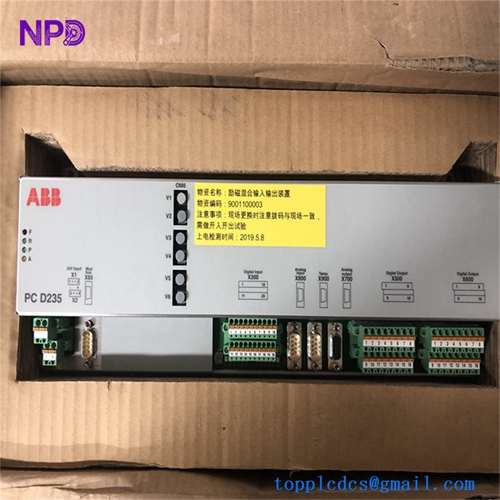
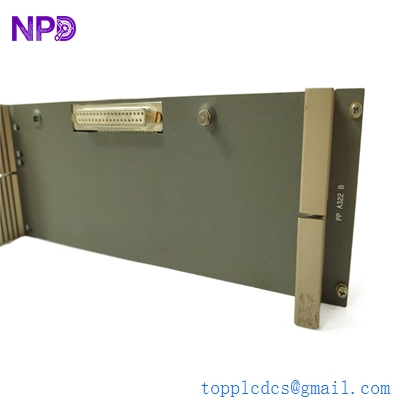
- Model: PPA322B
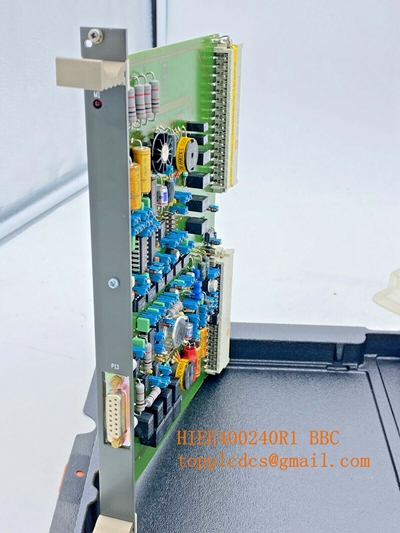
- Part Numbers: HIEE300016R2 (Module) / HIEE400235R1 (Internal Board)
- Brand: ABB (Switzerland)
- Series: UNITROL 1000 / UNITROL 1020 Excitation Systems
- Core Function: Internal Power Supply / DC-DC Converter Module
- Product Type: Power Supply Board for Automatic Voltage Regulators (AVR)
- Key Specs: Wide Input Range Stabilized DC Outputs DIN-Rail or Chassis Mount
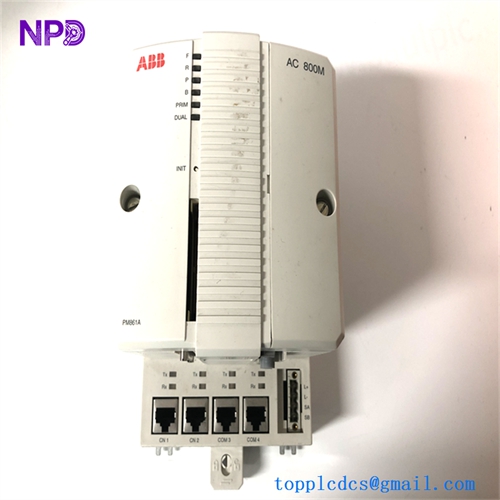
- Core Function: High-performance processing unit for Power Electronic Controllers (PEC) used in excitation and high-power rectifiers.
- Product Type: Central Controller / Processor Module
- Key Specs: Hardware Revision V1, Fiber Optic Communication, 24V DC Logic
- Supply Status: ✅ In Stock
- Stock: 2 units
- Warranty: 12 Months
- Ship From: Xiamen, China (International priority shipping 3-5 days)
- Condition: Brand New Surplus (Original hardware, zero-hour operation, pristine condition)
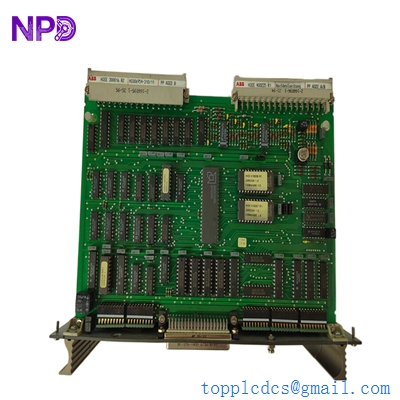
ABB PPA322B HIEE300016R2 HIEE400235R1
Key Technical Specifications
- Part Number: 3BHB006338R0001
- Hardware Revision: V1
- Application: Specifically designed for the AC 800PEC control system, often utilized in Unitrol 6000 excitation systems or MEGADRIVE-LCI high-power drives.
- Interfaces:
- Multiple high-speed fiber optic ports (AF 100 or proprietary links).
- Integrated status LEDs for system health and bus activity.
- Logic Execution: Real-time control of thyristor firing pulses and complex regulation loops.
- Operating Voltage: 24 V DC
- Isolation: Optical isolation between the controller logic and high-power electronics to prevent EMI interference.
- Enclosure: Modular plug-in design for rack mounting.
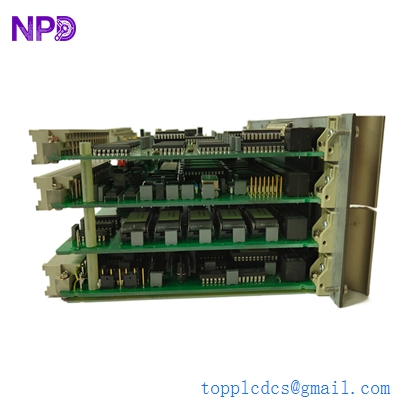
ABB PPA322B HIEE300016R2 HIEE400235R1
Installation & Configuration Guide
Phase 1: Pre-Installation (Estimated time: 20 minutes) ⚠️ Safety First:
- This module controls High-Voltage Excitation or Rectifier Systems. Ensure the main power circuit is isolated, grounded, and the DC link is discharged before opening the control cabinet.
- Project Backup: The UNS0881a-P requires specific firmware and application logic. Ensure you have a backup of the AC 800PEC project file (
.pcbor.bin). - Verify the “V1” revision. While ABB modules are often robust, hardware revisions must be compatible with your existing backplane and firmware versions.
Phase 2: Removal (Estimated time: 10 minutes)
- Label Fiber Optics: Use professional cable markers to label every fiber optic strand. Swapping a “Transmit” and “Receive” line will result in a total communication failure.
- Release Fasteners: Unscrew the top and bottom retaining screws on the module faceplate.
- Extraction: Gently pull the module using the extraction handles. The high-density rear connectors are fragile; avoid tilting the module during withdrawal.
Phase 3: Installation (Estimated time: 15 minutes)
- DIP Switch Sync: Check the side of the PCB for DIP switches or rotary dials used for station addressing. Match these exactly to the original module.
- Mounting: Slide the module into the card guides and push firmly until the backplane connectors seat completely.
- Connect Fibers: Remove the protective dust caps and click the fiber optic connectors into place. You should hear a distinct “click” when the LC/ST connector is secure.
Phase 4: Commissioning & Synchronization (Estimated time: 45 minutes)
- Apply 24V control power.
- LED Diagnostics: The “Ready” LED should turn green. If the “Fault” or “Error” LED is red, the module may be blank or there is a configuration mismatch.
- Software Link: Connect your engineering laptop via the service port.
- Firmware/Logic Download: Load the site-specific application. Verify that the firing pulse patterns and measurement values are updating in the software’s real-time monitor.
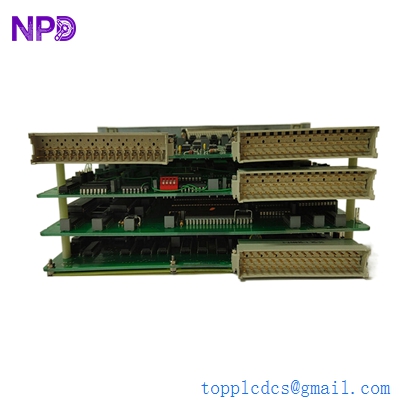
ABB PPA322B HIEE300016R2 HIEE400235R1
Customer Cases & Industry Applications
Case 1: Hydro-Power Plant Excitation Restoration A major hydro-power facility experienced a “Controller Watchdog” trip on their Unitrol 6000 system. The failure was traced to a faulty UNS0881a-P processor. We delivered a New Surplus 3BHB006338R0001 within 72 hours. The plant’s engineering team swapped the module and reloaded the firmware, restoring the generator’s voltage regulation and preventing a prolonged outage of a 100MW unit.
Case 2: Steel Mill LCI Drive Maintenance A steel mill utilized MEGADRIVE-LCI systems for large motor starters. The AC 800PEC controller (UNS0881a-P) was reporting intermittent fiber optic communication errors due to aging components. By replacing the module with our New Surplus stock, the mill eliminated the “ghost faults” and improved the overall uptime of the rolling mill line.
Frequently Asked Questions (FAQ)
Q: Is the UNS0881a-P (3BHB006338R0001) interchangeable with the UNS0881b? A: To be honest, they are usually not direct replacements. The “a” and “b” suffixes often denote different processing power or interface options. Always stick to the exact part number (3BHB006338R0001) found on your original module’s sticker.
Q: Do I need to clean the fiber optic ports on the new module? A: Even though they come with dust caps, it is best practice to use a fiber optic cleaning pen before insertion. A single speck of dust can cause signal attenuation on high-speed AF 100 links.
Q: Why is the “Error” LED blinking after I installed the module? A: This typically means the module is healthy but “Empty.” New Surplus units usually ship with factory-default firmware only. You will need to download your specific application project using the ABB AC 800PEC engineering tool.
Q: Is “New Surplus” reliable for a critical power plant controller? A: Absolutely. ABB controllers are designed for extreme longevity. “New Surplus” units have zero hours of electrical stress and heat exposure, which are the primary causes of failure in used or refurbished units. We provide a 1-year warranty to guarantee performance.
Q: Can I Hot-Swap this module? A: No. Pulling the main processor while the system is energized can cause unpredictable firing pulses to be sent to the thyristors, which could damage the power bridge or cause a safety hazard. Always power down the control rack before replacement.
I’m always open to corrections if I get something wrong; the best way to handle that is to just tell me what I missed or what I need to know! You can also always turn off the use of this personal context in your settings.