Description
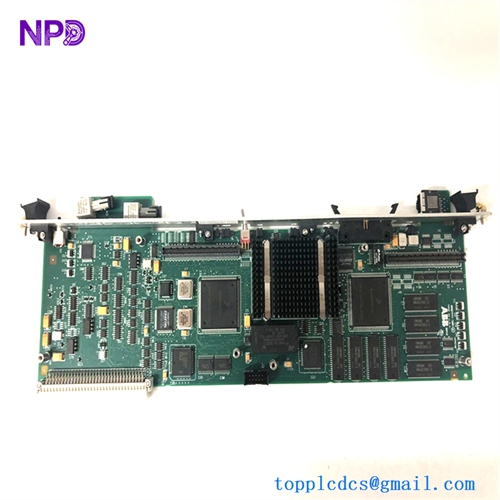
- Model: ABB PPC902CE101
- Part Number: 3BHE028959R0101
- Brand: ABB
- Series: AC800PEC / UNITROL 6000 / PCS6000
- Core Function: Central Processing and Control Logic Execution
- Product Type: Power Processor Module (PPC)
- Key Specs: 64-bit Architecture Fiber Optic Communication High-Speed Backplane
- Processor: High-performance CPU optimized for floating-point calculations and real-time control.
- Communication: Multiple integrated fiber optic ports (TX/RX) for high-speed, noise-immune I/O linking.
- Memory: Non-volatile Flash for firmware and Battery-backed RAM for parameters/logs.
- Backplane Interface: Standardized ABB high-density connector for rack integration.
- Protocols: Supports ABB’s internal high-speed links and Ethernet-based communication.
- Diagnostics: Front-panel multi-segment display and status LEDs for ‘Run’, ‘Alarm’, and ‘Fault’.
- Control Cycle: Sub-millisecond execution for advanced motor and generator regulation.
- Operating Temp: 0°C to +60°C (requires standard cabinet forced-air cooling).
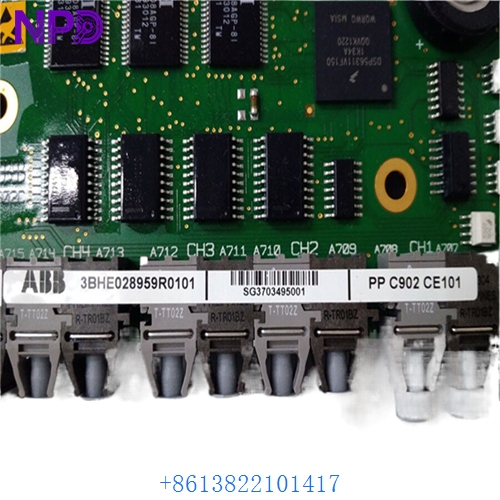
ABB PPC902CE101 3BHE028959R0101
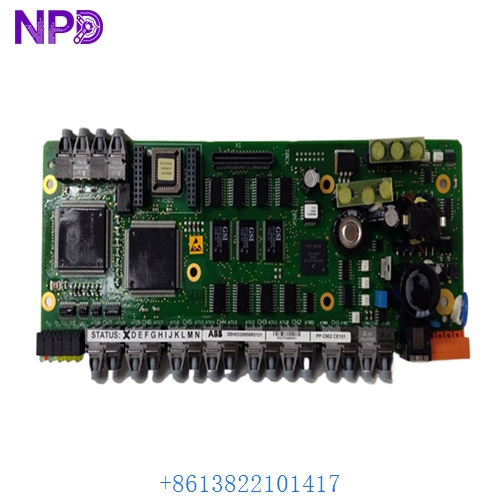
ABB PPC902CE101 3BHE028959R0101
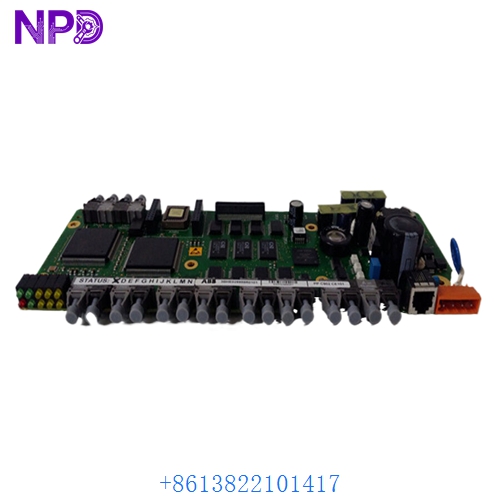
ABB PPC902CE101 3BHE028959R0101
Application Scenarios & Pain Points
In a 100MW gas turbine or a massive offshore wind converter, the PPC902CE101 is calculating the vector control or the excitation voltage thousands of times per second. The primary pain point I see is “Boot Failure” or “NVRAM Corruption.” After years of service, the internal memory components can fail during a power cycle. If the PPC902 doesn’t boot, your HMI will show “Controller Not Responding,” and you’ll be stuck with a “Dead” cabinet that won’t acknowledge any commands.
Typical Application Scenarios:
- UNITROL 6000 Static Excitation Running the Voltage Regulator (AVR) and Limiter logic for large power plant generators.
- MEGADRIVE-LCI / ACS6000 Serving as the master control unit for high-power medium voltage drives in oil & gas or mining.
- PCS6000 Grid Converters Managing the synchronization and power quality logic for renewable energy injection.
Case Study: The “Cold Start” Failure in a Combined Cycle Plant
Background: A power plant in Southeast Asia performed a scheduled maintenance shutdown. When they tried to restart the UNITROL 6000, the 3BHE028959R0101 failed to initialize.
The Problem: The diagnostic display on the PPC902 was stuck on a “BOOT” code. We determined that the onboard flash memory had reached its end-of-life cycle and could no longer load the application software into RAM after the power down.
The Solution: We provided a tested replacement PPC902CE101. Because the client had a recent “Project Backup,” we assisted them in reloading the site-specific firmware and parameters using the ABB PEC Tool.
The Result: – Resolution: The board was swapped and flashed within 6 hours of arrival.
- Outcome: The plant successfully synchronized the turbine to the grid before the evening peak.
- Client Feedback: “The PPC902 was in excellent condition, and the communication ports were 100% stable.”
Compatible Replacement Models
| Original Model | Replacement Model | Compatibility | Main Difference | Integration Effort |
|---|---|---|---|---|
| PPC902CE101 | PPC902CE102 | ✅ Direct Replace | Updated component specs | Drop-in; zero config |
| PPC902CE101 | PPC905 | ⚠️ Limited | Next-gen processor | Requires software migration |
| PPC902CE101 | GVC736 | ❌ Incompatible | Earlier generation | Totally different architecture |
Troubleshooting Quick Reference
| Symptom | Likely Cause | Board Related? | Quick Check | Action |
|---|---|---|---|---|
| 7-Segment Display ‘F’ | Hardware Fault | ✅ High | Check the secondary fault code on the display. | Replace the PPC module. |
| ‘Alarm’ LED Amber | Communication Loss | ⚠️ Medium | Check fiber optic links to the I/O racks. | Clean fiber tips or replace cables. |
| Display stuck on ‘INIT’ | Firmware Corruption | ✅ High | Try to ping the module via the service port. | Attempt a firmware reload. |
| No display / LEDs | Backplane Power Fault | ❌ Low | Measure 24V DC at the rack input. | Check the rack power distribution (PDD). |
Integrator’s “Field Tips”:
- The Display Code is Key: The PPC902CE101 has a built-in diagnostic display. Always write down the code it shows during a failure. Those codes (e.g., ‘E01’, ‘F22’) tell us exactly where the processor is hanging, which can save hours of troubleshooting.
- Firmware Loading: This module is an AC800PEC-based controller. It must be loaded with the correct application firmware for your specific site. If you don’t have the .bin file, we can often help you retrieve it from your redundant partner board if one is still working.
- SFP / Fiber Hygiene: If your PPC902 is reporting “IO Timeout,” don’t assume the board is dead. Use a fiber cleaning pen on the optical ports. These high-speed processors are very sensitive to signal attenuation caused by dust.