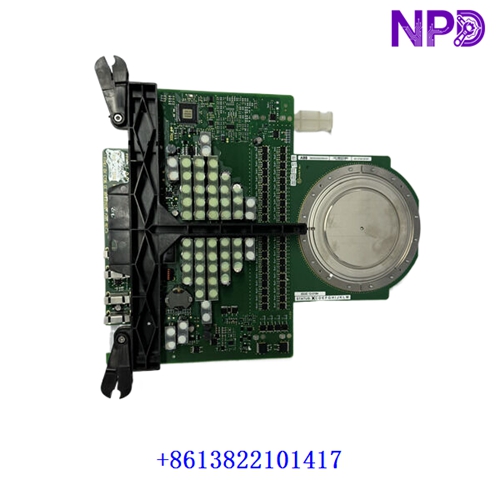

Description
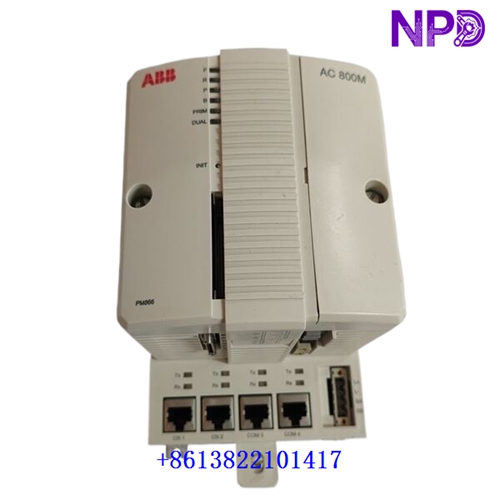
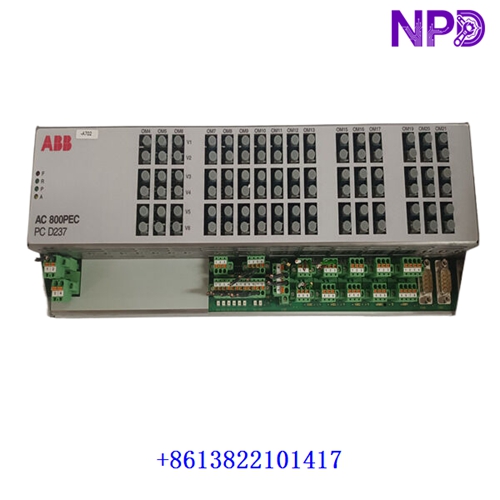
The ABB PPD539A102 (3BHE039770R0102) is an advanced high-performance controller device engineered specifically for the AC800PEC industrial automation ecosystem. It delivers exceptional computational power, high-speed data processing, and precise control capabilities, making it exceptionally well-suited for demanding industrial power electronics, drive systems, and high-dynamic-response applications.
- Brand: ABB
- Model: PPD539A102 (3BHE039770R0102)
- Series: AC800PEC Control System Architecture
- Product Name: Controller Device / Processor Module
- Place of Production: Sweden / Germany
- Lifecycle Status: Active / Industrial Core Line
- Dimensions: Standard Rack-Mount Controller Form Factor
- Weight: Approx. 1.4 kg
- Original Origin: European Union
- Power Consumption: 24V DC / Max 20W
📋 Initial Startup Inspection Checklist
- 🔍 Visual Integrity: Verify that the enclosure, edge connectors, and optical interfaces show no transport damage, pin bending, or contamination.
- 🔍 Firmware Compatibility: Ensure that the internal software version matches the specific AC800PEC system engineering tool configuration requirements.
- 🔍 Power Supply Verification: Check incoming DC voltage levels with a calibrated meter to guarantee they remain stable within the specified 24V DC tolerance.
- 🔍 Grounding Continuity: Confirm that the controller rack and shield connections are properly bonded to the cabinet earth for optimal noise immunity.
- 🔍 Environmental Check: Ensure that surrounding control room or cabinet temperatures comply strictly with operational limits.
🛠️ Routine Maintenance and Servicing
Regular preventive maintenance extends operational reliability and prevents unexpected process interruptions.
- 🔧 Airflow and Ventilation: Keep cabinet fans and module faceplates free from dust buildup to ensure proper thermal dissipation.
- 🔧 Connection Checks: Periodically verify the tightness of plug-in connectors and communication cables to guard against vibration-induced loosening.
- 🔧 Diagnostic Log Review: Inspect system event logs regularly via the engineering software to catch early operational warnings.
- 🔧 Configuration Backups: Maintain secure, updated backups of all controller software applications and parameter sets.
🔍 Troubleshooting and Common Faults
Systematic fault isolation ensures rapid recovery from unexpected control anomalies.
- ⚠️ Fault Symptom 1 (Controller Failure / Fault LED): Check the primary power supply input and internal board fusing. Replace only with manufacturer-specified ratings.
- ⚠️ Fault Symptom 2 (Communication Link Drop): Inspect optical fiber or fieldbus network lines for physical damage, contamination, or incorrect termination.
- ⚠️ Fault Symptom 3 (Watchdog / CPU Errors): Check backplane slot seating, ensure no oxidation is present on contact pins, and re-seat the module if necessary.
⚡ Safety Precautions
- 🛡️ Authorized Personnel Only: Installation, wiring, and maintenance must be performed exclusively by certified electrical and automation technicians.
- 🛡️ ESD Protection: Always utilize a grounded wrist strap and handle internal circuit boards by their non-conductive edges.
- 🛡️ Energy Isolation: Fully isolate and power down the rack system before inserting or extracting the controller hardware.
❓ Frequently Asked Questions (Q&A)
- 💡 Q1: Can this controller be replaced while the system is powered on?
- A1: Live insertion or hot-swapping is generally restricted unless explicitly supported by the specific system redundancy design. Always power down the rack to prevent electrical damage.
- 💡 Q2: What should be done if the unit fails to boot up after a firmware update?
- A2: Verify the communication link to the engineering station, check power stability, and attempt a controlled recovery using the designated bootloader utility or factory recovery procedure.