
Description
Product Technical Parameters
| Feature | Specification |
|---|---|
| Brand | ABB |
| Master CPU | CPU01 |
| Processor Module | CPM01 (1KHL160038R0004G) |
| Communication Module | COM02 (1KHL178025R0102U) |
| Series | RTU600 / RTU560 Architecture |
| Communication Ports | 2x Ethernet (10/100 Mbps), Serial RS-232/485 |
| Protocol Support | IEC 60870-5-101/104, DNP3, IEC 61850 |
| Memory | High-density Flash and SRAM for event buffering |
Product Datasheet
| Attribute | Details |
|---|---|
| Dimensions | 16.0 cm x 10.0 cm x 4.0 cm (Combined assembly) |
| Weight | 0.85 kg (approx. 1.87 lbs) |
| Country of Origin | Germany |
| Operating Temperature | -25°C to +70°C |
| Humidity | 5% to 95% non-condensing |
| Power Supply | 5V DC via RTU backplane |
| Configuration | Web-based interface or RTUtil500 tool |
Application Fields
This combined processing and communication set is the core of an ABB RTU system. It is primary used in:
- Substation Automation: Controlling and monitoring switchgear in high-voltage grids.
- Renewable Energy Integration: Managing data from wind farms and solar sites for grid stability.
- Distribution Automation: Monitoring medium-voltage feeder stations.
- Smart Grid Infrastructure: Acting as a gateway for IEC 61850 protocol translation.
- Industrial Utility Monitoring: Supervising power quality and load management in large factories.
Product Instructions
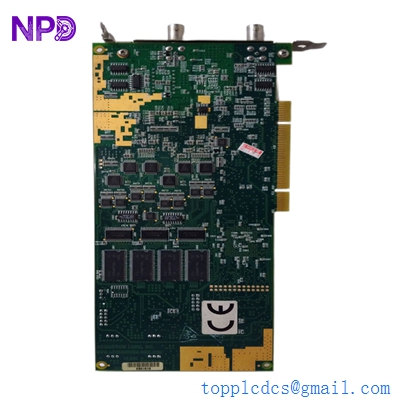
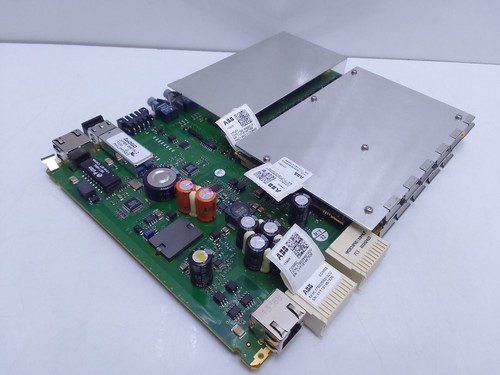
- Assembly: Connect the CPM01 processor module and COM02 communication board to the CPU01 carrier board. Ensure all inter-board connectors are perfectly aligned and locked before inserting the assembly into the RTU rack.
- Installation: Slide the combined unit into the “CMU” (Central Management Unit) slot of the RTU600 subrack. Secure the front panel screws to ensure proper grounding and mechanical stability.
- Network Configuration: Connect the Ethernet ports to your secure control network. Use the ABB RTUtil500 software to assign IP addresses and configure the protocol stack (e.g., IEC 104 parameters).
- Maintenance: The CPM01 contains a battery for memory retention. Check the battery status LED; if it is red, replace the lithium cell while the system is powered to avoid losing the real-time clock and buffered event data.
Product Q&A
Q: What is the relationship between these three part numbers? A: The CPU01 is the carrier board. The CPM01 is the processing “engine” that handles logic and data processing, while the COM02 is the communication interface that provides the physical ports and handles protocol management.
Q: Does the COM02 1KHL178025R0102U support fiber optic connections? A: This specific variant is typically equipped with RJ-45 Ethernet ports. If fiber optic is required, a dedicated media converter or a different COM module variant with SFP slots would be needed.
Q: Can I upgrade the firmware on the CPM01? A: Yes, firmware can be updated via the web-based management tool or through the serial maintenance port. Always ensure you have a full system backup before initiating an update.
Q: What does the “Run” LED flashing green signify? A: A flashing green Run LED indicates that the CPU is initialized and the internal firmware task is executing normally without critical errors.
Similar Models Recommendation
- ABB CPM01 1KHL160038R0001
- ABB CPM02 1KHL160107R0001
- ABB COM01 1KHL178025R0001
- ABB CPU02 Carrier Board
- ABB 560CMU05 Central Management Unit