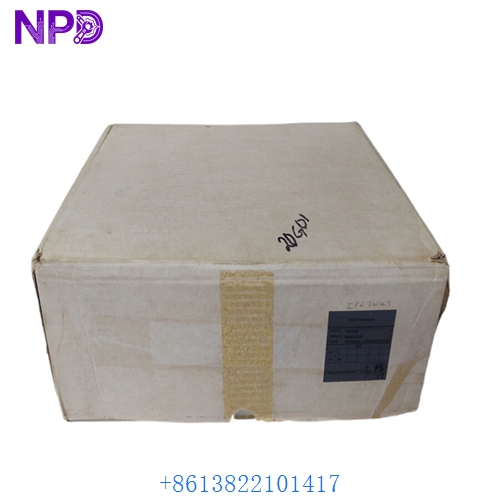

Description
The ABB SDCS-COM-5 (3BSE006567R0001) is a specialized communication interface board designed for the DCS500 and DCS600 series of DC drives. It serves as the primary gateway for connecting the drive to high-level automation systems and external control devices. The Rev:D version features enhanced signal processing stability and support for multiple fieldbus protocols through optional plug-in modules.
- System Compatibility: ABB DCS500, DCS600, and DCS800 (selected configurations)
- Processor Type: High-speed digital communication controller
- Protocol Support: Profibus-DP, CANopen, DeviceNet, and Modbus (via extension)
- Fiber Optic Interface: Integrated channels for DDCS (Distributed Drive Control System) communication
- Data Transfer Rate: Up to 4 Mbaud via fiber optic links
- Isolation: Galvanic isolation between drive logic and external communication networks
- Auxiliary Power: Internally powered via the drive’s control board backplane

Product Datasheet
| Feature | Specification |
|---|---|
| Model | ABB SDCS-COM-5 |
| Part Number | 3BSE006567R0001 |
| Revision | REV:D |
| Dimensions | 165 x 115 x 25 mm |
| Weight | 0.22 kg |
| Country of Origin | Estonia / Finland |
| Interface Type | Fiber Optic (V18/V19) and 9-pin D-sub |
| Operating Temp | 0°C to +55°C |
Application Fields
This communication board is essential for integrated drive systems in heavy industrial sectors:
- Metal Processing: Synchronizing multiple DC drives in rolling mills and wire drawing machines.
- Mining & Minerals: Managing high-torque DC motors for conveyors and mine hoists.
- Pulp & Paper: Coordinating sectional drives for paper machines requiring precise speed control.
- Marine & Offshore: Controlling DC thrusters and winch systems through centralized PLC control.
Product Instructions
- Safety First: Ensure the DC drive is completely powered down and the capacitors have discharged (wait at least 5 minutes) before opening the drive cabinet.
- Mounting: Align the SDCS-COM-5 board with the designated slot on the SDCS-CON (Control Board). Carefully press the board into the connectors until fully seated.
- Fiber Optic Connection: When connecting fiber optic cables to the V18/V19 ports, ensure the bending radius is not exceeded to prevent signal loss or cable damage.
- Addressing: Configure the station address and communication parameters via the drive’s control panel (CDP 312) or the DriveWindow software.
- Shielding: For electrical connections (RS485/CAN), ensure the communication cable shield is properly grounded at the drive end to minimize electromagnetic interference.
Q&A – Common Questions
Q1: What is the primary difference between SDCS-COM-5 and older revisions? A1: Rev:D includes updated logic components that provide better resistance to electrical noise and improved compatibility with newer Fiber Optic (DDCS) communication modules used in modern DCS800 systems.
Q2: Can this board be used to connect the drive directly to an Ethernet network? A2: No. The SDCS-COM-5 supports fieldbus and fiber optic protocols. To connect to Ethernet (Profinet or Modbus/TCP), an additional R-series or N-series adapter module is typically required in conjunction with the communication architecture.
Q3: How do I troubleshoot a “Comm Loss” fault? A3: First, check the status LEDs on the SDCS-COM-5. Verify the integrity of the fiber optic cables—ensure they are not cracked and the ends are clean. Check that the node address in the drive parameters matches the PLC configuration.
Related Product Recommendations
- ABB SDCS-CON-2 | Main Control Board for DCS500
- ABB SDCS-PIN-51 | Power Interface Board
- ABB SDCS-FIS-3 | Fiber Optic Link Board
- ABB NDPA-02 | DDCS/Profibus Adapter
- ABB 3BSE004939R1 | SDCS-COM-8 Communication Module