
Description
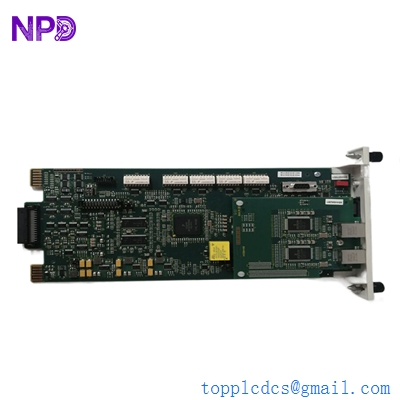
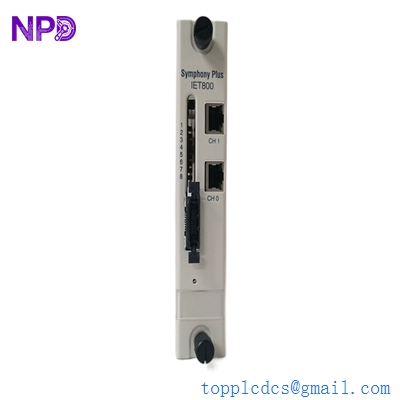
- Model: ABB SPIET800
- Brand: ABB (Symphony Plus / Bailey)
- Series: Symphony Plus / Harmony Rack Series
- Core Function: High-speed Ethernet interface for Harmony rack controllers.
- Product Type: Ethernet Transfer Module
- Key Specs: 10/100 Mbps Ethernet Supports Modbus TCP & HC800 protocols
Key Technical Specifications
- Operating Voltage: +5 V DC ±5% (sourced from rack backplane)
- Power Consumption: Rated at 1.1 A (5.5 W typical)
- Communication Ports: 2 x RJ45 Ethernet (Redundant support)
- Data Rate: 10/100 Mbps, Auto-negotiation
- Protocol Support: Modbus TCP (Client/Server), Peer-to-Peer (HC800)
- Maximum Nodes: Supports up to 250 nodes per system
- Processor: High-speed 32-bit RISC architecture
- Mounting: Standard Symphony Plus / Harmony Rack Slot
- Operating Temperature: 0°C to +70°C (32°F to 158°F)
- Humidity: 5% to 95% Non-condensing
Application Scenarios & Engineering Insights
In large-scale power generation or water treatment facilities, the “brain” of the operation often resides in legacy Bailey/Harmony racks. The biggest headache for engineers today isn’t the logic itself—it’s getting that data out to modern SCADA or third-party PLC systems without a total “rip-and-replace.” If your communication bridge fails, you lose visibility across the entire plant floor. The SPIET800 is the specific piece of hardware that bridges that gap, acting as the high-speed gateway between the proprietary rack bus and standard Ethernet networks.
Typical Application Scenarios:
- Power Plant DCS Integration Used to link Symphony Plus controllers to global plant management systems, allowing real-time monitoring of turbine and boiler performance.
- Water & Wastewater SCADA Facilitates communication between distributed pump stations and a centralized control room via fiber-optic Ethernet rings.
- Substation Automation Acts as a Modbus TCP gateway to pull data from IEDs (Intelligent Electronic Devices) into the Bailey control environment.
Case Study: Southeast Asia Combined Cycle Plant
Background: A 600 MW power plant in Thailand was running on a legacy Harmony system. They needed to integrate a new Siemens PLC-based chemical dosing system into their existing ABB DCS for unified monitoring.
The Problem: The existing serial-based interface was too slow and lacked the bandwidth for the 200+ data points required. Lead times for newer gateway hardware were quoted at 14 weeks, which didn’t align with their planned maintenance outage.
The Solution: We supplied an SPIET800 module from our “New Surplus” stock. Because the module supports native Modbus TCP, it eliminated the need for a separate third-party protocol converter.
The Result: * Latency Reduction: Data refresh rates improved from 2 seconds to under 200ms.
- Timeline: The module was delivered and commissioned within 5 days.
- Cost Savings: Avoided the $15,000 cost of a custom-engineered gateway solution.
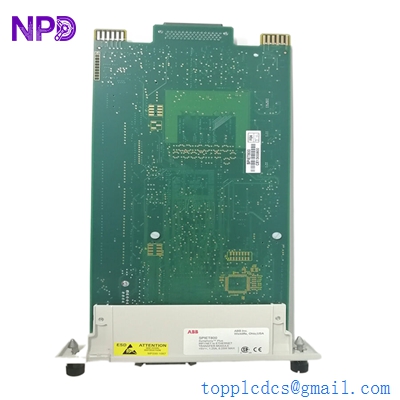
ABB SPIET800
Compatible Replacement Models
| Original Model | Replacement Model | Compatibility | Key Differences | Change Required |
| SPIET800 | SPIET800-A | ✅ Drop-in | Enhanced security features | None (Firmware dependent) |
| INTKM01 | SPIET800 | ⚠️ Software Comp. | SPIET800 is Ethernet; INTKM01 is Serial | Must reconfigure Comms in Composer |
| IET800 | SPIET800 | ✅ Drop-in | SPIET800 is the S+ branded version | None (Direct physical fit) |
Pro Tip: If you’re replacing an older IET800, the SPIET800 is usually your best bet. It’s functionally identical but features updated internal components that handle heat dissipation better. Just make sure your version of Composer (ABB’s engineering tool) recognizes the newer hardware definition.
Troubleshooting Quick Reference
| Symptom | Likely Cause | Spare Part Relevance | Quick Check | Action |
| All LEDs OFF | Backplane power failure | ❌ Low | Measure 5V DC on the rack bus | Check Power Entry Module (PEM) |
| STS LED Red (Solid) | Hardware Self-test fail | ✅ High | Re-seat module in rack | Replace SPIET800 if it persists |
| NET LED Off | Physical Link Down | ⚠️ Medium | Check RJ45 cable and switch port | Swap cable; check switch VLAN |
| TX/RX Flashing but No Data | IP/Port Mismatch | ❌ Low | Ping the module IP from a PC | Verify Modbus Map & IP in Composer |
| Intermittent Reboots | Overheating / ESD | ✅ High | Check for dust or fan failure | Clean rack; replace if damaged |
❗ Critical Warning: DIP Switches & Firmware
One of the most common “rookie” mistakes I see is pulling a module out of the box and slamming it into the rack without checking the side-mounted DIP switches. Always take a photo of the switch positions on your old module. If your Station Address or Baud Rate doesn’t match, the controller won’t “see” the module, and you’ll waste hours troubleshooting software that isn’t the problem.
Also, be wary of firmware mismatch. If your existing system is running Symphony Plus V1.1 and the new module has V3.x firmware, you might see “Module Offline” errors. We can pre-load specific firmware versions upon request to match your site’s baseline.