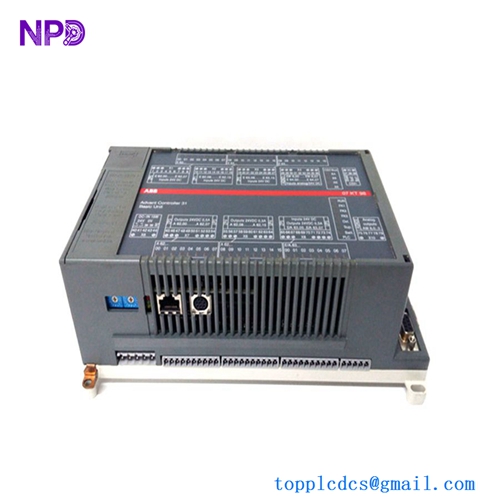
Description
- Model: ABB TK457V050 (3BSE004394R1)
- Brand: ABB (Sweden/Switzerland)
- Series: S800 I/O / AC 800M
- Core Function: ModuleBus extension cable for connecting I/O clusters
- Product Type: Communication Cable
- Key Specs: 5.0 Meters length | High-speed ModuleBus | Shielded twisted pair
- Length: 5.0 m (16.4 ft)
- Connector Type: Proprietary ABB ModuleBus connectors
- Cable Type: Multi-core shielded extension cable
- Application: Connects TB810/TB811 to Cluster Modem or I/O stations
- Signal Support: ModuleBus electrical signals
- Bending Radius: Minimum 60 mm (static)
- Sheath Material: Low Smoke Zero Halogen (LSZH) / PVC
- Ambient Temperature: -25 to +70°C (Storage), 0 to +55°C (Operation)
- Weight: 0.45 kg
- Standard Compliance: CE, RoHS
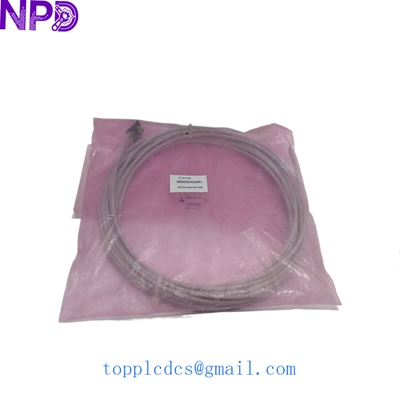
ABB TK457V050 3BSE004394R1
Application Scenarios & Pain Points
In an AC 800M control architecture, physical space often dictates cabinet layout. When you can’t fit all your S800 I/O modules on a single DIN rail or within one cabinet, you have to split them into “clusters.” The TK457V050 is the physical lifeline between these clusters.
The biggest pain point I’ve seen with these cables is “EMI interference.” Because the ModuleBus is a high-speed backplane extension, using a damaged or poorly shielded cable leads to intermittent I/O timeouts. If this cable fails, the entire downstream I/O cluster goes “Dead,” which could mean losing control of 50+ instruments in an instant.
Typical Application Scenarios:
- Multi-Cabinet I/O Expansion Connecting the primary PLC cabinet to an adjacent I/O expansion cabinet where the distance is under 5 meters.
- Redundant I/O Clusters Linking the Optical Port Device (TB811) to the electrical ModuleBus of the first I/O station in a remote cluster.
- DCS Retrofit Projects Extending legacy systems where new I/O cards must be mounted on a separate wall-mount rack due to space constraints.
The “Mystery Timeout” Case Study:
Background: A paper mill in Eastern Europe was experiencing random “Cluster Communication Errors” on their S800 I/O system. The error would trigger for half a second, cause a pump to trip, and then vanish.
Problem: The site team replaced the TB810 Bus Head and several I/O modules, thinking it was a hardware fault. The problem continued.
Solution: I noticed the TK457V050 cable was zip-tied tightly against a 440V motor power cable. Over time, the vibration and heat had degraded the shielding contact at the connector. We replaced it with a fresh TK457V050 (3BSE004394R1).
Result: The communication stability returned to 100%.
- Lesson Learned: Never underestimate the importance of the physical layer. If your cable is kinked or bruised, replace it. It’s the cheapest insurance policy for your uptime.
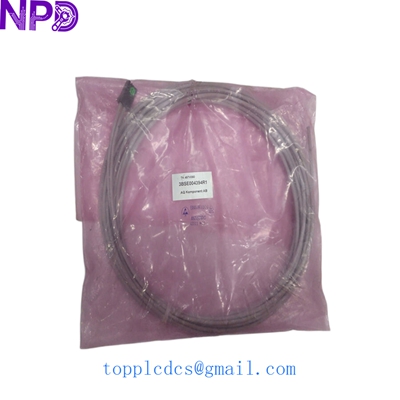
ABB TK457V050 3BSE004394R1
Compatible Replacement Models
| Original Model | Replacement Model | Compatibility | Key Difference | Price Impact |
| TK457V050 | TK457V010 | ⚠️ Software Compatible | 1.0 meter length; might be too short for your layout. | -20% |
| TK457V050 | TK457V150 | ⚠️ Software Compatible | 15.0 meters length; check signal attenuation limits. | +40% |
| TK457V050 | Custom Cable | ❌ Incompatible | ModuleBus uses a specific impedance; DIY cables usually fail. | High Risk |
Engineer’s Note: Length matters! The ModuleBus has a maximum total electrical length limit. If you use too many long cables (like multiple TK457V150s), the signal won’t make it to the end. The TK457V050 (5m) is usually the “sweet spot” for cabinet-to-cabinet jumps.
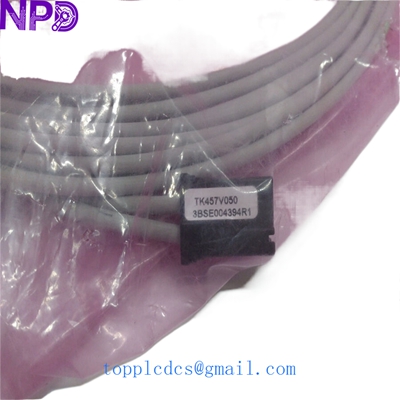
ABB TK457V050 3BSE004394R1
Troubleshooting Quick Reference
| Symptom | Possible Cause | Part Relevance | Quick Check | Action |
| “ModuleBus Error” LED on TB810 | Cable not seated | ✅ High | Check if the connector clicks into place. | Reseat the cable and check pins. |
| Intermittent I/O data flickering | EMI Interference | ✅ High | Is the cable run near high-voltage lines? | Reroute cable or replace with new shielded TK457. |
| Downstream cluster totally dead | Cable core break | ✅ High | Swap cable with a known good one from another rack. | Replace cable immediately. |
Technical Pitfalls to Avoid:
- ❗ The “Click” Test: These connectors are rugged but require a firm “click” to ensure the shielding makes contact with the module housing. If you don’t hear it, it’s not grounded.
- ❗ Bending Radius: Never bend this cable at a 90-degree angle right at the connector. This causes the internal twisted pairs to separate, changing the impedance and killing your signal.
- ❗ Cable Ties: Don’t use plastic ties so tight that they deform the cable jacket. Use Velcro straps to keep it organized without crushing the board communication signals.
SOP Quality & Testing Process
Cables are often overlooked, but we test them like any other active component:
- Continuity & Resistance Test: Every core is tested for end-to-end continuity and balanced resistance.
- Isolation Test: We check for shorts between the cores and between the shield and the signal lines.
- Physical Integrity Check: We inspect the entire 5.0m length for any nicks, cuts, or stress marks in the LSZH jacket.
- Connector Inspection: We use a magnifying lens to ensure the gold-plated pins are straight and free of oxidation.
Related Inventory (Available Now)
- ABB TK457V050 | 3BSE004394R1 (12 Units)
- ABB TB810 | ModuleBus Head
- ABB TB811 | Optical ModuleBus Port
- ABB PM861A | CPU Module
- ABB PM866 | Controller
- ABB DI810 | Digital Input 24V
- ABB DO810 | Digital Output 24V
- ABB AI810 | Analog Input
- ABB AO810 | Analog Output
- ABB CI854A | Profibus Communication Interface