
Description
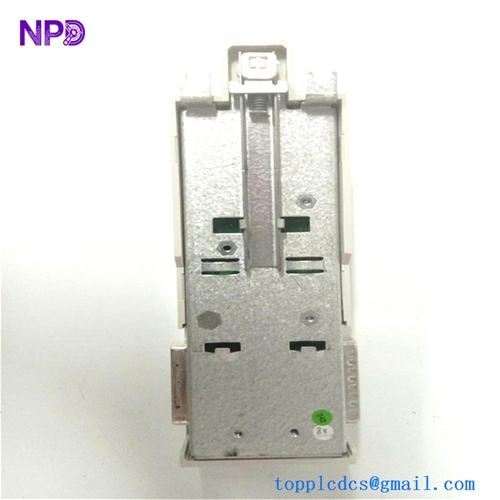
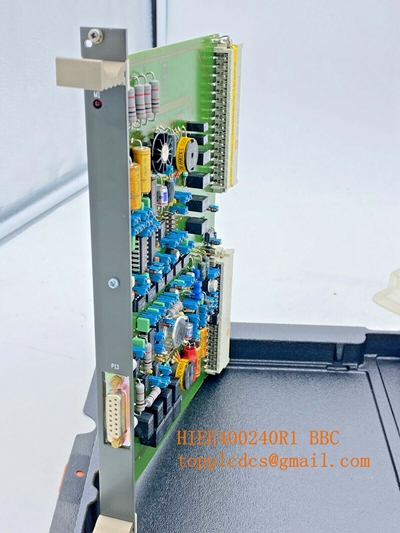
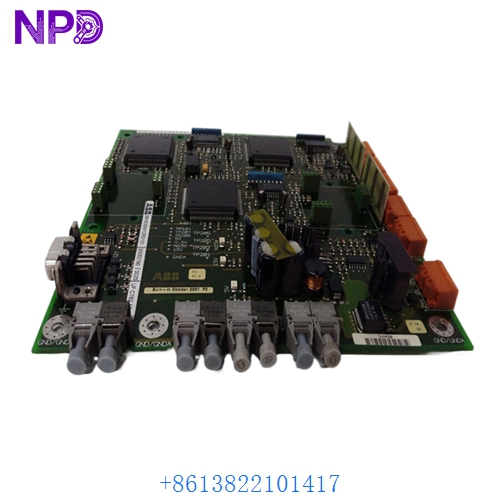
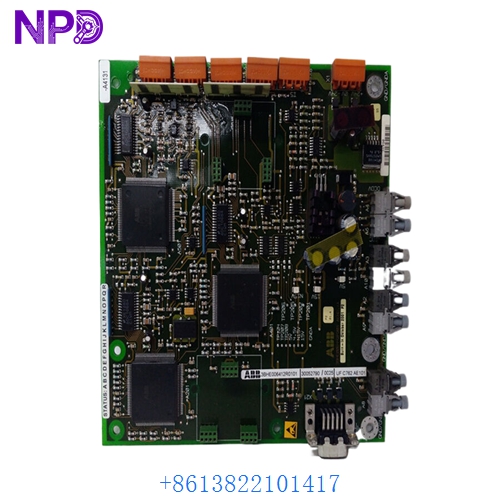
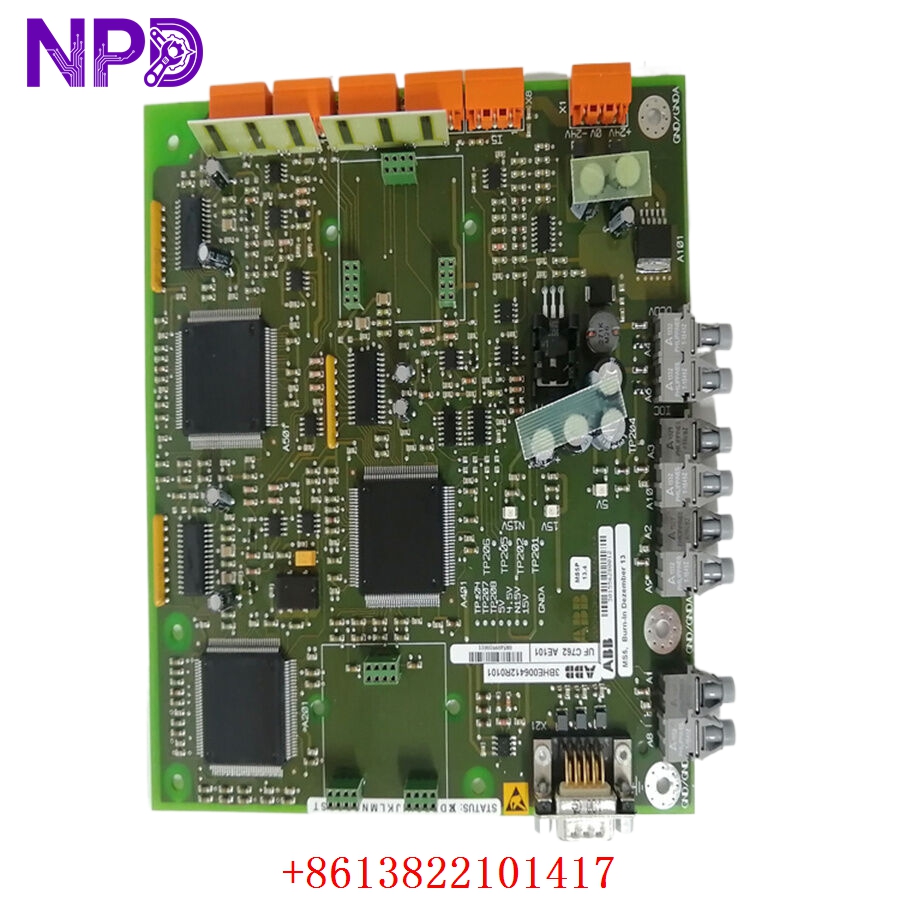
- Model: ABB UFC762AE101 (Global ID: 3BHE006412R0101)
- Brand: ABB (Switzerland)
- Series: AC 800PEC / UNITROL / PCS800 High-Performance Controller Family (Widely used in high-power rectifiers, static frequency converters, and large synchronous motor excitation systems)
- Core Function: Executes ultra-fast control loops, pulse-width modulation (PWM) firing angles, and high-speed fiber-optic communications, Brand New Surplus condition
- Type: Fast Control / Processing Subsystem Board
- Key Specs: Multi-channel optical transceivers | High-speed DSP + FPGA architecture | Rack-mounted terminal interface
- Processor Core: Integrated combination of High-Speed Digital Signal Processor (DSP) and Field Programmable Gate Array (FPGA) for sub-millisecond control processing
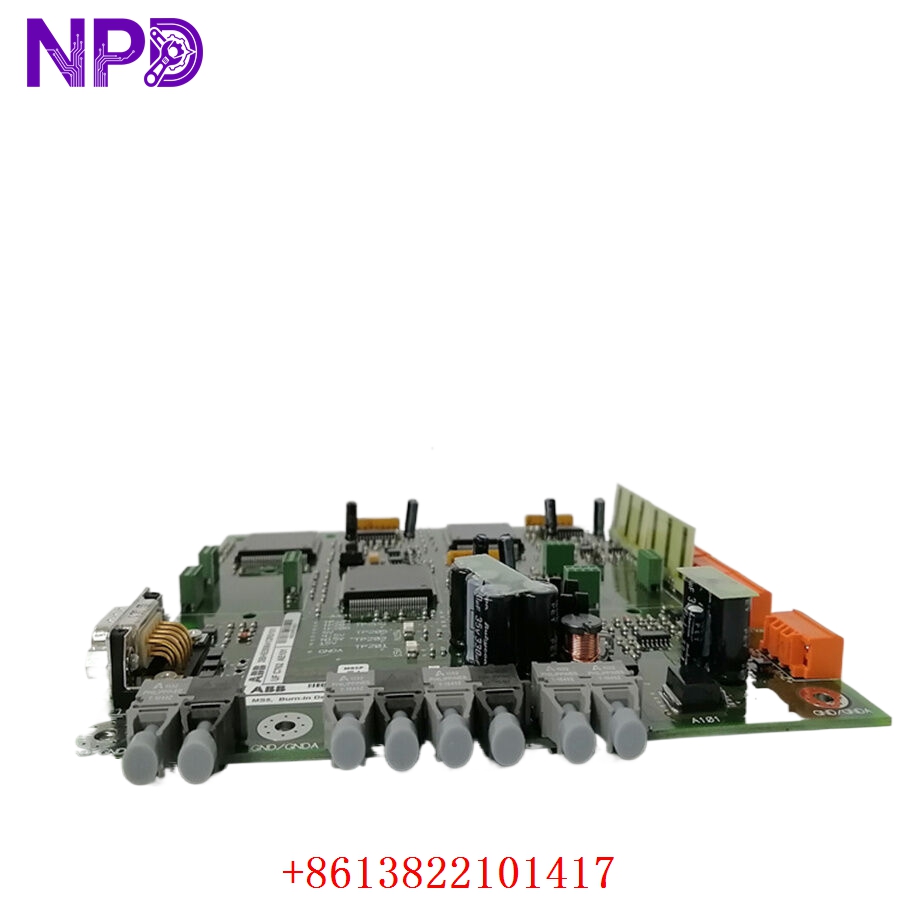
- Optical Interface: Multiple onboard fiber-optic channels (HFBR transmitters/receivers) for isolated high-speed communication with gate drivers and I/O racks
- Backplane Bus Link: Proprietary parallel high-density multi-pin connection matching ABB power electronics sub-racks
- Front Diagnostic Block: Comprehensive array of status indicators (LEDs for Power, Run, Fault, and optical link activity)
- Auxiliary Power Supply Input: Typically requires +5 V DC / +24 V DC managed via the sub-rack backplane network
- Cooling Requirement: Passive heatsink with forced-air cabinet cooling ventilation
- Enclosure Rating: IP00 (Open circuit board module intended for clean-room cabinet housing)
- Operating Ambient Constraints: 0 °C to +55 °C (Non-condensing, particulate-free environments)
Part 4: Installation & Configuration Guide
Phase 1: Pre-Installation (Estimated Time: 25 minutes)
⚠️ Safety First:
- Coordinate with your facility’s operations manager to place the generator or drive system into a complete cold shutdown. Never pull a controller module while high-voltage excitation or rectifier circuits are energized.
- Disconnect and tag out all primary AC/DC input power lines feeding the control cabinet sub-rack.
- Apply strict Lockout/Tagout (LOTO) protocols to the main power distribution panel switches.
- Wait a full 15 minutes after full power disconnection. High-power power electronics systems utilize large capacitor banks that require time to discharge safely below 24 V DC.
Tool Preparation:
- ESD-safe grounding wrist strap and a static-dissipative handling mat
- Specialized fiber-optic cleaning tool or clean compressed air canister
- No. 2 Phillips screwdriver for locking panel screws
- Fluke 115 Digital Multimeter
- Lens caps for optical fibers, marking tags, and a high-resolution camera
Backup Procedures:
- Use the system configuration terminal (e.g., ControlBuilder or relevant ABB software tool) to pull a complete operational backup of the application software parameters, firmware versions, and communication maps before extracting any hardware.
Phase 2: Removal (Estimated Time: 15 minutes)
Steps:
- Confirm using your multimeter that all auxiliary terminal rails and incoming control wires read 0 V.
- Handle Fiber Optics with Care: Label and carefully unplug every fiber-optic cable connected to the front of the UFC762AE101 board. Immediately cap the bare fiber ends and the card’s optical ports to prevent dust contamination.
- Loosen the top and bottom captive screws pinning the card’s faceplate to the sub-rack frame.
- Pull the ejector/injector handles outward firmly to back the board away from its parallel backplane interface pins.
- Slide the controller module smoothly out of its slot rails and place it immediately into an ESD-shielded storage bag.
⚠️ Key Notes:
- Fiber-optic lines have a minimum bend radius. Never bend or twist the lines sharply during removal, as internal micro-fractures in the glass or plastic core will cause light attenuation and signal corruption upon restart.
Phase 3: Installation (Estimated Time: 20 minutes)
Steps:
- ESD Protection: Connect your grounding wrist strap to a verified chassis ground point before unpacking the new surplus UFC762AE101 3BHE006412R0101 card.
- Replicate Configurations: Inspect the physical layout of the new board against your original unit. Check and match any rotary node address dials, DIP switch matrices, or physical jumpers to ensure correct identification on the communication bus.
- Insert Module: Slide the new card evenly into the designated sub-rack guide tracks. Press firmly inward until the high-density backplane connector seats completely.
- Secure Faceplate: Screw down the upper and lower faceplate locking screws to secure the card mechanically to the rack.
- Reconnect Optical Networks: Remove the dust caps from the fiber-optic lines and ports. Clean the fiber tips using an optical cleaning tool, then gently plug them back into their original ports based on your labels and photos until they click into place.
Self-Check Checklist:
- [ ] Internal DIP switches and rotary address settings match the legacy card exactly
- [ ] Fiber-optic connectors are clean, dust-free, and securely clicked into their corresponding ports
- [ ] No sharp kinks or tight bends are present along the routed fiber-optic paths
- [ ] Backplane captive screws are tightened flush with the rack rails
Phase 4: Power-On & Diagnostic Testing (Estimated Time: 30 minutes)
Pre-Power Checks:
- Check for low-resistance shorts to ground across the sub-rack power lines using your multimeter. Double-check that all neighboring gate-driver connections are fully secure.
Power-On Steps:
- Remove LOTO locks and turn on the control power circuit breaker (leave high-voltage primary circuits isolated).
- Observe Initial LED Status: The front panel status LEDs should initialize. If the FAULT or ERR LED remains active after the self-test sequence, connect an engineering terminal to inspect the error log.
- Open your system configuration utility via your engineering PC and verify the system successfully detects the new card in its assigned slot.
- If necessary, flash the site-specific application software and synchronize the target firmware code level to match your existing system baseline.
- Check the fiber-optic diagnostic logs to confirm that light signal levels across all optical channels are stable and within normal dB attenuation tolerances.
- Once the low-voltage control loops pass validation for 20 minutes, safely re-energize the primary high-voltage circuits and test under a supervised load. Record the new serial number in your maintenance database.
Part 4: Customer Cases & Industry Applications
Case 1: Restoring Excitation Control for a Major Hydropower Turbine
Situation: A major hydroelectric generation facility running a large synchronous generator utilizes an ABB UNITROL excitation framework built around the UFC762AE101 fast control card. During a seasonal grid synchronization event, a cooling fan failure in the control cabinet caused local overheating, frying the fast logic processing circuits on the board and dropping the entire turbine offline.
Task: The hydro turbine was forced into an emergency shutdown, costing the station considerable revenue for every hour it sat idle. Because ABB had categorized this exact card generation as legacy equipment, standard commercial channels quoted a multi-week factory lead time to source a matching module, which would have extended the plant’s outage window significantly.
Action: The plant’s instrumentation team contacted our support hub. We located an un-used surplus UFC762AE101 3BHE006412R0101 module within our climate-controlled inventory. Our technical staff mounted the card onto our internal testing chassis, verified optical transmission speeds across all transceiver ports, and dispatched the board via priority overnight air courier.
Result:
- Downtime Drastically Cut: The package reached the power station within 18 hours of the initial fault. The on-site technicians matched the rotary address dials and installed the new card before noon.
- Seamless Boot: The engineering team re-loaded the site configuration file without issue. The board synchronized perfectly on power-up, restoring stable excitation control and allowing the generator to safely re-connect to the power grid.
- Customer Voice: “Sourcing a clean, un-used processing card for an older UNITROL system on short notice seemed nearly impossible. Getting it from your stock with verified testing data saved our plant timeline and resolved a major critical incident.”
Case 2: Preventive Maintenance Sourcing for a Heavy Metals Smelter Rectifier
Situation: An aluminum smelting plant utilizes high-power rectifiers managed by an ABB PCS800 control matrix to regulate the massive DC currents required for their production pots. The system relies on multiple UFC762AE101 cards to handle fast PWM firing signals sent to large thyristor groups over fiber-optic links.
Task: Knowing that a sudden controller failure would drop a rectifier group offline—potentially allowing molten metal to cool and solidify inside the pots, causing millions of dollars in structural damage—the plant’s reliability team wanted to secure a reliable, un-degraded backup processor before global market supplies dried up.
Action: The procurement manager contacted us to secure an authentic, un-used component. We supplied a matching 3BHE006412R0101 module inside its original, sealed anti-static factory packaging, complete with clean manufacturing numbers, allowing the facility to confirm the pristine condition of the board before adding it to their safety stock.
Result:
- Long-Term Protection: This strategic purchase provided the plant with a reliable, plug-and-play backup component, ensuring they can keep their legacy control systems running smoothly for years to come without requiring an expensive and un-planned full-system upgrade.
Part 5: Frequently Asked Questions (FAQ)
Q1: How do the part numbers UFC762AE101 and 3BHE006412R0101 correspond to each other?
A: They identify the exact same physical module across different documentation systems at ABB:
- UFC762AE101 is the functional type designator and catalog code used in engineering manuals to identify this specific processing card.
- 3BHE006412R0101 is the official global commercial ordering code used to track this specific assembly version and component layout revision level.
If your old module label shows these numbers, this New Surplus component will drop in as an exact match.
Q2: Why is fiber-optic cleaning so critical when installing this replacement card?
A: The UFC762AE101 utilizes high-speed fiber-optic channels to send critical firing commands to power semiconductors. Even tiny microscopic dust particles, lint, or oil from fingers on the face of a fiber tip can block or refract the light signal.
This causes signal loss and data corruption, which can lead to misfiring errors in your connected thyristors or trigger unexpected system trips. Always clean your fiber ends with specialized tools before plugging them into the new card.
Q3: Can I hot-swap the UFC762AE101 module while the sub-rack is powered and live?
A: No, you should never hot-swap this card while the control power is active. Pulling a high-speed controller board while the backplane data bus is energized can cause electrical arcing across the connection pins.
This can corrupt data on adjacent communication lines, damage the internal processing chips, or cause connected safety and I/O modules to enter an unpredictable fault state. Always shut off auxiliary power to the rack chassis before pulling or installing a processor.
Q4: Why buy a New Surplus ABB controller module instead of a cheaper refurbished option online?
A: Refurbished controller cards are typically salvaged from old, decommissioned industrial plants. Third-party repair shops often just clean the outer terminals or replace worn-out faceplate components, leaving old internal memory chips, processing chips, and optical transceivers intact. These old components are prone to failing unexpectedly when subjected to continuous data transmission.
Our New Surplus units are authentic, un-used modules stored in climate-controlled warehouses. They provide factory-original component lifespans and come backed by a full 12-month warranty, ensuring reliable protection for your machinery without the risks of refurbished hardware.
Q5: How do you verify the functionality of the card before shipping?
A: Every UFC762AE101 module goes through a rigorous quality check on our specialized testing benches before leaving our facility. We slide the card into a live matching sub-rack, connect an engineering terminal, and test the full memory range, processing cycles, and optical port transmission speeds.