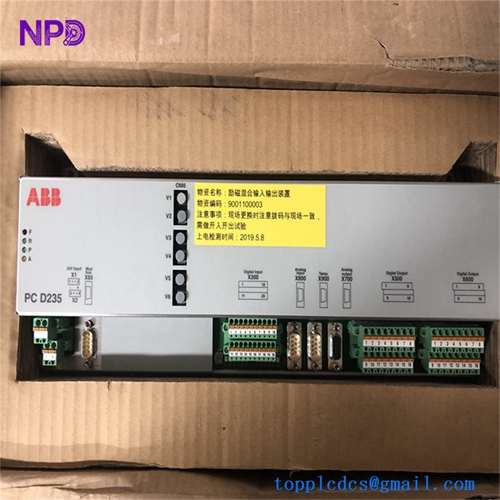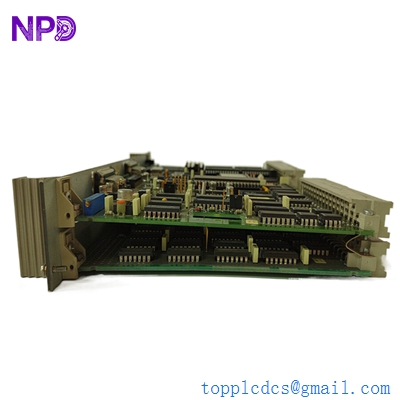

Description
- Model: XXD129A01 (Part Number: 3BHE012436R0001)
- Brand: ABB (Switzerland)
- Series: AC 800PEC / PEC800
- Core Function: High-speed backplane (Baseplate) for the AC 800PEC controller family, facilitating communication between processing modules and I/O.
- Product Type: Backplane / Baseplate Module (BP)
- Key Specs: Supports PEC800 architecture, integrated high-speed bus, DIN rail or sub-plate mounting.
- Architecture: Designed specifically for the PEC800 (AC 800PEC) control system, commonly found in Unitrol 6000 excitation and high-power converter applications.
- Connectivity:
- Multi-slot interface for CPU and communication modules.
- Integrated power distribution for seated modules.
- High-speed internal data bus for low-latency firing pulse control.
- Mechanical: Robust aluminum/steel frame designed for high-vibration industrial environments.
- EMC Shielding: Integrated grounding and shielding to protect sensitive control logic from high-power thyristor noise.
- Mounting: Vertical or horizontal orientation within a control cabinet.
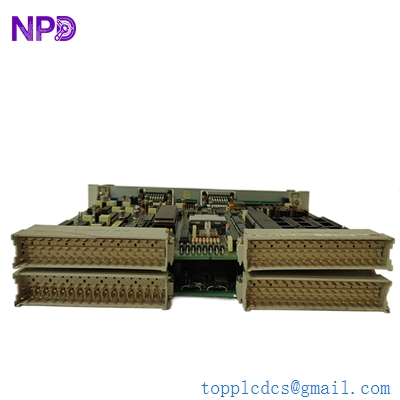
ABB PMA323BE HIEE300308R1
Installation & Configuration Guide
Phase 1: Pre-Installation (Estimated time: 20 minutes) ⚠️ Safety First:
- The XXD129A01 is the foundation of the AC 800PEC rack. Replacing it requires a complete power-down of the control system and isolation of any linked power electronics.
- Pin Inspection: Before installation, use a flashlight to inspect the female connectors on the baseplate. Ensure no debris or foam packaging is lodged inside.
- Check the Baseplate revision. Ensure 3BHE012436R0001 matches your existing engineering drawings, as subtle variations in PEC800 backplanes can affect module seating.
Phase 2: Removal (Estimated time: 20 minutes)
- Module Extraction: Remove all CPU and I/O modules from the existing baseplate first. Label their slot positions (Slot 1, Slot 2, etc.).
- Wiring Removal: Disconnect the 24V DC power feed and any grounding straps.
- Unmounting: Remove the screws securing the XXD129A01 to the cabinet backplate.
Phase 3: Installation (Estimated time: 20 minutes)
- Mounting: Secure the new XXD129A01 to the sub-plate. Ensure the mounting surface is clean to facilitate a good ground connection through the chassis.
- Power Up: Connect the 24V DC power supply. Before inserting modules, use a multimeter to verify correct voltage at the power input terminals.
- Module Seating: Carefully slide the PEC800 modules into the new baseplate. Use the ejector levers to ensure they are fully seated and locked.
Phase 4: Commissioning (Estimated time: 30 minutes)
- Apply control power.
- Bus Check: Verify that the “Power” and “Run” LEDs on all seated modules illuminate.
- Communication: Connect your engineering tool (e.g., Control IT or specialized PEC software). Perform a hardware scan to ensure the backplane is correctly identifying all connected modules.
- I/O Verification: Test a sample of digital or analog I/O points to confirm the data bus on the XXD129A01 is successfully passing signals.
Customer Cases & Industry Applications
Case 1: Excitation System Refurbishment A power plant in South East Asia was experiencing intermittent “Bus Errors” in their Unitrol 6000 excitation system. After replacing the CPU with no success, the fault was traced to a hairline crack in the XXD129A01 backplane traces. We supplied a New Surplus 3BHE012436R0001. Once installed, the communication errors disappeared, and the generator returned to stable service.
Case 2: Marine Propulsion Drive Repair A cruise ship utilized AC 800PEC controllers for their main propulsion drives. Salt air exposure had caused corrosion on the backplane connectors of the original XXD129A01. We delivered two New Surplus units to the ship’s next port. The engineering crew replaced the backplanes during a scheduled maintenance window, ensuring the reliability of the ship’s propulsion for the next voyage.
Frequently Asked Questions (FAQ)
Q: Does the XXD129A01 require a software download? A: No. The backplane is a “passive” component (though it contains complex circuitry for the bus). It acts as the highway for data. However, you must ensure the modules you plug into it have the correct configuration for the system.
Q: Can I use this backplane for the AC 800M series? A: No. To be honest, the AC 800M and AC 800PEC use entirely different physical architectures. The XXD129A01 is strictly for the PEC800 (AC 800PEC) family.
Q: Why are my modules not powering up even though the baseplate has 24V? A: Check the seating of the modules. If a module is not pushed in until the levers click, it may not be making contact with the power pins on the XXD129A01. Also, check for any “Keying” pins that might be preventing the module from seating.
Q: Is “New Surplus” reliable for a part that literally holds the whole system together? A: Absolutely. Our New Surplus XXD129A01 units are original ABB parts that have never been installed. Unlike used backplanes, the connector springs in our units are at 100% tension, ensuring the best possible electrical contact for your modules.
Q: What should I do if a pin on the backplane gets bent during installation? A: Do not attempt to power up the system. A bent pin can cause a short circuit that may destroy your expensive CPU modules. If a pin is bent, it must be carefully straightened with specialized tools or the baseplate must be replaced.
I’m always open to corrections if I get something wrong; the best way to handle that is to just tell me what I missed or what I need to know! You can also always turn off the use of this personal context in your settings.