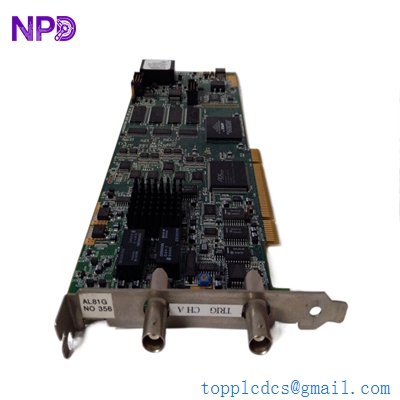

Description
Product Core Brief
- Model: AcquisitionLogic AL81G
- Brand: AcquisitionLogic (Specially designed for turbine and high-speed data integration)
- Series: AL81 Series Communication Gateways
- Core Function: High-speed serial-to-parallel or serial-to-Ethernet protocol conversion
- Product Type: Communication / Interface Module
- Key Specs: RS-232/485 Interface Dual Ethernet Ports High-Speed Data Throughput
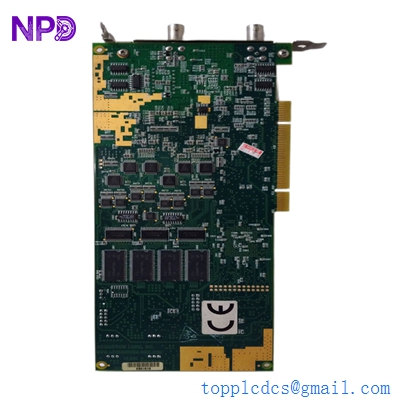
Key Technical Specifications
- Processor: High-performance RISC-based engine
- Serial Interfaces: 2 x RS-232/422/485 (Software selectable)
- Network Interface: 10/100 Mbps Auto-sensing Ethernet
- Isolation: 2,000 Vdc Magnetic Isolation
- Input Voltage: 24 Vdc (Typical 18-36 Vdc range)
- Operating Temperature: -20 °C to +70 °C
- Storage Temperature: -40 °C to +85 °C
- Protocol Support: Modbus TCP, Modbus RTU, and proprietary turbine controller protocols
- Form Factor: DIN-Rail or Panel Mount (Compact rugged enclosure)
- Diagnostic Indicators: Link/Act, Power, and Serial Tx/Rx LEDs
Application Scenarios & Pain Points
The AL81G often acts as the “translator” between specialized turbine control systems (like older GE or Bently Nevada controllers) and modern DCS systems. In my experience, these gateways are the first things to fail during a lightning strike or a power surge because they sit right on the communication boundary. When an AL81G goes down, your entire control room goes “blind” to the machine’s health—no vibration data, no temperature readings, just a screen full of “Comm Fail” icons. Finding these can be a nightmare because they aren’t as common as a standard Siemens or Allen-Bradley module.
Typical Application Scenarios:
- Power Generation – Data Aggregation Bridging serial-based turbine data to a plant-wide Ethernet-based SCADA or OSIsoft PI system.
- Oil & Gas – Remote Monitoring Collecting telemetry from remote skid-mounted compressors where RS-485 is used for long-distance runs and Ethernet for local HMI.
- Legacy System Upgrades Integrating older PLCs that lack native Ethernet capabilities into a modern industrial network.
Case Study: The “Blind” Control Room
Background: A peaking power plant in the Midwest was using an AL81G to pull critical operating data from two gas turbines into their main HMI.
The Problem: During a summer storm, a nearby strike induced a surge that fried the serial port on the AL81G. The turbines were still running, but the operators had no way to monitor bearing temperatures or exhaust gas spreads. Without that visibility, they had to manually trip the units to avoid potential damage, costing the plant thousands in “un-ready” penalties from the grid operator.
The Solution: We had an AL81G in stock and shipped it overnight. The site lead was worried about the configuration, but we provided the original setup guide and helped them verify the DIP switch settings over the phone.
Result:
- Recovery Time: Under 18 hours from the time of the order.
- Outcome: Comm link restored, turbines restarted, and the plant stayed within their availability contract.
- Customer Feedback: “I couldn’t find this part anywhere else. You saved us a massive headache with the grid regulators.”
Compatible Replacement Models
The AL81G is a specific animal. There aren’t many “drop-in” replacements from other brands because the internal protocol mapping is often customized for the AcquisitionLogic environment.
| Original Model | Replacement/Alternative | Compatibility | Key Differences | Change Required |
| AL81G | AL81G (Latest Revision) | ✅ Direct Replace | Newer revisions may have better heat dissipation. | None. Match DIP switches and IP. |
| AL81G | Moxa NPort 5000 Series | ⚠️ Software Compatible | Generic gateway; requires manual protocol mapping. | Extensive. Must re-write data mapping in PLC/DCS. |
| AL81G | AL81A/AL81B | ❌ Hardware Mismatch | Older versions with different port densities. | Not recommended for AL81G slots. |
❗ Technical Tip: Before you pull the old module, try to ping it one last time. If you can reach the web interface, download the configuration file (.cfg or .bin) immediately. Having that file turns a 4-hour job into a 5-minute job.
Troubleshooting Quick Reference
| Symptom | Possible Cause | Related to AL81G? | Quick Check | Action |
| No Power LED | Input Voltage | ❌ Low | Measure Terminals 1&2 for 24 Vdc. | Check fuse/breaker. |
| Ethernet LED Flashing Red | IP Conflict | ⚠️ Medium | Disconnect AL81G; see if IP still pings. | Change IP or resolve conflict. |
| Serial Tx/Rx not blinking | Wiring/Baud Rate | ✅ High | Check if RS-485 A/B lines are swapped. | Swap A/B or verify Baud Rate (9600/19200). |
| Data “Frozen” on HMI | Buffer Overflow | ✅ High | Power cycle the module. | If it works for an hour then freezes, check ground loops. |
| Web Interface Inaccessible | Firmware Crash | ✅ High | Try the “Reset” pinhole (hold for 10s). | If reset fails, hardware is likely toast. |
❗ Pro-Tip for the Field
If you are replacing an AL81G in a cabinet with high VFD noise, make sure the RS-485 shield is only grounded at one end. I’ve seen these modules get “confused” and drop packets because of ground potential differences between the gateway and the turbine rack.