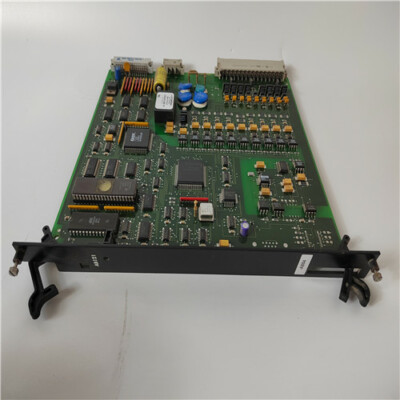

Description
- Model: I/OBE2 12004-104-00 (V1.0.0)
- Brand: Alstom (France)
- Series: I/OBE2 Series (Modular Control & Safety Systems)
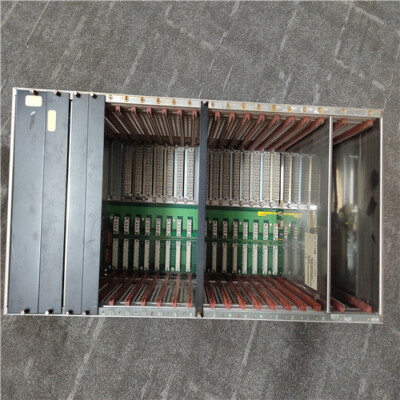
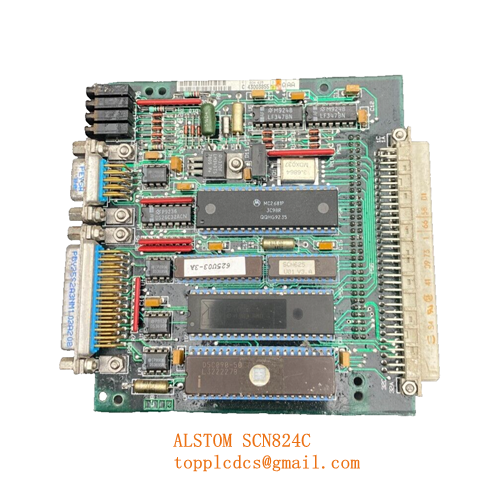
- Core Function: High-reliability CPU motherboard for modular I/O and safety-critical control racks.
- Condition: Brand New Surplus (Original Box, Factory Sealed)
- Type: CPU Motherboard / Main Control Board
- Key Specs: V1.0.0 Firmware/Hardware revision, Multi-slot interface, 24 V DC Logic
- Architecture: Proprietary Alstom modular rack-based design.
- Logic Voltage: 24 V DC (nominal).
- Firmware Version: V1.0.0.
- Slot Configuration: Designed to interface with advanced I/O cards and communication modules.
- System Application: Suitable for complex, rack-based arrangements in rail or power infrastructure.
- Protection: Industrial-grade thermal and EMI shielding.
- Reliability: Rated for continuous 24/7 operation in safety-related environments.
- Interface: Parallel backplane bus communication for high-speed data throughput.
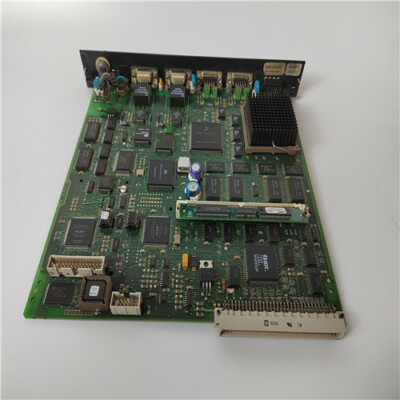
ALSTOM UT150-1
Installation & Configuration Guide
Phase 1: Pre-Installation (Preparation: 20 minutes)
⚠️ Safety Notice:
- This motherboard is often the “brain” of a safety-critical rack. Ensure the entire system is powered down and locked out before installation.
- Confirm the version (V1.0.0) matches your existing configuration exactly. In my experience, mixing hardware revisions on Alstom backplanes can lead to unpredictable bus synchronization errors.
- Wear a grounded anti-static wrist strap; these boards are highly sensitive to ESD.
Tools Needed:
- PH2 Phillips screwdriver for rack mounting.
- Software diagnostic cable (if serial/Ethernet configuration is required).
- Backup of the current system configuration/project files.
Phase 2: Removing the Existing Motherboard
- Cable Labeling: Label every cable connected to the CPU or its daughterboards.
- Power Isolation: Triple-check that the 24 V DC supply is disconnected.
- Module Removal: Remove any I/O cards or processor modules plugged into the 12004-104-00 motherboard.
- Hardware Removal: Unscrew the motherboard from the rack chassis. Be careful not to drop the screws into the lower rack sections.
Phase 3: Installing the New 12004-104-00
- Mounting: Align the new motherboard with the rack standoffs and tighten the screws.
- Module Re-insertion: Re-insert the CPU cards and I/O modules. Ensure they are fully seated into the motherboard connectors.
- Configuration Check:
- Note: Some Alstom boards require specific jumper settings for “Master/Slave” or “Slot ID” designation. Mirror the jumpers from your original board.
- Power-Up Sequence: Apply logic power first. Observe the LED indicators. A steady green “Status” or “Healthy” light is the goal. If a Red fault light appears, check the module seating.
Customer Cases & Industry Applications
Case 1: Rail Infrastructure Signal Control
Situation: A European rail network’s signaling hub experienced a failure on a primary I/OBE2 control rack. The system was unable to communicate with remote I/O points, causing significant train delays.
Task: The system was over 10 years old, and the original manufacturer had a long lead time for legacy CPU motherboards. The client needed a verified “New Surplus” unit to ensure maximum MTBF (Mean Time Between Failures).
Action: We provided a New Surplus 12004-104-00 V1.0.0 unit. We included a pre-shipment inspection report confirming zero physical defects on the backplane connectors.
Result: The motherboard was installed and the rack was re-commissioned within 48 hours of delivery. The system returned to full service, and the client avoided the massive cost of a full system upgrade.
Case 2: Industrial Power Grid Monitoring
Situation: A large industrial plant utilized Alstom modular systems for substation monitoring. The motherboard in one rack failed due to a localized power surge.
Task: The client needed a replacement that was “plug-and-play” compatible with their existing V1.0.0 modules.
Action: We delivered a factory-sealed unit. Our technical team also advised the client to check the backplane power supply module (PSU) to ensure the surge hadn’t damaged other components.
Result: The plant restored monitoring capabilities. By choosing New Surplus instead of a “refurbished” unit from eBay, they gained the peace of mind of a full 12-month industrial warranty.
Frequently Asked Questions (FAQ)
Q: Can I use V1.0.0 to replace a V1.1.0 motherboard? A: We do not recommend it. Alstom versioning is often critical for backplane timing. Always try to match the version number (V1.0.0) to ensure all existing I/O cards can communicate properly.
Q: Does this motherboard come with the CPU processor card? A: No, this is the motherboard (baseboard) only. You will need to transfer your existing CPU card and I/O modules to this board.
Q: Why is “New Surplus” better than “Refurbished” for this part? A: Motherboards are the physical foundation of the system. Refurbished units often have micro-fractures in the solder or aged connectors from years of thermal cycling. New Surplus has never been powered on, meaning the connectors and circuit traces are in factory-perfect condition.
Q: Is this part compatible with non-Alstom I/O cards? A: No. The I/OBE2 series uses a proprietary Alstom architecture. Only compatible Alstom modules should be used with this motherboard.
Current Inventory Specials
We maintain a large stock of Alstom and other high-end industrial spares:
- Alstom I/OBE2 12004-104-00 V1.0.0 (Current)
- ALSTOM 3EST125-975 (Drive Control)
- ABB PP836A 3BSE042237R2
- GE SBI-PDP-32
- ICS Triplex T9110
- Bently Nevada 3500/22M
- Honeywell CC-PAIH01
- Siemens 6ES7315-2AH14-0AB0