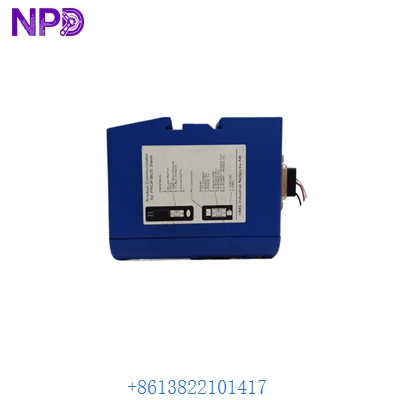

Description
- Model: Anybus AB7000-C
- Brand: HMS Networks (Anybus)
- Series: Anybus Communicator Classic
- Core Function: Connects non-networked RS-232/422/485 devices to PROFIBUS DP
- Product Type: Protocol Gateway / Serial Converter
- Key Specs: Profibus DP-V1 (up to 12 Mbps) | Sub-D 9-pin Serial | 24 V DC Power
- Serial Interface: RS-232, RS-422, and RS-485 (Software selectable)
- Upper Network: PROFIBUS DP-V1 (Automatic baud rate detection)
- Baud Rate (Serial): 1.2 kbps to 57.6 kbps
- Baud Rate (Profibus): Up to 12 Mbps
- Data Mapping: Max 244 bytes Input / 244 bytes Output
- Configuration Port: RS-232 (PC-Link)
- Mounting: DIN-rail (standard)
- Protection Class: IP20
- Current Consumption: Max 280 mA @ 24 V DC
- Galvanic Isolation: On both Serial and Profibus sides
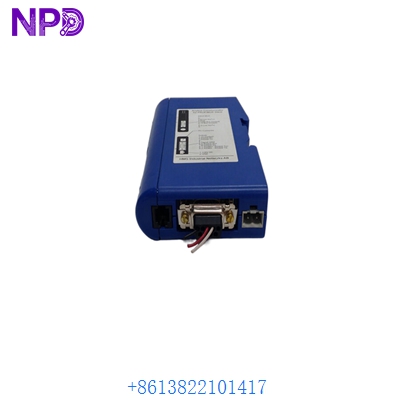
ANYBUS AB7000-C
Application Scenarios & Pain Points
In my years of commissioning, the Anybus AB7000-C has been the “Swiss Army Knife” for integrating “dumb” machines into a “smart” PLC environment. Many high-end Siemens or ABB systems run on Profibus, but the specialized instruments—like barcode scanners, weigh scales, or variable frequency drives (VFDs)—often only speak basic Serial Modbus or even a proprietary ASCII string.
Typical Application Scenarios:
- Legacy Machine Retrofit: Connecting a 15-year-old CNC machine with an RS-232 port to a modern S7-1500 Profibus network.
- Weigh Scale Integration: Reading live weight data from a serial load cell controller directly into the PLC’s I/O table.
- Barcode Scanners: Feeding scanned data from a handheld serial gun into a Profibus-based sorting conveyor system.
- Power Meters: Converting Modbus RTU (RS-485) data from electrical meters into Profibus data for energy management.
Real-World Case: The “Silent” Weigh Scale
Background: A food packaging plant upgraded its main controller to an ABB AC800M but kept its high-precision Mettler Toledo scales, which only had RS-485 serial outputs.
Problem: The scales used a proprietary ASCII protocol (“W=123.4kg”). The new PLC couldn’t “talk” to them directly. The lead time for new Profibus-native scales was 12 weeks—too long for the project deadline.
Solution: We installed an Anybus AB7000-C for each scale. Using the “Anybus Configuration Manager” software, we built a “Produce/Consume” script that looked for the “W=” string and converted the digits into a Real number for the Profibus map.
Result: The scales were “talking” to the PLC in less than two hours. The cost of the gateway was less than 10% of the cost of a new scale. My takeaway: If you can see the data in a terminal program (like Putty), the AB7000-C can get it into your PLC.
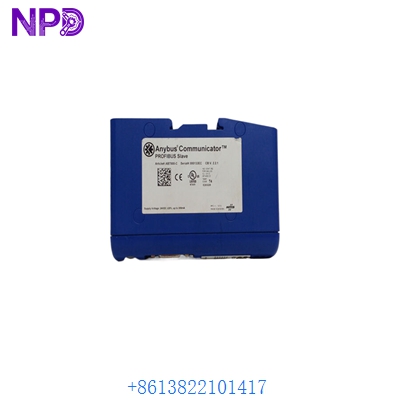
ANYBUS AB7000-C
Compatible Replacement Models
HMS has evolved the Anybus line, but the AB7000-C remains a standard for Profibus sites.
| Model | Network | Compatibility | Note |
| AB7000-C | Profibus DP | ✅ Exact Match | Standard “Communicator Classic” |
| ABC3001 | Profibus DP | ⚠️ Hardware Change | The “Next-Gen” version; smaller and faster but requires a new configuration file. |
| AB7007-C | EtherNet/IP | ❌ Incompatible | Used for Rockwell/Allen Bradley networks. |
| AB7013-C | Profinet | ❌ Incompatible | Used for modern Siemens Ethernet networks. |
Pro Tip: If you are replacing an old AB7000, make sure you have the configuration file (.cfg). If you don’t, you’ll have to use the Anybus Configuration Manager and a special “null-modem” cable to upload the settings from the old unit before it dies completely.
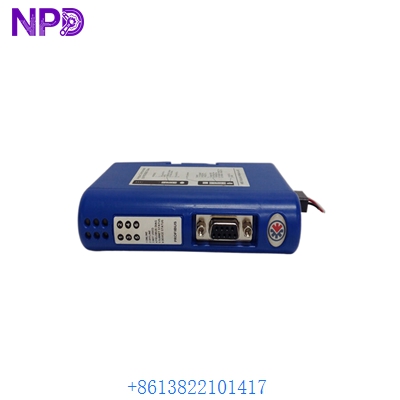
ANYBUS AB7000-C
Troubleshooting Quick Reference
| Symptom | Possible Cause | Correlation | Quick Check | Action |
| “GW” LED is Red | Configuration Error | ✅ High | Is the config loaded? Is the serial mode (RS-232 vs 485) correct? | Re-download the .cfg file via Anybus Configuration Manager. |
| “Fieldbus” LED is Red | Profibus Address Mismatch | ✅ High | Does the address set in the software match the PLC hardware config? | Check Profibus Node ID (0-126). |
| Serial Data is Gibberish | Baud Rate/Parity Mismatch | ✅ High | Check if the serial device is 9600,N,8,1. | Match serial settings exactly in the Anybus software. |
| No Data Moving | Incorrect Wiring | ⚠️ Medium | On RS-485, did you swap A and B? | Reverse the RS-485 polarities and check again. |
Wiring Note: On the Profibus side, remember that the Anybus is usually a “mid-run” or “end-of-line” node. If it’s the last device on the Profibus cable, turn the termination switch ON on the DB9 connector.
Inventory List: Anybus & Communication Modules
- AB7000-C (Profibus DP)
- AB7007-C (EtherNet/IP)
- AB7013-C (Profinet IO)
- AB7001-C (DeviceNet)
- AB7010-C (CANopen)
- SST-PB3-REM (Profibus Remote Module)
- ProSoft MVI56-MCM (Modbus for ControlLogix)
- ProSoft MVI69-MNET (Modbus TCP for CompactLogix)
- Siemens 6GK1415-2BA10 (IE/PB Link)
- Schneider TSXETG100 (Gateway)