Description
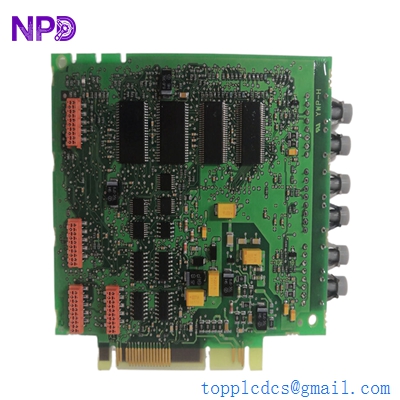
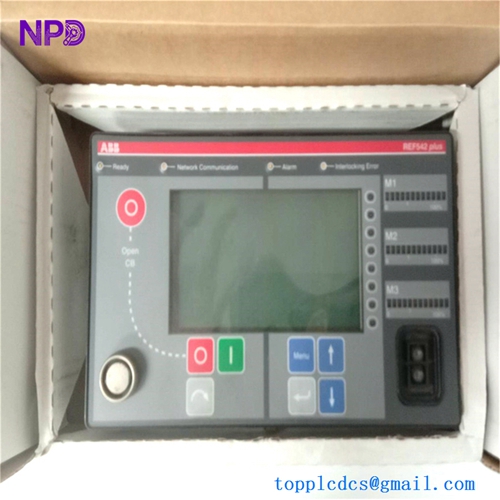
- Model: ABB SPHSS03 (P-HC-SPHSS03)
- Brand: ABB (formerly Bailey Controls)
- Series: Symphony Harmony / Symphony Plus
- Core Function: High-Speed Serial (HSS) communication between Bridge Controllers and I/O
- Product Type: Communication Interface Module
- Key Specs: Dual Redundant Links | 500 Kbps to 2 Mbps | Peer-to-Peer Support
- Communication Protocol: High-Speed Serial (HSS)
- Data Rate: Up to 2 Mbps (System dependent)
- Redundancy: Dual channels (Link A and Link B) for fault-tolerant operation
- Module Type: Plug-in module for Harmony Rack (Mounts on TU810/TU830 equivalent)
- Compatibility: Works with BRC100, BRC200, BRC300, and BRC400 controllers
- Isolation: Optical isolation between serial links and internal logic
- Diagnostics: Front panel Status LEDs (Run, Stop, Error)
- Power Consumption: 2.5 W @ 5 V DC (from backplane)
- Addressing: Dip-switch or software-selectable bus address
- Operating Temp: 0 to +70°C (Industrial Grade)
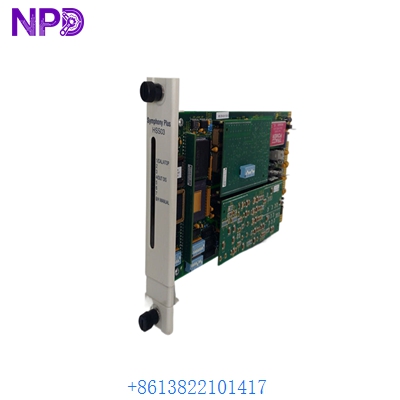
ABB SPHSS03
Application Scenarios & Pain Points
In the Bailey/Symphony architecture, the ABB SPHSS03 is the critical “highway” that allows Bridge Controllers to talk to each other and to the Operator Interface Stations (OIS). If this module fails, the controller becomes an “island”—it might still be running its logic, but it can’t receive setpoints or send alarms to the HMI. The most common headache for plant engineers is an intermittent “Link Error” that causes the system to flip-flop between redundant controllers, often triggered by aging termination units or electromagnetic interference.
Typical Application Scenarios:
- DCS Controller Networking: Linking multiple BRC300 controllers together to share global data points across a large refinery.
- I/O Subnet Expansion: Extending the Harmony rack to include remote I/O clusters over high-speed serial links.
- Redundant Communication: Ensuring that a single cable failure doesn’t cause a loss of visibility in a power plant control room.
- Legacy Bailey Upgrades: Replacing older INNIS01 or IMHSS03 modules with the more modern SPHSS03 during a Symphony Plus migration.
Real-World Case: The “Flashing Red” Link
Background: A large coal-fired power plant was experiencing intermittent data dropouts on their turbine control system. The HMI would show “Quality Bad” for all points for 2-3 seconds, then recover.
Problem: The “Link B” LED on the ABB SPHSS03 was flashing red sporadically. The technician assumed it was a bad cable, but after replacing the twinax, the problem remained. In reality, the internal line driver on the SPHSS03 was failing when the cabinet temperature exceeded 45°C.
Solution: We rushed a New Surplus SPHSS03 to the site. Since the module is “hot-swappable” (if configured correctly), they replaced it while the secondary link took the load.
Result: The communication stabilized immediately. Teacher’s tip: If you see one link failing while the other stays green, swap the modules between the primary and redundant slots. If the error “follows” the module, you’ve found your culprit.
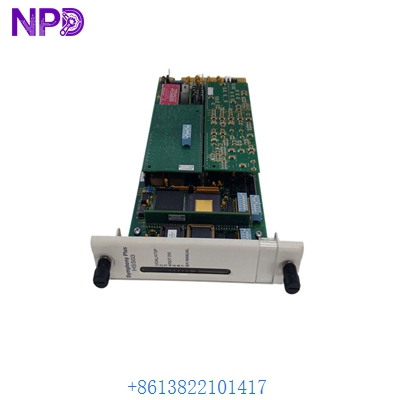
ABB SPHSS03
Compatible Replacement Models
The Symphony Harmony line has several iterations of serial link modules. While newer versions are generally backward compatible, firmware levels matter.
| Model | Part Number | Compatibility | Note |
| SPHSS03 | P-HC-SPHSS03 | ✅ Exact Match | Current standard for Harmony HSS |
| IMHSS03 | IMHSS03 | ⚠️ Limited | Older version; check firmware for BRC300 compatibility |
| INNIS01 | INNIS01 | ❌ Incompatible | Network interface, not a high-speed serial link |
| BRC400 | P-HC-BRC400 | ❌ Incompatible | Controller module with integrated links (different form factor) |
Engineer’s Advice: If you are still running the old IMHSS modules, the SPHSS03 is a highly recommended upgrade. It has better noise immunity and more robust diagnostics for modern TIA-standard plant networks.
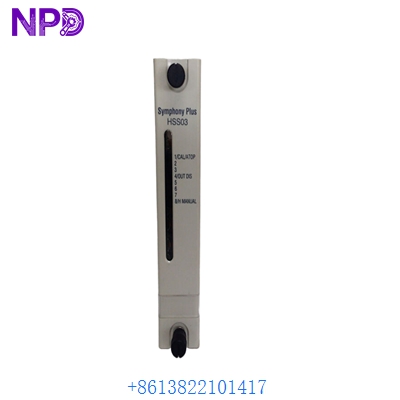
ABB SPHSS03
Troubleshooting Quick Reference
| Symptom | Possible Cause | Correlation | Quick Check | Action |
| “Status” LED is Off | Backplane Power Loss | ✅ High | Check the 5V rail on the Harmony rack power supply. | Replace power supply or reseat module. |
| “Link A/B” Red LED | Cable/Termination Fault | ✅ High | Check the 75-ohm or 150-ohm termination resistors at the end of the bus. | Inspect cables and connectors for loose shielding. |
| “Err” LED Flashing | Address Conflict | ⚠️ Medium | Ensure no two SPHSS03 modules on the same bus have the same ID. | Verify Dip-switch settings against the system map. |
| Comm Timeout in HMI | Firmware Mismatch | ⚠️ Medium | Check the BRC controller firmware version vs. the SPHSS03 version. | Update firmware or match module revisions. |
Final Tech Note: When replacing these, pay close attention to the Dip-switches on the side of the module. If you don’t copy the settings from the old module to the new one, the controller won’t recognize the link, and you’ll be stuck with a “Link Dead” alarm even though the hardware is new.
Inventory List: ABB Symphony & Bailey Parts
- SPHSS03 (P-HC-SPHSS03)
- BRC300 (P-HC-BRC300)
- BRC410 (P-HC-BRC410)
- IMDSI12 (Digital Input)
- IMDSO14 (Digital Output)
- IMASO11 (Analog Output)
- IMASI23 (Analog Input)
- INICT12 (Infi-Net Interface)
- INNIS21 (Network Interface)
- IEPAS02 (Power Supply)