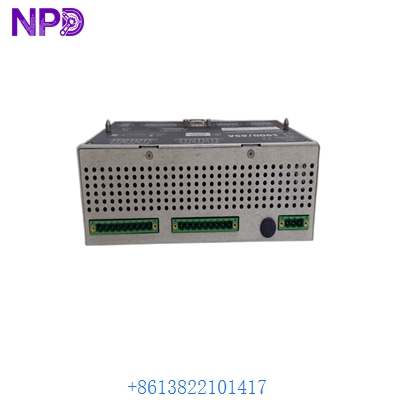

Description
- Model: Bently Nevada 1900/65A-00-02-01-01-01
- Brand: Bently Nevada (Baker Hughes / USA)
- Series: 1900 Series General Purpose Equipment Monitor
- Core Function: Standalone machinery protection for vibration, position, and temperature
- Condition: Original New Surplus (New in Box), Factory Sealed
- Type: Machinery Protection Monitor (4-Channel)
- Key Specs: 4 Vibration Inputs | 4 Temperature Inputs | 6 Relay Outputs | Modbus TCP/RTU
- Vibration Inputs: 4 Channels (Supports Proximitor sensors, Accelerometers, Velomitors)
- Temperature Inputs: 4 Channels (Supports Type E, J, K, T Thermocouples or 2/3-wire RTDs)
- Outputs (Relays): 6 Programmable Relays (5 SPDT, 1 Dedicated Not OK)
- Analog Outputs: 4 Configurable 4-20 mA recorder outputs
- Communication: 10/100 Base-T Ethernet (Modbus TCP) and RS485 (Modbus RTU)
- Display: Integrated LCD showing real-time values, bar graphs, and statuses
- Power Input: 18 to 36 V DC (approx. 10 Watts)
- Enclosure: IP65 / NEMA 4X rated (when mounted correctly)
- Configuration: Via 1900/65 Configuration Software (USB or Ethernet)
- Hazardous Area: Class I, Div 2 / ATEX Zone 2 certifications (refer to label)
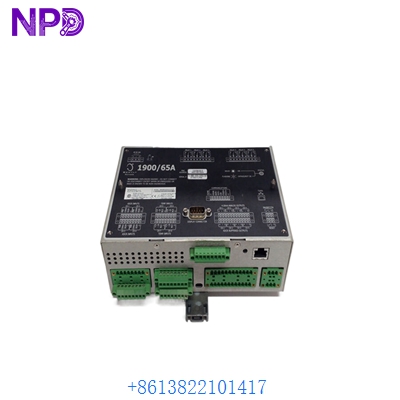
Installation & Configuration Guide
In my experience, the 1900/65A-00-02-01-01-01 is the “Swiss Army Knife” of Bently Nevada. It’s perfect for smaller machines (pumps, fans, blowers) where a full 3500 rack is overkill. However, don’t let the “General Purpose” label fool you—if you don’t ground the transducer shields properly at the monitor, you’ll see massive “ghost” vibrations caused by EMI.
Phase 1: Preparation (15 minutes)
⚠️ Safety First:
- Ensure the machine is not in a critical start-up or shutdown phase.
- Confirm your power supply is a clean 24 V DC. Bently monitors are sensitive to voltage ripples.
- You’ll need the 1900 Configuration Software and a standard USB cable to set the setpoints (Alert/Danger).
Phase 2: Hardware Mounting
- The Enclosure: This unit is often mounted in a small field box. Ensure there is enough clearance for the wiring gland plate at the bottom.
- Wiring the Transducers: Connect your 3300 XL Proximitors or Velomitors to the specific input terminals.
- Shielding: Important! Connect the cable shield only at the 1900/65A terminal block. Do not ground it at the sensor end; this creates a ground loop that ruins signal integrity.
Phase 3: Configuration (The “Gotchas”)
- Sensor Scaling: Ensure the software matches the sensor (e.g., 200 mV/mil for a standard Proximitor).
- Relay Logic: By default, relays are often “Normally De-energized.” For failsafe machinery protection, I usually recommend setting them to “Normally Energized” so that a loss of power triggers an alarm.
- Modbus Mapping: If you are sending data to a PLC, double-check your register offsets. Bently uses 1-based indexing for their Modbus maps.
Phase 4: Verification
- Use a TK-3 Proximity System Test Kit to simulate a vibration signal.
- Verify the 1900/65A-00-02-01-01-01 LCD matches the simulated displacement.
- Trip the “Alert” and “Danger” setpoints to ensure the relays actually click and signal the control room.
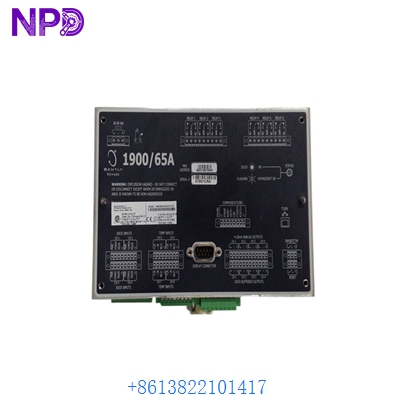
BENTLY 1900/65A-00-02-01-01-01
Customer Cases & Industry Applications
Case 1: Cooling Tower Fan – Preventing Catastrophic Failure A power plant in East Asia used the 1900/65A to monitor a critical cooling tower fan. During a routine operation, a blade pitch became uneven, causing high vibration. The monitor detected the 7.0 mil displacement and triggered an automatic shutdown relay before the fan could disintegrate. Result: A 2,500 monitor saved a 150,000 fan assembly and prevented two weeks of reduced plant capacity.
Case 2: Wastewater Treatment – Remote Pump Monitoring A municipal water facility needed to monitor four large centrifugal pumps located in a remote station. They didn’t have a dedicated vibration expert on-site. We provided the 1900/65A-00-02-01-01-01 which allowed them to see vibration and bearing temperature on a single screen and send the data back to their main SCADA via Modbus TCP. Result: The maintenance team now gets an email alert the moment a bearing starts to run hot, allowing for planned maintenance rather than emergency repairs.
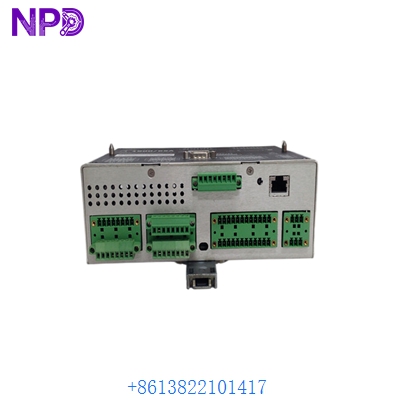
BENTLY 1900/65A-00-02-01-01-01
Frequently Asked Questions (FAQ)
Q: What does the “00-02-01-01-01-01” suffix mean? A: This is the option string. Specifically:
- 00: No internal terminal headers (standard).
- 02: Top/Bottom mount (standard).
- 01: 18-36 V DC Power.
- 01: Display included.
- 01: Modbus Comms included.
- 01: Agency approvals (North America/ATEX). If your old unit has a different suffix, contact us—often they are functionally identical but have different mounting or approval tags.
Q: Can I use this with 3rd party vibration sensors? A: Yes. The 1900/65A is very flexible. As long as the sensor outputs a standard voltage (like 100 mV/g or 200 mV/mil), you can configure the monitor to read it.
Q: Is the software free? A: Bently Nevada usually charges for the 1900 Configuration Software, but for our “New Surplus” customers, we can often assist with the initial configuration parameters or provide guidance on obtaining the correct version for your OS.
Q: How do I know if the “Not OK” relay is working? A: The “Not OK” LED on the front panel will turn red if a sensor wire is broken or if the monitor detects an internal fault. This relay should always be wired into your control system’s “Safety Interlock” loop.
Q: Why is the 1900/65A being phased out? A: Bently Nevada has introduced newer monitors (like the 2300 series), but thousands of 1900/65A units remain in service globally. Because they are “standalone,” they are easy to replace. We maintain this “New Surplus” stock specifically for customers who don’t want to re-engineer their panels for a newer, differently-sized monitor.