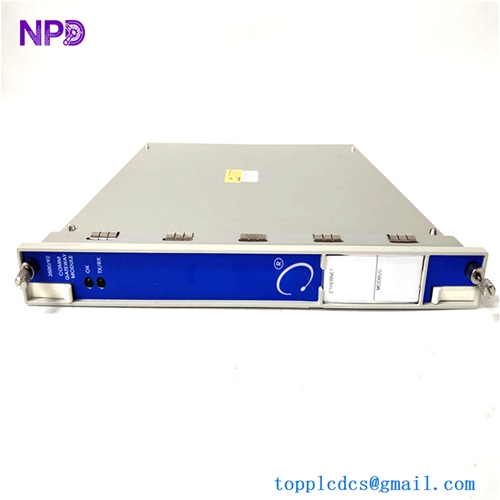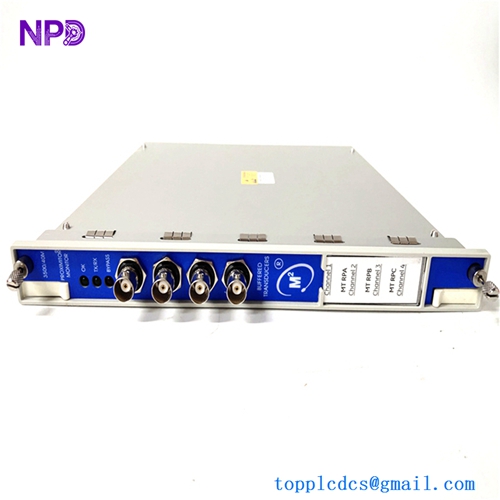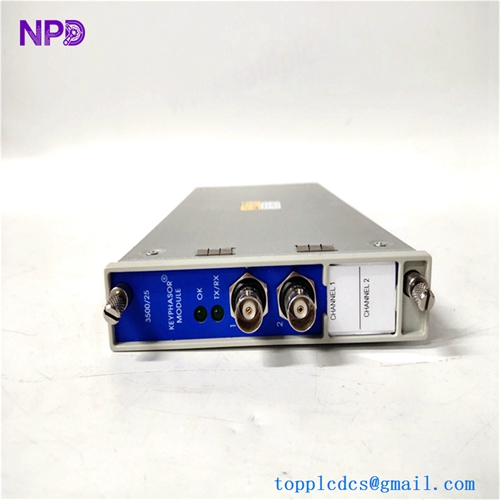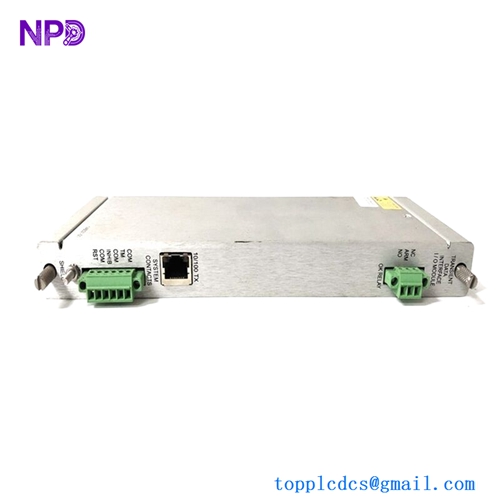

Description
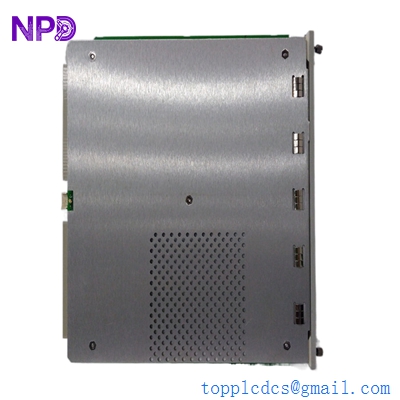
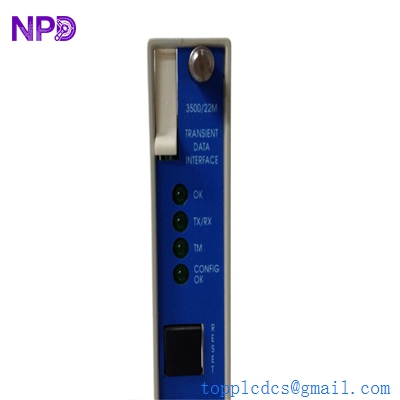
- Model: BENTLY NEVADA 3500/22M
- Brand: Bently Nevada (Baker Hughes)
- Series: 3500 Machinery Protection System
- Core Function: Primary interface between the 3500 rack and System 1 software for data collection.
- Condition: Brand New Surplus (Original, non-refurbished)
- Type: Transient Data Interface (TDI) Module
- Key Specs: Supports Ethernet/USB Static & Transient Data One TDI per Rack

BENTLY 3500/22M
Key Technical Specifications
- Data Acquisition: Collects static, current, and transient waveform data (Start-up/Coast-down)
- Connectivity: 10/100 Base-T Ethernet port & USB Type-B port
- Communication Protocols: Bently Nevada proprietary protocol over Ethernet for System 1
- Compatibility: Fits into the slot adjacent to the power supplies (Slot 1)
- LED Indicators: OK, TX/RX, TM (Test Mode), and Config OK
- Internal Storage: Buffer for capturing high-resolution waveform data during events
- Operating Temperature: -30 °C to +65 °C (-22 °F to +150 °F)
- Configuration: Via 3500 Rack Configuration Software
- Isolation: 500 V DC isolation between Ethernet port and rack ground
- Redundancy: Note that only one TDI is used per rack; it is the “brain” for data export
Installation & Configuration Guide
Phase 1: Pre-Installation (10 Minutes)
⚠️ Safety & Continuity: The 3500/22M is the communications heartbeat of the rack. While the protection functions (relays/trips) are handled by individual monitor modules, removing the TDI will stop all data flow to your HMI/DCS and System 1 software.
Preparation:
- Ensure you have the 3500 Rack Configuration Software installed on your laptop.
- Connect via the USB port on the front of the current module to “Upload” and save the existing rack configuration file (.3500).
- Verify the firmware version of the new module—it must be compatible with your software version.
Phase 2: Removal (5 Minutes)
- Software Bypass: If your system is connected to a live DCS, notify operators that data communication will be interrupted.
- Loosen Captive Screws: Use a Phillips screwdriver to loosen the two screws on the front panel.
- Ejection: Use the ejector tabs to pull the module out.
- I/O Module: If you are also replacing the rear I/O module, remember to disconnect the Ethernet cable and the “Rack Reset” wiring before removal.
Phase 3: Installation (15 Minutes)
- Card Seating: Slide the 3500/22M into the dedicated slot next to the power supplies. Push firmly until it clicks into the backplane.
- Secure: Tighten the captive screws.
- Connectivity: Plug in the Ethernet cable to the rear I/O module.
- Configuration:
- Connect your laptop to the front USB port.
- Open the configuration software and “Download” the saved .3500 file to the new module.
- Note: You may need to set the IP address manually if it wasn’t part of the stored profile.
Phase 4: Testing (10 Minutes)
- LED Check: The “OK” LED should be solid green. If it flashes, check the error logs for a configuration mismatch.
- Ping Test: Ping the module’s IP address from your network to ensure the Ethernet link is active.
- System 1 Verification: Open System 1 and confirm that “Current Values” are updating and that the “TDI Status” is green.
- Transient Test: If possible, verify that the module is armed for the next transient event (Startup/Shutdown).
Customer Cases & Industry Applications
Case 1: Resolving a “Blind” Monitoring Crisis
Situation: A chemical plant in Texas had a 3500 rack where the protection worked, but the 3500/22M Ethernet port had failed due to a localized power surge. Operators could see vibration on the local rack display, but the control room was “blind.”
The Problem: The OEM lead time was quoted at 10 weeks. The plant couldn’t run their primary compressor without remote visibility for more than a few days due to corporate safety policies.
Our Action: We shipped a New Surplus 3500/22M (Part number 288055-01) via overnight air. We provided the test report showing the Ethernet port had zero packet loss during our 24-hour burn-in.
Result: The module was installed and configured within 24 hours of the order. Remote monitoring was restored, and the plant avoided a forced shutdown that would have cost $80,000 in lost production per day.
Case 2: Upgrading from Legacy 3500/20 to 3500/22M
Situation: A utility company was upgrading their server infrastructure and needed the 10/100 Ethernet speeds provided by the “M” (Modern) version of the TDI to support a newer version of System 1.
Action: We supplied three 3500/22M units. I consulted with their lead tech to ensure their old 3500/20 configurations were correctly migrated to the new 22M firmware environment.
Result: The migration was seamless. The faster data throughput allowed them to capture more detailed transient data for their steam turbines, improving their predictive maintenance accuracy.
Frequently Asked Questions (FAQ)
Q: What is the difference between the 3500/22M and the older 3500/20? A: The 3500/22M is the “Transient Data Interface,” whereas the 3500/20 was the “Rack Interface Module” (RIM). The 22M has much higher processing power, faster Ethernet communication, and is required for modern versions of System 1. If you are upgrading, you usually need to replace the rear I/O module as well.
Q: Can the 3500/22M trip the machine? A: No. The TDI is for data acquisition and communication. The protection logic (vibration trips) lives in the individual monitor modules (like the 3500/42M) and the 3500/32 relay modules. If the TDI fails, your machine is still protected, but you lose your data link.
Q: Do I need to buy a specific I/O module for this? A: Yes, the 3500/22M must be paired with the correct 10/100 Ethernet I/O module (typically part 146031-01 or similar). In my experience, using an old 3500/20 I/O module with a 22M module won’t work.
Q: Is “New Surplus” reliable for a part as critical as the TDI? A: Honestly, it’s often more reliable than buying used/refurbished. Because these units were never energized in a rack, the internal components haven’t been subjected to years of heat. We treat these as “insurance policies” for our customers—they provide OEM performance without the OEM wait time.
Q: Can you help with the IP address configuration? A: We can provide the default login steps. Usually, you’ll use the 3500 Rack Config software via USB to set a static IP. If you’re on a complex corporate network, we recommend involving your IT department to ensure the ports (typically 2189) are open.