
Description
The Bently Nevada 3500/61 (Part Number 163179-02) is a 6-channel Temperature Monitor module designed for the 3500 Machinery Protection System. It is used to continuously monitor temperatures in critical rotating machinery—such as bearings, motor windings, and oil temperatures—using RTDs (Resistance Temperature Detectors) or Thermocouples.
The module provides essential alarm and trip logic, ensuring that if a machine’s temperature exceeds predefined safety limits, the system can trigger an automated shutdown to prevent catastrophic mechanical failure.
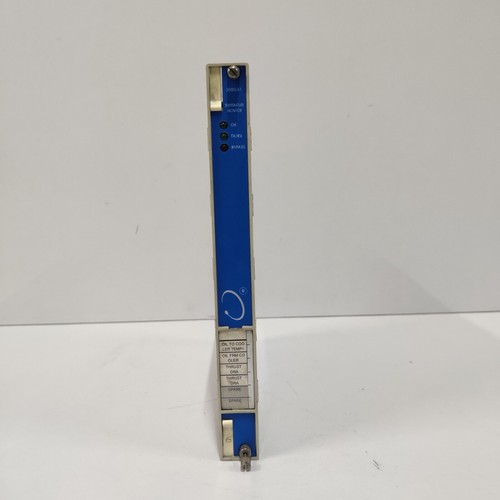
Key Technical Specifications
| Parameter | Value/Description |
| Model | 3500/61 (Temperature Monitor) |
| PWA Part Number | 163179-02 |
| Channels | 6 Channels (Configurable) |
| Sensor Support | RTDs (3-wire) and Thermocouples (Types E, J, K, T) |
| Function | Continuous temperature monitoring, alarm, and trip relay control |
| System Compatibility | Bently Nevada 3500 Series Rack |
| Output | Proportional analog output (if configured via I/O module) |
| Connectivity | Interface with external I/O modules (I/O modules handle field wiring) |
| Approvals | Hazardous area ratings (ATEX, CSA, etc. – check specific label) |
Essential System Components
The 3500/61 is not a standalone board; it requires specific I/O modules to interface with field wiring. Ensure you have the correct pairing:
- 136180-01: I/O Module (External termination for RTDs/Thermocouples)
- 136180-02: I/O Module (Internal barrier for hazardous areas)
- 3500/01 / 3500/02: System Rack Power Supplies
- 3500/22M: Transient Data Interface (TDI) module (Required for rack communication)
- 3500/92: Communication Gateway (For DCS/PLC integration)
Important Implementation Note: The 163179-02F suffix indicates a specific board revision. When replacing this module, ensure the Firmware Version is compatible with your current 3500 Rack Configuration Software. If you upgrade the module to a newer revision, you may need to update the configuration file in the software to ensure the monitor correctly recognizes the input types and alarm setpoints. Always verify that the “Channel OK” status is active in the Rack Configuration software after installation.