Description
🔹 Product Overview
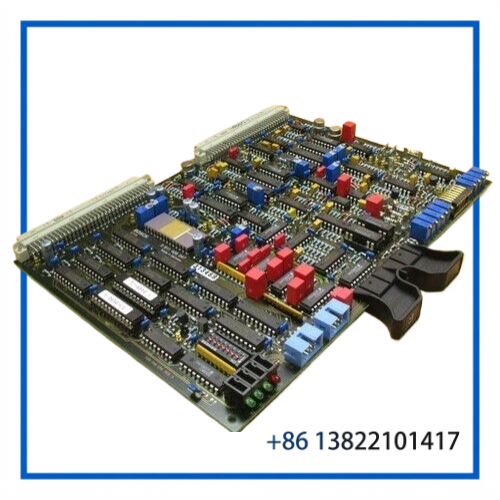
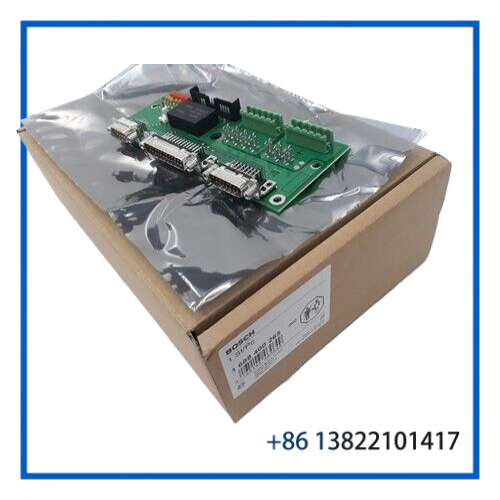
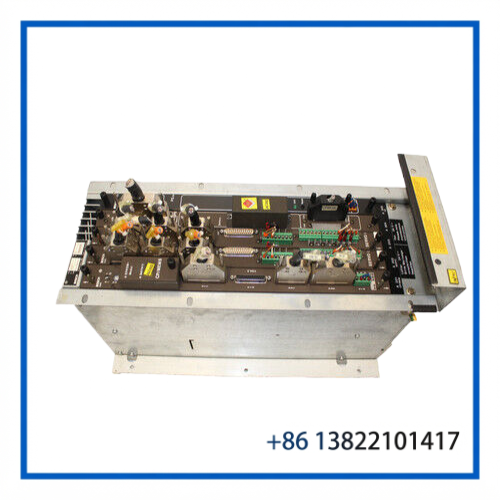
The BOSCH CC220M is a legacy CNC control rack used for Bosch CC 220M numerical control systems. The rack architecture supports dedicated plug-in modules including the CP/MEM5 computer/memory module, SERVO i servo-loop interface, I/O modules, and PS 75 power supply.
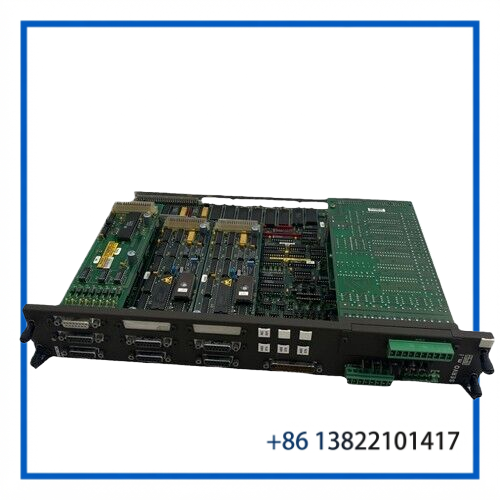
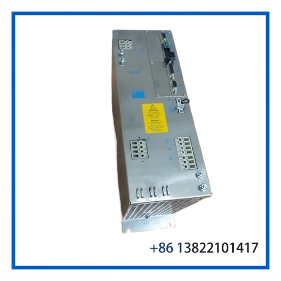
The CP/MEM5 provides the computer and memory functions, while the SERVO i module handles analog servo setpoint generation and position-loop feedback. The PS 75 supplies the internal logic voltages for the plug-in modules.
This assembly is particularly relevant for maintaining older Bosch CNC machine tools where the original CC220M control architecture remains in service.
🔹 Key Features
- Bosch CC220M legacy CNC control platform
- Modular CNC card-rack architecture
- CP/MEM5 computer/memory module
- SERVO i servo-loop interface
- PS75 internal logic power supply
- Supports dedicated CNC and PLC-related modules
- Suitable for legacy machine-tool maintenance
- Useful as a complete rack assembly or source of replacement modules
- Exact module population should be verified before replacement
🔹 Technical Datasheet
| Parameter | Specification |
|---|---|
| Brand | BOSCH |
| Model | CC220M |
| Product Series | Bosch CC 220M CNC Control |
| Product Name | CNC Control Rack / Module Assembly |
| Product Type | Modular CNC Control System |
| Main Computer Module | CP/MEM5 Computer/Memory Module |
| Servo Interface | SERVO i Servo-Loop Interface |
| Power Supply | PS 75 |
| Logic Supply Input | 24 VDC, configuration dependent |
| Product Status | Legacy CNC / Industrial Automation Spare |
🔹 CNC Control Architecture
The CC220M uses a modular card-rack structure rather than a single integrated controller. The standard NC rack can accommodate up to five CNC plug-in modules, with CP/MEM5 and PS75 occupying reserved rack positions.
The CP/MEM5 computer/memory module supports up to 512 kB user RAM, 1 MB customer EPROM, and 128 kB EEPROM according to the CC220 connection documentation.
The SERVO i card provides analog setpoint outputs and evaluates connected measuring-system signals for position control. Available SERVO i configurations include Servo 4i, Servo 6i, and Servo i EXE3/S variants.
🔹 SERVO i Motion Interface
The SERVO i module is an important part of the CC220M motion-control architecture.
Depending on the installed version:
- Servo 4i provides 4 analog setpoint outputs and 3 measuring-system inputs.
- Servo 6i provides 7 analog setpoint outputs and 6 measuring-system inputs.
- Servo i EXE3/S provides 3 measuring-system inputs with integrated EXE functions.
- Measuring-system connections use dedicated multi-pin interfaces.
- The system supports fast digital input/output functions in addition to servo-loop processing.
The exact SERVO i configuration should therefore be matched to the original machine’s axis count and feedback arrangement.
🔹 PS75 Power Supply Function
The PS 75 is the internal power-supply module for the CC220M rack. It supplies the internal voltages required by the plug-in logic modules and also provides the measuring-system and handwheel supply voltage.
The documented PS75 input is 24 VDC +20% / −15%. The module includes a front-panel READY indication, reset function, fuse protection, and a READY relay contact.
The PS75 should only be installed or removed with the controller switched off.
🔹 System Integration
A typical CC220M CNC architecture can be represented as:
Operator Panel → CP/MEM5 → SERVO i → Machine Axes
with the PS75 providing internal logic power and additional I/O or PLC interface modules expanding the system.
The CC220M can also be configured with PLC-oriented rack modules, depending on the rack version. NC/PLC rack configurations provide additional slots for PLC I/O modules.
🔹 Typical Applications
The Bosch CC220M platform is associated with legacy CNC machine-tool applications such as:
- CNC machining centers
- Milling machines
- Turning and production machinery
- Automated machine tools
- Multi-axis motion systems
- Legacy Bosch CNC installations
- Industrial machine retrofits and maintenance
It is particularly useful when maintaining equipment where replacing the entire CNC control would require significant machine re-engineering.
🔹 Installation & Commissioning
- Switch off the CNC controller and isolate external power.
- Verify that all rack supply voltages are discharged.
- Record the original module positions.
- Confirm CP/MEM5, SERVO i and PS75 part numbers.
- Check rack connectors for contamination or bent contacts.
- Inspect the backplane and module guides.
- Verify 24 VDC supply polarity and voltage before energizing.
- Confirm servo feedback and analog setpoint wiring.
- Check the machine-axis configuration.
- Perform controlled power-up and verify READY indications.
- Test axis movement at reduced speed before production operation.
🔹 Troubleshooting
CNC does not boot:
Check the PS75 supply, rack connections, CP/MEM5 module and associated memory configuration.
Servo axis does not move:
Check the SERVO i module, analog setpoint path, servo amplifier, feedback device and axis enable conditions.
Position feedback fault:
Inspect measuring-system cables and SERVO i feedback connections before replacing the card.
Rack modules lose power:
Check the 24 VDC input, PS75 fuse, READY indication, rack connections and internal power distribution.
Intermittent CNC operation:
Inspect aging connectors, backplane contacts, power-supply stability, cooling and module seating.
🔹 Maintenance
For long-term operation of CC220M equipment:
- Keep the rack and modules free from conductive dust.
- Inspect cooling fans and ventilation regularly.
- Check PS75 output stability during preventive maintenance.
- Inspect card-edge and backplane connections.
- Maintain spare CP/MEM5 and SERVO i modules where production downtime is critical.
- Record installed hardware revisions.
- Preserve original parameter and machine configuration data whenever possible.
🔹 Replacement Considerations
When replacing a CC220M module, the complete module type and hardware configuration should be matched.
A CP/MEM5 module, SERVO i card, PS75, and rack are separate functional elements. A visually similar Bosch CNC board should not be assumed to be interchangeable without checking the original machine configuration.
For a complete rack replacement, compare:
- Rack type
- Slot arrangement
- CP/MEM5 version
- SERVO i version
- PS75 versus PS200 configuration
- PLC/I/O modules
- Connector arrangement
- Machine-axis configuration
- Software and memory configuration
🔹 FAQ
What is the BOSCH CC220M?
It is a modular Bosch CNC control platform used in legacy machine-tool control systems.
What is the CP/MEM5 module?
CP/MEM5 is the computer/memory module of the CC220M system and provides the CNC computing and memory functions.
What does the SERVO i card do?
It generates analog servo setpoints and evaluates position-measuring-system signals for the CNC servo loop.
What does PS75 do?
PS75 supplies the internal logic voltages for the rack modules and also provides specified measuring-system/handwheel supply functions.
Can PS75 be replaced while the CNC is powered?
No. The CC220 documentation specifies that the PS75 should only be connected or removed with the controller switched off.
Is CC220M still a modern CNC platform?
It is a legacy CNC architecture. Today it is mainly encountered in existing machine tools requiring maintenance, repair, or replacement spares.
Does the rack always contain the same modules?
No. Module population depends on the specific CC220M rack and machine configuration.
🔹 10 Related Bosch CNC Models & Modules
- BOSCH CC200M CNC Control
- BOSCH CC220 CNC Control
- BOSCH CC220M CP/MEM5
- BOSCH CC220M SERVO 4i
- BOSCH CC220M SERVO 6i
- BOSCH CC220M SERVO i EXE3/S
- BOSCH CC220M PS75
- BOSCH CC220M PS200
- BOSCH CC220M PC-I/O-S
- BOSCH CC220M NC/PLC I/O Modules
🔹 Product Summary
The BOSCH CC220M CNC Control Rack is a modular legacy CNC assembly built around the CP/MEM5 computer/memory module, SERVO i servo-loop interface and PS75 power supply. Its modular architecture makes individual cards and power modules important maintenance spares for older Bosch-controlled machine tools.
For replacement, the safest approach is to match the complete rack configuration, module type, hardware revision and machine-axis architecture rather than relying on the CC220M designation alone.