Description
Product Overview
The B&R X20IF10D3-1 is an X20 series communication interface module designed to connect B&R X20 I/O systems with EtherNet/IP networks.
It operates as an EtherNet/IP Adapter (slave) and provides two shielded RJ45 Ethernet connections. The two ports are connected through an integrated switch, making daisy-chain network wiring possible without requiring a separate external switch.
The module can be installed in a B&R X20 PLC system or used with the expandable X20BC1083 POWERLINK bus controller. It provides bidirectional data exchange between the B&R system and other industrial control systems using EtherNet/IP.
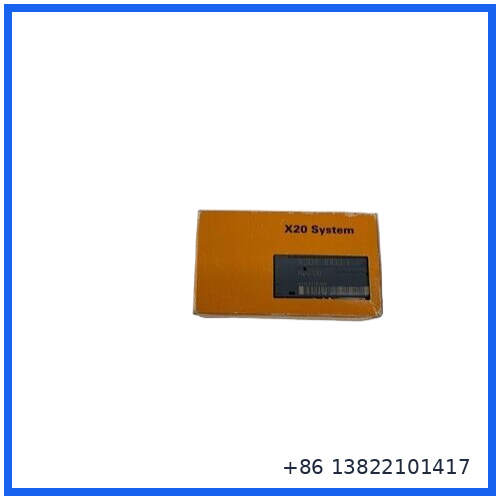
Product Datasheet
| Parameter | Specification |
|---|---|
| Brand | B&R |
| Model | X20IF10D3-1 |
| Product Type | EtherNet/IP Interface / Communication Module |
| Communication Role | EtherNet/IP Adapter (Slave) |
| B&R ID Code | 0xA71C |
| Physical Layer | 10BASE-T / 100BASE-TX |
| Ethernet Speed | 10/100 Mbit/s |
| Ethernet Ports | 2 × shielded RJ45 |
| Network Function | Integrated Ethernet switch |
| Duplex Mode | Half-duplex / Full-duplex |
| Auto Negotiation | Yes |
| Auto MDI/MDIX | Yes |
| Maximum Segment Length | 100 m between two stations |
| Controller | netX100 |
| Electrical Isolation | PLC isolated from EtherNet/IP |
| Power Consumption | 2 W |
| Protection Rating | IP20 |
| Operating Temperature | -25 to +60°C horizontal; -25 to +50°C vertical |
| Storage Temperature | -40 to +85°C |
| Operating Humidity | 5–95%, non-condensing |
| Installation | X20 PLC / X20BC1083 |
| Status Indication | Module status, network status, data transfer |
| Mounting Orientation | Horizontal or vertical |
Specifications above are based on B&R’s current product documentation.
Communication Features
🔹 EtherNet/IP Adapter Function
The module provides an EtherNet/IP adapter interface for communication between B&R X20 systems and compatible third-party EtherNet/IP controllers.
🔹 Two-Port Ethernet Interface
Two shielded RJ45 ports are provided. The integrated switch supports convenient daisy-chain cabling, which can simplify network wiring in distributed control installations.
🔹 10/100 Mbps Ethernet
The interface supports 10BASE-T and 100BASE-TX with automatic negotiation, Auto-MDI/MDIX, and both half-duplex and full-duplex operation.
🔹 Diagnostic LEDs
Module status, network status, and data-transfer activity can be monitored through the module’s LED indicators. Software diagnostics are also supported.
Installation & Configuration
Before installation, confirm that the X20IF10D3-1 is suitable for the existing X20 hardware configuration and that the controller or bus controller supports the required EtherNet/IP configuration.
Recommended procedure:
- Power down the control system according to the plant’s electrical safety procedure.
- Install the communication module in the appropriate X20 system position.
- Connect the shielded Ethernet cables to the RJ45 interfaces.
- Configure the EtherNet/IP adapter in the B&R engineering environment.
- Load the appropriate hardware configuration and verify the module identification.
- Configure the EtherNet/IP scanner/controller with the required EDS information.
- Establish the network connection and check module, network, and data-transfer indicators.
- Confirm cyclic I/O data exchange before returning the system to normal operation.
B&R provides dedicated hardware upgrades and an EDS package for this model. The manufacturer’s EDS documentation records a maximum cyclic I/O data size of 504 bytes.
Typical Industrial Applications
The X20IF10D3-1 can be used where an X20-based control system needs to communicate with an EtherNet/IP industrial network.
Common applications include:
- PLC-to-PLC communication
- Remote X20 I/O integration
- Machine automation
- Packaging machinery
- Material handling systems
- Production-line control
- Industrial Ethernet networks
- Integration with third-party EtherNet/IP controllers
- Distributed I/O architectures
- Existing B&R X20 system expansions
Compatibility Notes
The module is intended for use within the B&R X20 platform. B&R specifically lists installation in X20 PLC systems and the expandable X20BC1083 POWERLINK bus controller.
For replacement projects, check the complete material number, hardware revision, existing Automation Studio project, firmware requirements, and EtherNet/IP configuration before installation.
The physical module may look similar to other X20 communication modules, but the communication protocol and adapter function are different. Verify the exact model before ordering.
Common Questions & Answers
Q: What type of module is the X20IF10D3-1?
A: It is an EtherNet/IP communication module that operates as an EtherNet/IP Adapter (slave).
Q: How many Ethernet ports does it have?
A: It has two shielded RJ45 Ethernet ports.
Q: Does it have an integrated Ethernet switch?
A: Yes. The two RJ45 interfaces form an integrated switch and support daisy-chain cabling.
Q: What Ethernet speeds are supported?
A: 10BASE-T and 100BASE-TX, with 10/100 Mbit/s operation.
Q: Can it be installed in an X20 PLC?
A: Yes. B&R specifies installation in X20 PLC systems.
Q: Can it work with the X20BC1083?
A: Yes. B&R lists the expandable X20BC1083 POWERLINK bus controller as a supported installation location.
Q: What is the power consumption?
A: The specified power consumption is 2 W.
Q: What is the IP protection rating?
A: The module has an IP20 protection rating.
Q: What is the operating temperature range?
A: -25 to +60°C for horizontal mounting and -25 to +50°C for vertical mounting.
Q: Is there an EDS file available?
A: Yes. B&R provides an X20IF10D3-1 EDS package for EtherNet/IP configuration.
Recommended B&R X20 / Automation Models
For customers maintaining B&R control systems, the following models may also be relevant:
- B&R X20BC1083 – POWERLINK Bus Controller
- B&R X20CP0484 – X20 CPU
- B&R X20CP1584 – X20 CPU
- B&R X20CP3584 – X20 CPU
- B&R X20CP3684 – X20 CPU
- B&R X20IF10E1-1 – Ethernet Interface Module
- B&R X20IF10E3-1 – Ethernet Interface Module
- B&R X20IF1072-1 – POWERLINK Interface Module
- B&R X20DI9371 – Digital Input Module
- B&R X20DO9322 – Digital Output Module
Model selection should be based on the existing X20 architecture, communication protocol, hardware revision, and Automation Studio configuration.
Inspection & Quality Check
For industrial replacement or spare-part use, the module should be checked before installation:
- Verify the complete X20IF10D3-1 part number.
- Inspect the housing and terminal/interface areas for physical damage.
- Check both RJ45 ports for bent or damaged contacts.
- Confirm that the module status indicators are intact.
- Verify the hardware revision where applicable.
- Check communication configuration and EDS compatibility.
- Power up the module using the appropriate X20 system.
- Confirm module and network diagnostic status.
- Test EtherNet/IP data exchange with the intended controller.
For replacement work, matching the exact part number and system configuration is more important than appearance alone.