Description
⚙️ Product Overview
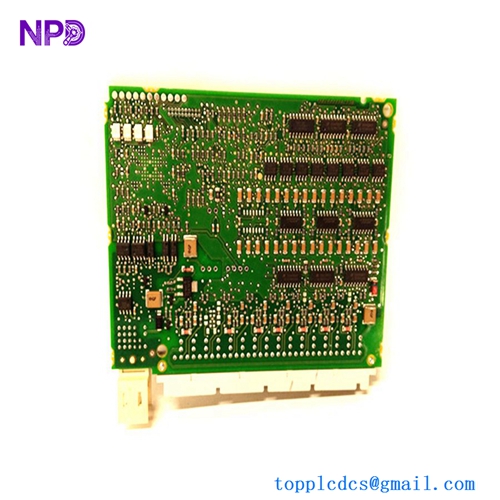
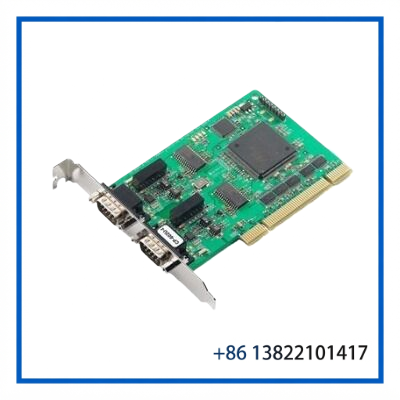
The BRAD COMMUNICATIONS PCU-DP2IO is a PCI Universal bus PROFIBUS-DP network interface card from the Brad applicomIO family. It is designed to provide high-speed PROFIBUS-DP communication between an industrial PC and field devices.
The card includes an onboard processor to reduce communication processing load on the host computer and supports both PROFIBUS-DP Master and Slave modes. Communication speeds can reach 12 Mbps, making the PCU-DP2IO suitable for industrial automation systems requiring deterministic fieldbus communication.
The board also provides an Ethernet port for remote configuration and diagnostics, while applicomIO software supports device configuration, network monitoring, GSD management, and troubleshooting.
🔧 Key Features
- Brad applicomIO PROFIBUS-DP network interface
- PCI Universal 3.3 V / 5 V bus architecture
- PROFIBUS-DP Master and Slave operation
- Communication speed up to 12 Mbps
- Onboard Freescale PowerPC processor
- Siemens ASPC2 PROFIBUS ASIC
- 64 MB memory and 16 MB Flash memory
- 32 KB dual-port RAM
- Ethernet port for remote configuration and diagnostics
- Opto-coupled discrete input
- Floating watchdog output
- Hardware Plug-and-Play support
📋 Technical Datasheet
| Parameter | Specification |
|---|---|
| Brand | BRAD COMMUNICATIONS |
| Model | PCU-DP2IO |
| Product Series | Brad applicomIO |
| Product Name | PROFIBUS-DP Network Interface Card |
| Product Type | PCI Fieldbus Communication Card |
| Bus Interface | PCI Universal, 3.3 V / 5 V |
| PROFIBUS Function | DP Master / DP Slave |
| Communication Speed | 9.6 kbps to 12 Mbps |
| Memory | 64 MB RAM / 16 MB Flash |
| Dimensions / Power | Approx. 168 × 107 mm / 5.5 W |
🔌 PROFIBUS-DP Communication
The PCU-DP2IO provides a dedicated hardware interface between a host PC and PROFIBUS-DP field devices. Its onboard processing architecture helps handle fieldbus communication without placing the entire communication workload on the host CPU.
The card can operate as a DP Master or DP Slave, allowing it to be used in different control-system architectures.
A typical installation can be structured as:
Industrial PC → PCU-DP2IO → PROFIBUS-DP Network → Remote I/O / Drives / Sensors / Controllers
The PROFIBUS interface uses an isolated RS-485 physical connection and supports communication rates from 9.6 kbps through 12 Mbps.
🖥️ PC Integration
The PCU-DP2IO is designed for installation in an industrial computer equipped with a compatible PCI Universal slot.
Its applicomIO software environment can be used for:
- PROFIBUS master configuration
- Slave/device configuration
- GSD file management
- Network monitoring
- Device diagnostics
- Card status monitoring
- Troubleshooting and testing
- Configuration backup and restoration
The Ethernet interface provides an additional path for remote configuration and diagnostic functions.
🏭 Typical Applications
The PCU-DP2IO can be used in:
- Industrial PC-based automation
- PLC communication systems
- PROFIBUS-DP master stations
- Remote I/O systems
- Variable-frequency drive networks
- Machine automation
- Process-control systems
- Factory automation
- Legacy PROFIBUS communication installations
🛠️ Installation & Commissioning
Before installation, verify that the host computer provides a compatible PCI Universal 3.3 V / 5 V slot.
- Shut down the host PC and isolate power.
- Install the PCU-DP2IO in the appropriate PCI slot.
- Secure the card and connect the PROFIBUS cable.
- Connect the Ethernet service interface if remote configuration is required.
- Install or configure the applicable applicomIO software.
- Add the PCU-DP2IO to the communication configuration.
- Load the appropriate PROFIBUS device/GSD configuration.
- Verify slave addresses and bus parameters.
- Check PROFIBUS status LEDs.
- Perform network diagnostics before placing the system into normal operation.
🔍 Troubleshooting
PC does not detect the card:
Check PCI slot compatibility, card seating, driver/software installation, and hardware resource allocation.
PROFIBUS communication failure:
Check cable polarity, connectors, termination, slave addresses, baud rate, and network topology.
Intermittent communication:
Inspect PROFIBUS shielding, grounding, connectors, termination resistors, and cable routing.
Slave device is not detected:
Confirm the correct GSD file, device address, configured modules, and PROFIBUS parameters.
Diagnostic LED indicates a bus fault:
Use applicomIO diagnostic functions to identify communication errors and check the physical PROFIBUS network.
🧰 Maintenance
For long-term operation, maintenance should include:
- Inspecting the PCI connector and board condition
- Checking PROFIBUS connectors and cabling
- Verifying network termination
- Reviewing communication diagnostics
- Maintaining configuration backups
- Checking host-PC ventilation
- Keeping the card free from dust and conductive contamination
- Preserving a tested spare card for legacy systems
When handling the PCB, use appropriate ESD protection.
♻️ Replacement Considerations
The PCU-DP2IO should be distinguished from related Brad applicomIO boards such as the PCIE-DP2IO, which uses a PCI Express interface.
Before ordering a replacement, verify:
PCU-DP2IO → PCI Universal interface → PROFIBUS-DP function → software compatibility → network configuration
If the original computer uses a conventional PCI Universal slot, replacing it with a PCI Express version is not a direct physical substitution.
❓ FAQ
What is the BRAD PCU-DP2IO?
It is a PROFIBUS-DP network interface card designed for industrial PCs.
What bus does it use?
The PCU-DP2IO uses a PCI Universal 3.3 V / 5 V interface.
Can it operate as a PROFIBUS master?
Yes. It supports PROFIBUS-DP Master operation and can also operate as a DP Slave.
What is the maximum communication speed?
The specified PROFIBUS-DP communication speed reaches up to 12 Mbps.
Does it have onboard processing?
Yes. The card uses an onboard Freescale PowerPC processor for communication processing.
Does it support remote diagnostics?
Yes. An Ethernet interface is provided for remote configuration and diagnostic functions.
What software is associated with the card?
The Brad applicomIO software environment provides configuration, monitoring, GSD management, diagnostics, and testing functions.
Is PCU-DP2IO the same as PCIE-DP2IO?
No. PCU-DP2IO uses PCI Universal, while PCIE-DP2IO uses PCI Express 1x.
What should be checked before replacement?
Verify the PCI interface, board model, PROFIBUS configuration, software environment, and existing fieldbus topology.
Is it suitable as a spare for legacy PROFIBUS systems?
Yes. It can be useful for maintaining industrial PC-based PROFIBUS-DP systems where the original PCI communication architecture is still in service.
📦 10 Related Brad Communications Models
- BRAD COMMUNICATIONS PCIE-DP2IO
- BRAD COMMUNICATIONS CPCU-DP2IO
- BRAD COMMUNICATIONS PC104-DPIO
- BRAD COMMUNICATIONS APP-PFB-PCI
- BRAD COMMUNICATIONS APP-PFB-PCU1
- BRAD COMMUNICATIONS APP-PF2-PCI
- BRAD COMMUNICATIONS SST-PB3-PCI
- BRAD COMMUNICATIONS SST-PB3-VME
- BRAD COMMUNICATIONS SST-PB3-104
- BRAD COMMUNICATIONS 5136-PFB-PCM
✅ Product Summary
The BRAD COMMUNICATIONS PCU-DP2IO is a PCI Universal PROFIBUS-DP Master/Slave communication interface card for industrial PC-based automation systems. With onboard processing, 12 Mbps PROFIBUS communication, Ethernet diagnostics, and applicomIO software support, it provides a practical interface for legacy PROFIBUS networks and industrial control applications.
For replacement projects, confirm the PCI bus type and existing PROFIBUS software and network configuration before installation.