
Description
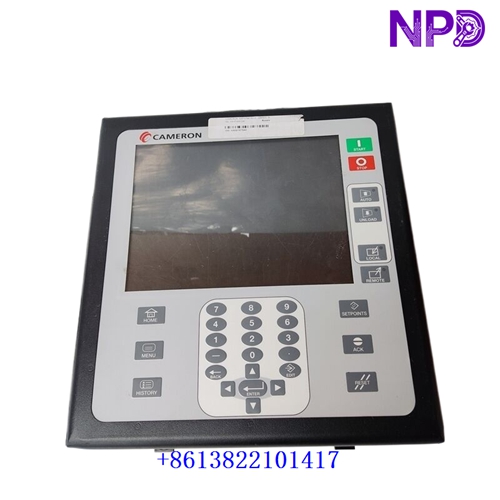
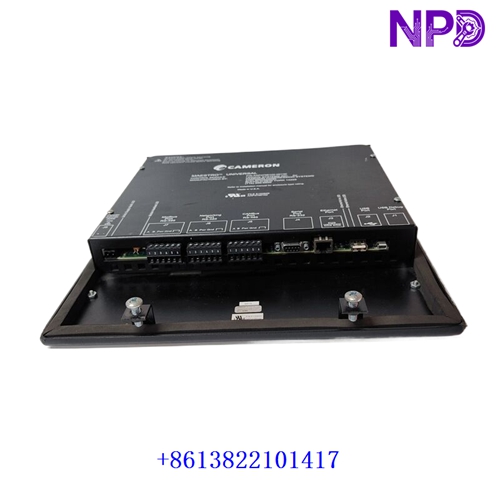
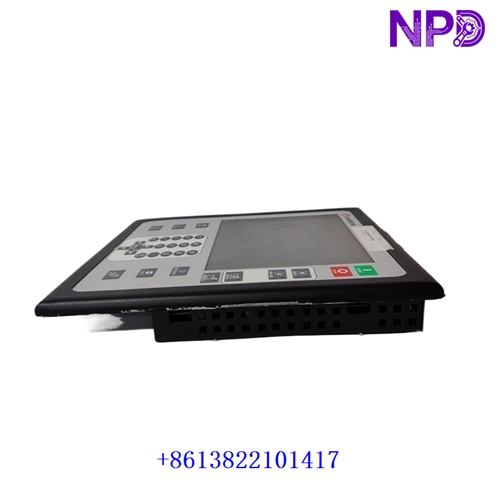
The Cameron AAP3798102-00130 is an advanced operator interface and control module designed specifically for Cameron’s Maestro industrial automation and compressor control platform. It functions as a human-machine interface (HMI) and universal control unit, delivering real-time visualization, parameter configuration, and diagnostic monitoring for industrial compressors, centrifugal equipment, and heavy-duty gas/air compression systems.
| Parameter | Specification |
| Brand / Manufacturer | Cameron (Maestro Universal Control Platform) |
| Model / Part Number | AAP3798102-00130 |
| Product Type | Operator Interface / HMI Display & Control Module |
| Application Series | Cameron Maestro Compressor Control Systems & Industrial Automation |
| Operating Voltage | Standard industrial 24 V DC auxiliary supply |
| Control Functions | Integrated PID control loops, real-time parameter tracking, and sequence management |
| Display / Interface | High-definition graphical display with touch or tactile membrane navigation |
| Mounting Type | Panel-mount / Enclosure door integration |
| Product Status | Industrial Automation Spare Part / Legacy & Surplus Support |
First-Run Inspection Checklist
- ☑ Physical & Screen Integrity
Inspect the display screen, bezel, rear communication ports, and mounting clips for any transit damage, surface scratches, or mechanical wear.
- ☑ Panel Cutout & Gasket Verification
Ensure that the enclosure cutout dimensions are correct and that the sealing gasket is intact to maintain the intended environmental protection rating when mounted on a control cabinet door.
- ☑ Power & Communication Check
Verify that input 24 V DC power rails are stable and that network cables connecting the module to the compressor controller or PLC are securely seated.
Routine Maintenance & Servicing
- 🛠 Environmental Monitoring
Ensure that control room or skid-mounted cabinet climate controls keep operating temperatures stable and prevent the accumulation of moisture or conductive dust.
- 🔌 Connector & Cable Inspection
Periodically check plug-in communication cables and power terminal blocks to ensure mechanical tightness and prevent vibration-induced loosening.
Troubleshooting & Common Issues
- ⚠️ Communication Link Failure
If the operator interface fails to exchange data with the main compressor controller, check network protocol configurations, verify serial/Ethernet cable continuity, and inspect interface board seating.
- ⚠️ Display Boot or Power Failure
If the screen remains dark or unresponsive, verify input voltage levels at the power terminals and check internal DC power supply fusing.
Safety Precautions
- 🔐 Qualified Personnel Only
Installation, wiring, and hardware maintenance must be executed exclusively by certified technicians familiar with industrial compressor controls and automation networks.
- ⚠️ Power Isolation
Always isolate and lock out control power supplies before plugging or unplugging communication cables or servicing hardware components to prevent electrical faults.
Frequently Asked Questions (Q&A)
- ❓ Q1: What is the primary function of the Cameron AAP3798102-00130 module?
A: It serves as an operator interface (HMI) and control module within the Cameron Maestro platform, allowing plant operators to monitor compressor status, adjust setpoints, and review system alarms.
- ❓ Q2: What systems typically utilize this operator interface?
A: It is deployed across industrial compressor installations, gas processing skids, and air compression plants utilizing Cameron’s proprietary Maestro control architecture.