Description
- Model: Basler DECS-200-2L
- Brand: Basler Electric (USA)
- Series: DECS-200 (Digital Excitation Control System)
- Core Function: High-precision microprocessor-based regulation of generator excitation current
- Product Type: Digital Voltage Regulator / Excitation Controller
- Key Specs: 15 Adc continuous output, Pulse Width Modulation (PWM), integrated protection
- Input Power: 100 to 280 VAC (Single or Three Phase) / 125 or 250 VDC
- Continuous Output: 15 Adc at 63 Vdc (nominal)
- Forcing Output: 30 Adc for 10 seconds
- Regulation Accuracy: ±0.25% from no load to full load
- Frequency Range: 45 to 65 Hz (50/60 Hz systems)
- Communication: RS-232 and RS-485 (Modbus RTU)
- Operating Modes:
- Automatic Voltage Regulation (AVR)
- Field Current Regulation (FCR)
- Power Factor (PF) / Reactive Power (var) Control
- Protection Features: Overexcitation Limiter (OEL), Underexcitation Limiter (UEL), Over/Undervoltage protection
- Enclosure: Ruggedized for cabinet mounting, high vibration resistance
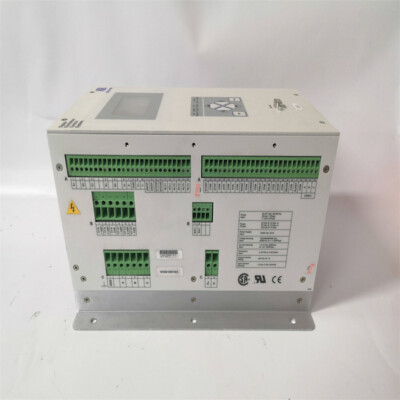
DECS-200-2L
Installation & Configuration Guide
Phase 1: Pre-Installation (Estimated time: 20 minutes) ⚠️ Safety First:
- This module controls the main field of a generator. Ensure the machine is at a standstill and the excitation breaker is locked out.
- BEST Software: Ensure you have a laptop with Basler’s BESTCOMS Plus software installed. Configuration via the front panel is possible, but software is much faster for complex tuning.
- Check the “2L” suffix. This indicates specific I/O and communication hardware options. Verify this matches your existing wiring diagram.
Phase 2: Wiring & Connections (Estimated time: 30 minutes)
- Sensing Inputs: Connect the PT (Potential Transformer) inputs. Ensure the phase rotation matches the generator’s rotation.
- Output Leads: Connect the F+ and F- leads to the generator field. Double-check polarity; reversed field polarity will prevent the generator from building voltage.
- Power Supply: Connect the auxiliary power. If using a PMG (Permanent Magnet Generator), verify the input voltage is within the 100-280 VAC range.
Phase 3: Configuration (Estimated time: 45 minutes)
- Connect via RS-232/485 and open BESTCOMS.
- Define Mode: Set the primary operating mode (usually AVR for standalone units or PF/var for grid-parallel units).
- Set Limits: Program the OEL and UEL based on the generator’s capability curve. This is critical to prevent generator damage during transient events.
- PID Tuning: Use the default Basler PID gains as a starting point, but be prepared to adjust the “Proportional” and “Integral” gains to ensure a stable voltage response without hunting.
Phase 4: Commissioning (Estimated time: 60 minutes)
- Static Test: Power the DECS-200-2L without the generator running to verify that all relays and communication links are functional.
- No-Load Run: Start the generator and slowly increase speed. Verify the DECS-200 picks up the voltage at the rated frequency.
- Load Test: Gradually apply load and monitor the voltage stability. If the voltage “oscillates,” adjust the stability gains in the software.
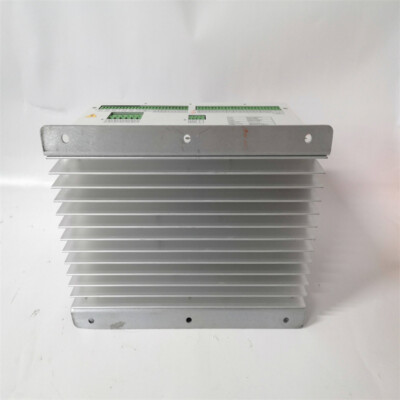
DECS-200-2L
Customer Cases & Industry Applications
Case 1: Emergency Generator Stability for a Hospital A major medical facility used a Basler DECS-200 to regulate their backup diesel generator. The original regulator became unstable, causing flickering lights throughout the hospital during monthly tests. We supplied a New Surplus DECS-200-2L. After installation and tuning the PID loops, the generator voltage remained rock-solid even when large chillers and medical imaging equipment were switched on.
Case 2: Industrial Cogeneration Grid Integration A manufacturing plant with an on-site turbine used a legacy analog regulator that couldn’t handle the var/PF control required for modern grid connection. They upgraded to our New Surplus DECS-200-2L. By utilizing the Modbus communication, they integrated the excitation control directly into their SCADA system, allowing for automatic power factor correction and reducing their utility penalties.
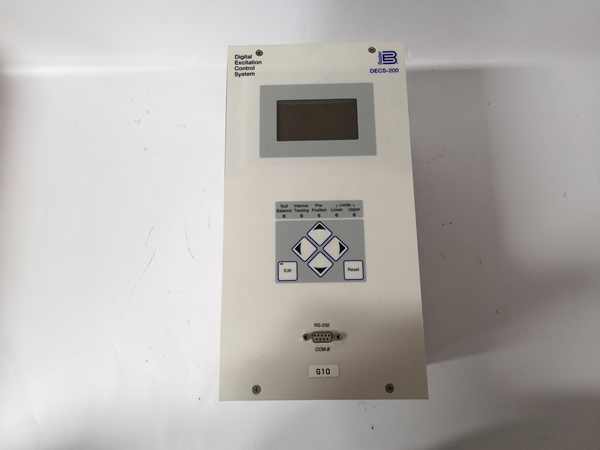
DECS-200-2L
Frequently Asked Questions (FAQ)
Q: Can I use the DECS-200-2L to replace a DECS-100? A: Yes, but it is a significant upgrade. The DECS-200 offers much more advanced communication, logic, and protection features. To be honest, you will need to modify the wiring and the mounting holes, as the physical footprint and terminal layout are different.
Q: Do I need a specific cable to talk to the RS-232 port? A: A standard straight-through DB9 cable usually works, but check your laptop’s COM port settings. If using a USB-to-Serial adapter, ensure it uses a high-quality chipset (like FTDI) to avoid communication drops during programming.
Q: What happens if the sensing voltage is lost? A: The DECS-200-2L includes a “Loss of Sensing” protection feature. You can configure it to either trip the breaker or automatically switch to “Field Current Regulation” (FCR) mode to prevent the generator from over-exciting and damaging itself.
Q: Is the 15 Adc output enough for my generator? A: This depends on your generator’s field requirements. The DECS-200-2L is very powerful, but if your generator requires more than 15 Amps of continuous excitation, you would need to use an external power bridge or move up to a DECS-400.
Q: How do I know the “New Surplus” unit hasn’t aged? A: Basler hardware is industrial-grade and designed for a 20+ year lifespan. Our “New Surplus” units are stored in original packaging in a controlled environment, meaning the internal components haven’t been stressed by the heat and vibration of a running engine room. We also provide a 1-year warranty for your peace of mind.
I’m always open to corrections if I get something wrong; the best way to handle that is to just tell me what I missed or what I need to know! You can also always turn off the use of this personal context in your settings.