Description
- Model: PCM4.3
- Part Numbers: 2044230081A (Standard) / 2044230080A (Alternative Revision)
- Brand: DEIF (Denmark)
- Series: Multi-line 2 (ML-2)
- Function: Engine Control, Generator Protection, and Synchronization.
- Display: Integrated LCD with navigation buttons for local monitoring.
- Voltage Measurement: 100–690 V AC (Direct or via PTs).
- Current Measurement: 1 A or 5 A CT inputs.
- Operating Voltage: 12/24 V DC nominal (Range 8–36 V DC).
- Communication: CAN bus (J1939), Modbus RS-485, and Profibus options.
- Control Functions: Automatic Frequency and Voltage Synchronization, Active/Reactive Load Sharing.
- Protections: Over/Under Voltage, Over/Under Frequency, Reverse Power, Overcurrent.
- Enclosure: IP54-rated front panel (when mounted with gasket).
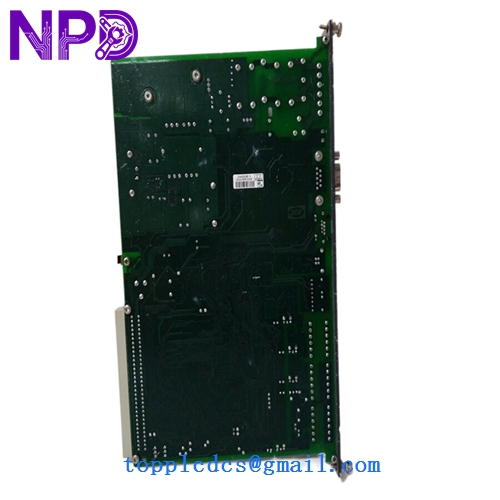
DEIF PCM4.3 2044230081A 2044230080A
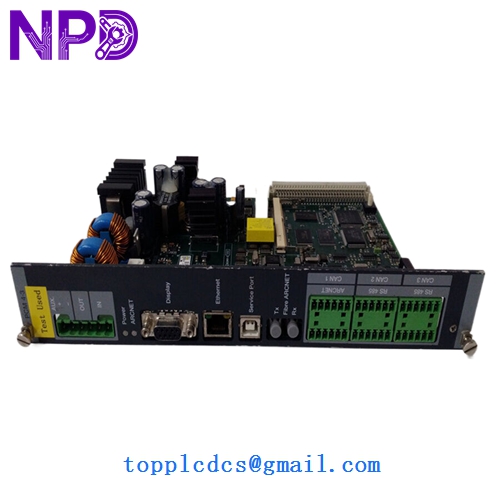
DEIF PCM4.3 2044230081A 2044230080A
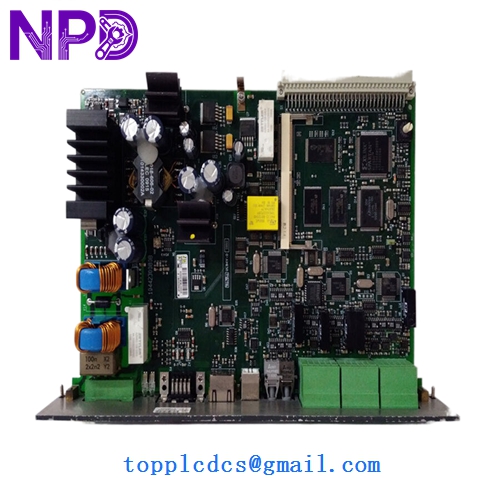
DEIF PCM4.3 2044230081A 2044230080A
Installation & Configuration Guide
Phase 1: Pre-Installation (Preparation)
⚠️ Critical Warning: The PCM4.3 controls the breaker closure. An incorrectly configured synchronization check can cause a “Dead Bus” closure or an out-of-phase synchronization, leading to catastrophic engine and alternator damage.
- Application Backup: Use the DEIF Utility Software (USW) to upload the existing configuration (.usw file) from the old unit.
- Firmware Check: Ensure the new unit’s firmware version matches the old one, especially if used in a load-sharing group with other gen-sets.
- Password: Have the master password (Level 1/2) ready to unlock the parameter settings.
Phase 2: Removal & Replacement
- Power Down: Disconnect the DC supply and the AC sensing fuses.
- Terminal Removal: DEIF uses pluggable terminal strips. Carefully pull the strips out—do not unscrew every individual wire unless you are replacing the terminal blocks themselves.
- Extraction: Loosen the side clamps and slide the module forward out of the cutout.
Phase 3: Commissioning
- Download Config: Use the USW to download the site-specific parameters to the new PCM4.3.
- Sensing Check: Verify that the L1-L2-L3 voltages and currents on the LCD match your manual multimeter readings.
- Sync Test:
- Perform a “Dry Run” by disabling the breaker closure output.
- Verify the synchroscope on the LCD moves correctly and the “Close” command triggers at 0°.
- Final Step: Re-enable the breaker output and perform a live synchronization.
Customer Cases & Industry Applications
Case 1: Data Center Emergency Synchronization A Tier 3 data center in Singapore experienced a failure on their #2 gen-set controller (2044230081A). The unit would not enter “Auto” mode, leaving the facility without full redundancy. We provided a New Surplus unit via hand-carry service. The module was swapped and programmed in under 2 hours, restoring the facility’s N+1 safety rating.
Case 2: Marine Vessel Power Management Recovery A cargo vessel’s power management system (PMS) used four DEIF PCM4.3 units. One unit suffered salt-air corrosion on the internal PCB, causing it to drop out of the load-sharing CAN bus. By sourcing a New Surplus 2044230080A, the crew was able to replace the module at sea, ensuring stable power for the refrigerated containers.
Frequently Asked Questions (FAQ)
Q: What is the difference between 2044230081A and 2044230080A? A: These are typically revision codes or hardware variants (e.g., with or without specific communication options like Profibus). In most cases, the 81A is the newer, more common replacement for the 80A. I recommend checking your specific “Options” list (e.g., Option G2, Option H2) in the DEIF software to ensure total compatibility.
Q: Can I use this for a 400V system? A: Yes, the PCM4.3 supports direct measurement up to 690V AC. You simply need to set the Nominal Voltage in the software parameters.
Q: Why choose “New Surplus” over “Refurbished”? A: Gen-set controllers are subjected to constant vibration and heat. Refurbished units often have micro-fractures in the solder joints that can fail under high-vibration load. New Surplus units have never been installed, offering the full mechanical and electrical life expected of a DEIF product.
Q: Do you offer the configuration cable? A: Yes, we can provide the USB-to-Serial or the specific DEIF interface cable required to connect your laptop to the PCM4.3 for programming.