
Description
- Model: Enterasys A4H124-24FX (Part No: P0973JN)
- Brand: Enterasys Networks (Now Extreme Networks)
- Series: A-Series (A4 Stackable Switches)
- Core Function: High-density Fast Ethernet fiber switching and aggregation
- Product Type: Layer 2 Managed Ethernet Switch
- Key Specs: 24 x 100BASE-FX SFP Ports 2 x 10/100/1000 Ports 2 x SFP Uplinks
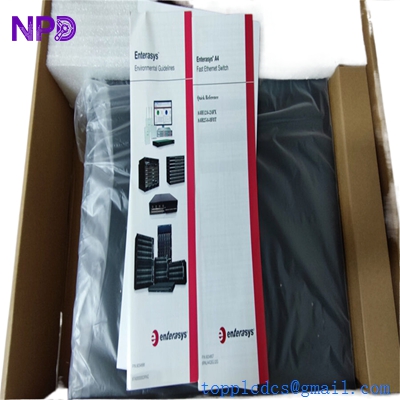
Enterasys A4H124-24FX P0973JN
Key Technical Specifications
- Port Density: 24 x 100 Mbps SFP ports for fiber connectivity
- Uplinks: 2 x 10/100/1000 Mbps RJ45 ports and 2 x 1G SFP combo ports
- Switching Capacity: 12.8 Gbps non-blocking
- Forwarding Rate: 9.5 Mpps
- Stacking Support: Up to 8 units per stack via dedicated stacking ports (40 Gbps stacking bandwidth)
- Management: SNMP v1/v2/v3, RMON, CLI (Console), and Web-based management
- VLAN Support: Up to 4,094 VLAN IDs (802.1Q)
- Layer 2 Features: IEEE 802.1D (STP), 802.1w (RSTP), 802.3ad (Link Aggregation)
- Power: Internal universal power supply (100–240 VAC)
- Form Factor: 1U Rack-mountable
Application Scenarios & Pain Points
The Enterasys A4H124-24FX is a “bulletproof” legacy fiber switch. In industrial settings, copper Ethernet has distance limits (100 m) and is susceptible to electrical noise from VFDs and large motors. This switch is the standard for fiber-to-the-enclosure (FTTE) architectures. If this switch goes down in a multi-node plant network, you lose communication with every downstream PLC and HMI connected via fiber.
Typical Application Scenarios:
- Industrial Campus Backbone Linking remote control rooms or substations that are kilometers apart where copper simply won’t reach.
- High-Noise Environments Providing noise-immune fiber connectivity for PLC racks located next to high-voltage equipment or arc furnaces.
- Legacy Network Maintenance Replacing failed units in existing Enterasys stacks. Because these are stackable, the A4H124-24FX is essential for maintaining the logic of a multi-switch cluster.
- Critical Video Surveillance Aggregating long-distance fiber runs from IP cameras back to a central Network Video Recorder (NVR).
Case Study: The “Intermittent Fiber” Mystery
Background: A manufacturing plant’s SCADA system was reporting random “Node Offline” errors for a distant warehouse. The fiber cables tested fine, but the link would drop every few hours.
The Problem: The existing Enterasys switch had a failing SFP backplane. While it looked functional, it was generating excessive CRC errors under load. Because the A4 series is end-of-life (EOL), the customer couldn’t get a direct replacement from the original vendor.
The Solution: We supplied a certified, pre-tested A4H124-24FX (P0973JN). We verified the firmware version matched their existing stack to ensure seamless integration.
Result: Once swapped, the CRC errors dropped to zero. The client didn’t have to re-configure their entire VLAN structure because the “new” switch was a perfect hardware match.
Similar Product Recommendations
The A4 series has several variants. Ensure you need the FX (Fiber) version and not the TX (Copper) version.
| Model Number | Compatibility | Main Difference |
| A4H124-24FX | ✅ Direct | 24-Port Fiber (SFP-based) |
| A4H124-24 | ❌ Incompatible | 24-Port Copper (RJ45) |
| A4H124-24P | ❌ Incompatible | 24-Port Copper with PoE (Power over Ethernet) |
| C5 Series | ⚠️ Upgrade Path | Modern Extreme Networks replacement; requires config migration. |
Troubleshooting Quick Reference
| Symptom | Possible Cause | Relevance | Action |
| System LED Off | Power Supply Failure | ✅ High | Check AC input; if power is present, the internal PSU is dead. |
| SFP Port “No Link” | SFP Mismatch / Speed | ✅ High | Ensure you are using 100BASE-FX SFPs, not 1000BASE-X. |
| Stacking LED Blinking | Stack ID Conflict | ⚠️ Medium | Use the CLI to check the stack priority and ID settings. |
| Slow Network / CRC Errors | Dirty Fiber Connectors | ⚠️ Medium | Clean the SFP and fiber patch cord with an One-Click cleaner. |
Technical SOP & Quality Guarantee
Network switches are the backbone of your data. We don’t just “power test” them; we load test them:
- Port Stress Test: We populate all 24 SFP ports and run a 24-hour data throughput test to ensure no dropped packets or CRC errors.
- Firmware Flash: We can pre-load a specific firmware version (e.g., 03.xx.xx) to ensure it joins your existing stack without a version mismatch lockout.
- Config Clearance: We perform a factory reset (
set system factory-default) to remove any old IP addresses or VLAN configurations from the previous owner. - Fan & Temp Audit: We check the internal fans for noise and ensure the switch stays within the 40°C operating window under load.
Engineer’s Pro-Tip: When you replace this switch, remember that the 100BASE-FX fiber standard is often “unmanaged” in terms of auto-negotiation. If your link doesn’t come up, try hard-coding the speed to 100Mbps and Full Duplex on both ends.