Description
- Model: EtherWAN EL100T (Full series including EL100T-C, EL100T-S, etc.)
- Brand: EtherWAN (Taiwan)
- Series: EL100 Industrial Media Converter Series
- Core Function: Converts 10/100BASE-TX copper to 100BASE-FX fiber optic signals.
- Product Type: Unmanaged Media Converter
- Key Specs: 12–48 V DC Input | SC/ST/WDM Fiber Ports | IP30 Aluminum Enclosure
- Ethernet Port: 1 x 10/100BASE-TX (RJ45)
- Fiber Port: 1 x 100BASE-FX (SC, ST, or WDM options)
- Input Voltage: 12 to 48 V DC (Terminal Block)
- Operating Temperature: -10°C to 60°C (Standard) / -40°C to 75°C (Hardened “-T” models)
- Forwarding Type: Store-and-Forward
- Power Consumption: Max 2.4 W
- Mounting: DIN-Rail or Wall Mount
- Casing: IP30 Aluminum Alloy
- Dimensions: 30 mm (W) x 70 mm (D) x 110 mm (H)
- MTBF: > 500,000 hours
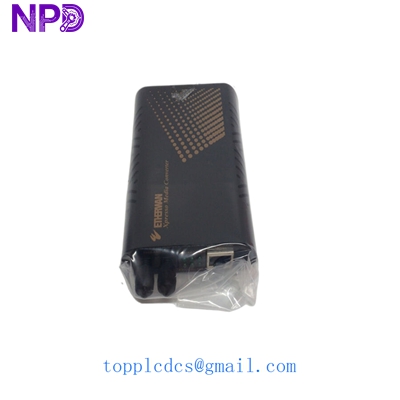
EtherWAN EL100T
Application Scenarios & Pain Points
In large-scale industrial plants, copper Ethernet cables hit a hard limit at 100 meters. When you need to connect a remote I/O cabinet or a PLC in a separate building, electromagnetic interference (EMI) from high-voltage motors often garbles the signal. Running fiber isn’t just about distance; it’s about total electrical isolation. The EL100T is the “set it and forget it” tool that bridges these gaps without the overhead of a managed switch.
Typical Application Scenarios:
- Factory Automation – Long-Distance Uplink Connecting distributed BOARD racks back to a central server room over 2 km (Multi-mode) or 20 km (Single-mode) fiber runs.
- Traffic Control Systems Used in roadside cabinets for IP camera backhaul where extreme temperature fluctuations and vibration are constant.
- Wind Power & Renewable Energy Converting signals from the nacelle down to the base of the tower, providing immunity against the massive EMI generated by the turbine’s inverter.
- Oil & Gas – Remote Monitoring Linking isolated sensors in hazardous areas to the main control room using fiber to prevent ground loop issues.
Case Study: Port Terminal Crane Upgrade
Background: A major port in Southeast Asia needed to upgrade the data link between the operator cabin and the main control unit on a gantry crane. Problem: The existing copper cat5e cable was failing every few months due to the constant mechanical stress and electrical noise from the crane’s VFD (Variable Frequency Drive). Solution: We recommended replacing the copper run with a ruggedized fiber patch cable and a pair of EtherWAN EL100T converters. The converters were powered directly from the existing 24 V DC control bus. Result: * Zero Latency: The 100 Mbps link handled the control data and video feed without jitter.
- Reliability: The system hasn’t seen a single dropped packet in 14 months of 24/7 operation.
- Maintenance: “The best part is we haven’t touched it since the day we clipped it to the DIN rail,” noted the site engineer.
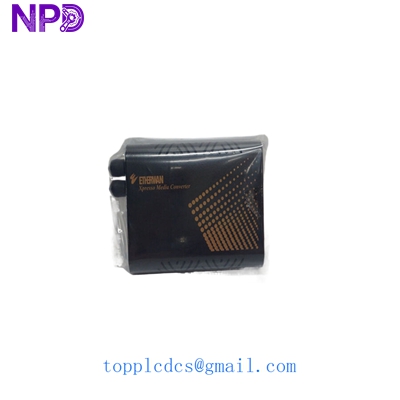
EtherWAN EL100T
Compatible Replacement Models
| Original Model | Replacement Model | Compatibility | Key Difference | Change Required | Cost Impact |
| EL100T | EL110 | ✅ Direct | Slimmer design | None | Same |
| EL100T (Multi-mode) | EL100T (Single-mode) | ⚠️ Software/Optic | Different wavelength | Must change fiber patch cord | +10% |
| EL100T | EL2211 | ✅ Direct | Gigabit support | None (Autonegotiates) | +40% |
| EL100T | EX42000 Series | ❌ Incompatible | Managed Switch | Full re-configuration | +300% |
Troubleshooting Quick Reference
| Symptom | Possible Cause | Relation to EL100T | Quick Check | Action |
| Power LED Off | No DC Input | ❌ Low | Measure 24 V DC at terminal block | Check power supply/fuses |
| Link/Act LED Off (RJ45) | Cable/Pinout | ⚠️ Medium | Check if using straight-through vs crossover | EL100T supports Auto-MDIX; check cable |
| Link/Act LED Off (Fiber) | RX/TX Swapped | ✅ High | Swap the two fiber connectors (A/B) | Cross the fibers; verify wavelength match |
| Erratic Data/Drops | Fiber attenuation | ✅ High | Use an optical power meter | Clean fiber tips with alcohol/clicker |
| Unit is hot to touch | Overload/Ventilation | ⚠️ Medium | Check ambient temp vs rated spec | Ensure 20mm gap between DIN rail units |
Engineering Pro-Tip: The “Swap Test”
Look, I’ve seen it a hundred times—people think the module is dead because the Link light won’t come on. 9 times out of 10, the fiber is just “flipped.” In my experience, if the EL100T has power but no fiber link, swap the RX and TX fibers at one end. If that doesn’t work, check your DIP switches… and for heaven’s sake, make sure you aren’t trying to plug a Single-mode fiber into a Multi-mode module. It won’t work, ever.
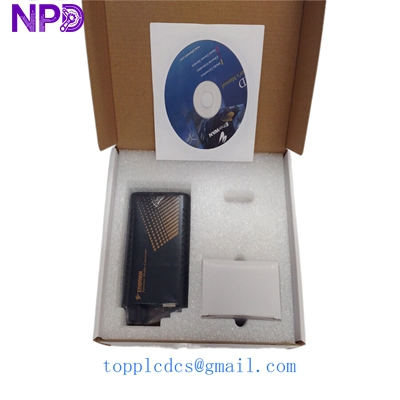
EtherWAN EL100T
Warehouse Featured Inventory (10 Items)
- ABB PM866K01 Controller
- Honeywell TC-CCR013 Module
- Siemens 6ES7322-1BL00-0AA0
- Bently Nevada 3500/22M
- Triconex 3721 Input Module
- General Electric IC695CPU315
- Allen-Bradley 1756-L73
- Schneider Electric 140CPU67160
- Emerson VE4003S2B1
- Yokogawa AAI143-S50