
Description
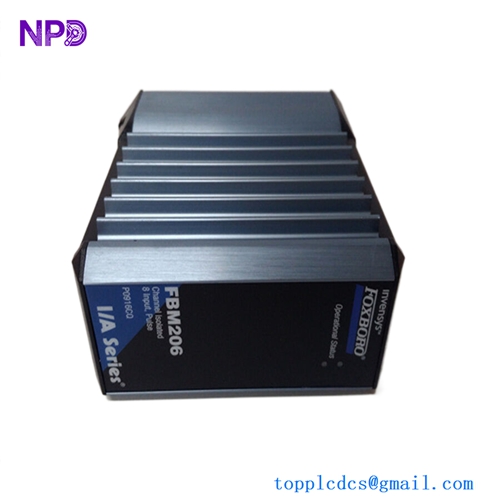
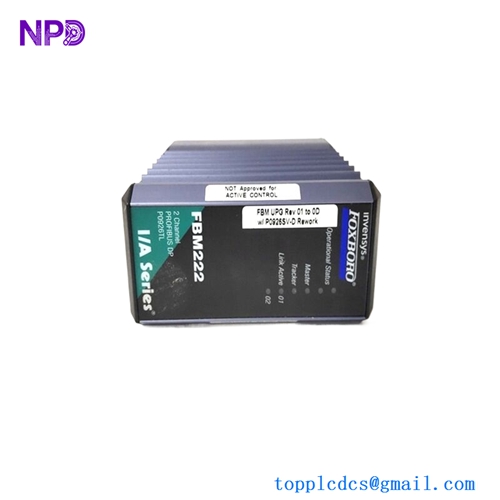
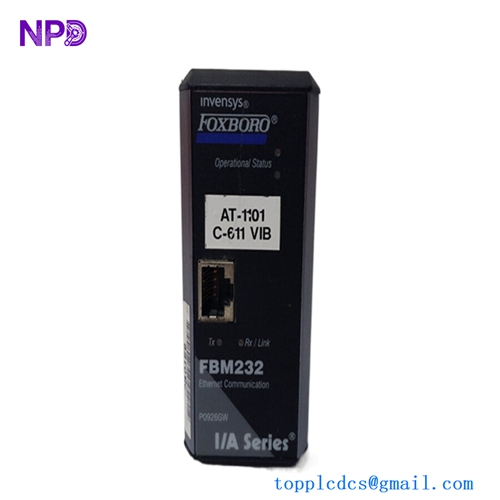
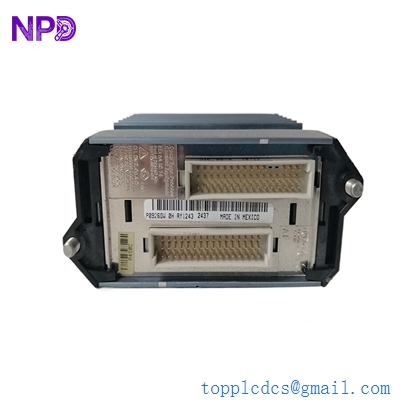
- Model: Foxboro FBM232 (Part Number: P0926GW)
- Brand: Foxboro (Schneider Electric)
- Series: I/A Series / Evo Distributed Control System (DCS)
- Core Function: High-speed Fieldbus Communications Interface between the DCS and Ethernet devices.
- Product Type: Fieldbus Communications Module (FBM)
- Key Specs: Dual 10/100 Mbps Ethernet ports, supports multiple protocols (Modbus TCP, etc.)
- Ethernet Ports: 2 (Copper, RJ45)
- Communication Speed: 10/100 Mbps (Auto-negotiating)
- Protocols Supported: Modbus TCP/IP, Ethernet/IP, and specialized third-party device drivers
- I/O Capacity: Can communicate with up to 64 devices depending on the protocol and driver used
- Architecture: Plugs into a standard Foxboro High-Speed Modular Baseplate
- Redundancy: Supports redundant configurations when used in pairs with a redundant baseplate
- Operating Temperature: -20 °C to +70 °C (-4 °F to +158 °F)
- Relative Humidity: 5% to 95% (Non-condensing)
- Status Indicators: Operational and Communication status LEDs on the front panel

FOXBORO FBM232 P0926GW
Installation & Configuration Guide
Phase 1: Pre-Installation (Estimated time: 15 minutes) ⚠️ Safety First:
- The FBM232 handles communication with external PLCs or smart devices. Ensure that any associated control loops are in “Manual” or “Bypass” before swapping.
- Driver Verification: Ensure the correct driver for your specific protocol (e.g., Modbus TCP) is loaded and licensed in your I/A Series / Evo software.
- Check the Baseplate. The FBM232 requires a High-Speed Modular Baseplate (e.g., P0926HM).
Phase 2: Removal (Estimated time: 5 minutes)
- Label Ethernet Cables: Mark the primary and secondary Ethernet cables.
- Release Fasteners: Unscrew the top and bottom screws on the FBM faceplate.
- Extraction: Use the extraction handles to pull the module straight out of the baseplate. Avoid twisting the module to prevent damaging the high-density connector pins.
Phase 3: Installation (Estimated time: 10 minutes)
- Slide and Seat: Align the FBM232 with the guide rails on the baseplate. Push firmly until the module is fully seated.
- Secure: Tighten the screws. This ensures the module is grounded to the baseplate frame.
- Connect Cables: Plug in the RJ45 Ethernet cables until you hear a “click.”
Phase 4: Configuration & Binding (Estimated time: 30 minutes)
- Software Definition: In the Foxboro Engineering Suite, define the FBM232 at the correct Letter/Nut address.
- IP Assignment: Configure the IP address, Subnet Mask, and Gateway for the FBM232 ports.
- Download Database: Download the FBM configuration and the associated ECG (Ethernet Communication Gateway) blocks.
- Verification: Check the I/A Series System Manager. The FBM status should change from “Off-line” to “On-line” with a green status indicator.
FOXBORO FBM232 P0926GW
Customer Cases & Industry Applications
Case 1: Oil Refinery PLC Integration A refinery in the Middle East used an FBM232 to bridge data between their Foxboro DCS and several Allen-Bradley PLCs controlling the tank farm. When the original P0926GW failed due to an electrical surge, the DCS lost all visibility of the tank levels. We delivered a New Surplus FBM232 in 72 hours. By swapping the module and re-binding the software, the refinery restored communication and avoided an manual gauging operation.
Case 2: Power Plant Emission Monitoring A coal-fired power plant utilized the FBM232 to pull data from their CEMS (Continuous Emissions Monitoring System) via Modbus TCP. The module began experiencing “dropped packets,” causing gaps in their regulatory reporting. By replacing the aging unit with our New Surplus FBM232, the plant stabilized the network connection and ensured 100% data compliance for their environmental audits.
FOXBORO FBM232 P0926GW
Frequently Asked Questions (FAQ)
Q: Is the FBM232 (P0926GW) the same as the FBM230? A: No. While they look similar, the FBM230 is typically for serial communication (RS-232/422/485), whereas the FBM232 is specifically designed for 10/100 Ethernet communication. To be honest, they are not interchangeable without changing the baseplate and software configuration.
Q: Can I run this module in a redundant pair? A: Yes. When placed in adjacent slots on a redundant modular baseplate, two FBM232 modules provide full communication redundancy. If the primary fails, the secondary takes over the IP address and communication tasks automatically.
Q: Why is my “Link” LED off? A: This usually indicates a physical layer issue. Check the Ethernet cable, the network switch port, or verify that the cable is a standard Cat5e/Cat6 straight-through cable. If the switch is managed, ensure the port is not disabled.
Q: Does “New Surplus” mean it’s an old hardware revision? A: Not necessarily. We source “zero-hour” parts from project overstock. While the manufacturing date may not be current month, the hardware is original and has never been subjected to the heat and stress of an active plant. We provide a 1-year warranty to guarantee performance.
Q: Do I need to reboot the CP (Control Processor) after installing? A: No. The Foxboro I/A Series is designed for “hot-pluggable” I/O. You can add or replace the FBM232 while the CP is running, though you will need to perform the software binding steps to make it active.
I’m always open to corrections if I get something wrong; the best way to handle that is to just tell me what I missed or what I need to know! You can also always turn off the use of this personal context in your settings.