Description
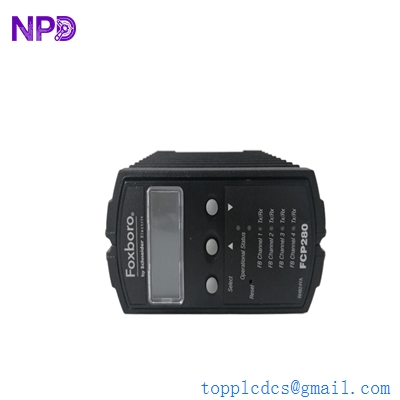
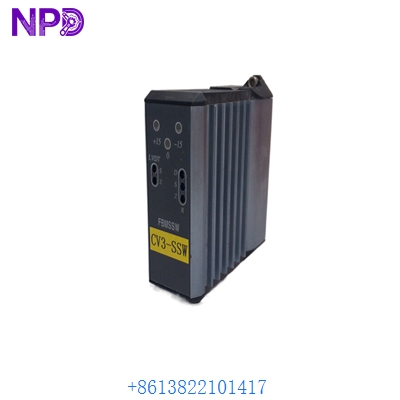
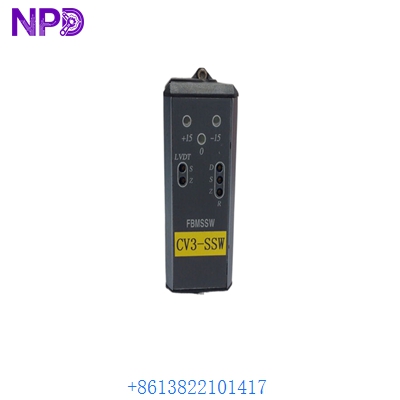
- Model: Foxboro FBMSSW
- Brand: Foxboro (by Schneider Electric)
- Series: I/A Series / EcoStruxure Foxboro DCS
- Core Function: System Manager Software for Field Bus Modules (FBM)
- Product Type: Software License / Configuration Utility
- Key Specs: Compatible with AW/WP Workstations | Supports FBM200/FBM100 Series
- Operating System: Windows-based (Server 2008/2012/2016 or Windows 7/10 depending on I/A version)
- Software Version: Compatible with I/A Series v8.x through EcoStruxure v7.x
- Functionality: FBM configuration, status monitoring, and firmware management
- Network Support: Mesh and Switched Ethernet architectures
- FBM Support: Full range (FBM201, 204, 217, 237, etc.)
- Diagnostics: Real-time health reporting for Fieldbus modules
- Integration: Integrated with FoxView, FoxSelect, and ICC (Integrated Control Configurator)
- Licensing: Per-workstation or Site-wide (depending on part suffix)
FOXBORO FBMSSW
Application Scenarios & Pain Points
In a Foxboro I/A Series system, the hardware is only as good as the software managing it. The Foxboro FBMSSW (System Manager) is the “command center” for your Field Bus Modules. Without a valid, functioning FBMSSW license on your engineering station, you’re essentially flying blind—you can’t reconfigure I/O, you can’t push firmware updates to a new module, and troubleshooting becomes a guessing game of looking at LEDs in the rack.
Typical Application Scenarios:
- DCS System Expansion: Adding a new rack of FBM217 modules to an existing plant and needing to “introduce” them to the system.
- Emergency Troubleshooting: Diagnosing a “Failed” status on an FBM that isn’t reporting data to the I/A Series control blocks.
- Firmware Alignment: Ensuring that a newly purchased spare FBM has the same firmware revision as the rest of the operational fleet.
- Workstation Recovery: Rebuilding an Engineering Station (AW) after a hard drive failure and needing to reinstall the core management utilities.
Real-World Case: The “Unrecognized” Spare
Background: A large paper mill in the Southeast had an FBM204 (Digital Output) fail. The maintenance team had a spare in the cabinet, plugged it in, but the I/O wouldn’t come online.
Problem: The new FBM was a newer hardware revision with a firmware version that the older DCS software didn’t recognize. The engineers tried to use the standard configurator, but it kept throwing a “Module Type Unknown” error.
Solution: They realized their Engineering Station’s Foxboro FBMSSW utility was outdated. We provided the updated FBMSSW package. Once installed, the System Manager was able to “see” the new module, down-rev the firmware to match the plant’s standard, and bring the I/O online.
Result: The paper machine was back in production in under 2 hours. Old Pro Tip: Always keep your FBMSSW media and license keys in a fireproof safe; if your AW crashes and you lose this software, you can’t manage your hardware.
FOXBORO FBMSSW
Compatible Replacement Models
Foxboro licensing is specific to the version of the I/A Series or EcoStruxure platform you are running.
| Model | Platform | Compatibility | Note |
| FBMSSW | I/A Series v8.x | ✅ Exact Match | Standard System Manager Software |
| SY-MGR-SW | EcoStruxure | ⚠️ Upgrade Path | The modern equivalent for EcoStruxure Foxboro DCS |
| FBM-CONFIG | Legacy v6.x | ❌ Incompatible | For older UNIX-based Solaris workstations |
Software Note: Ensure you check your “Letter State” or version compatibility (e.g., Version 8.4 vs 8.8) before purchasing, as Schneider Electric software licenses are often version-locked.
Troubleshooting Quick Reference
| Symptom | Possible Cause | Correlation | Quick Check | Action |
| “License Expired/Invalid” | Dongle or MAC mismatch | ✅ High | Check the hardware key (USB/Parallel) or the MAC address bound to the license. | Re-host the license or check the USB dongle. |
| Cannot Connect to FBM | Network/Switch Issue | ⚠️ Medium | Can you “ping” the FBM via the workstation? | Check the Fieldbus cable and switch configuration. |
| “Module Type Not Found” | Missing FBM Library | ✅ High | Check if the FBMSSW supports the specific FBM model (e.g., FBM242). | Update FBMSSW to the latest service pack. |
| Software Crashes on Launch | OS Compatibility | ⚠️ Medium | Was a Windows Update recently applied? | Run in “Compatibility Mode” or roll back the update. |
Final Tech Note: If you are swapping an old AW70 workstation for a newer model, remember that Foxboro FBMSSW usually requires the “Foxboro Control Core” to be installed first. Don’t try to install it as a standalone app; it won’t work.
FOXBORO FBMSSW
Inventory List: Foxboro I/A Series Hardware
- FBM217 (P0914TR) – Discrete Input
- FBM201 (P0914SQ) – Analog Input
- FBM242 (P0916TA) – Discrete Output
- FCM100E (P0914YX) – Fieldbus Communication Module
- P0916CP (Control Processor 60)
- P0926GW (Z-Module Migrator)
- FBMSSW (System Manager Software)
- P0914BT (Termination Assembly)
- P0917LH (Power Supply)
- FBM237 (P0914XS) – 0-20mA Input